

 FS2004 Civil Jet Aircraft
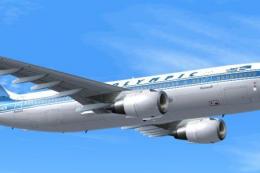
Olympic Airways Airbus A300B4-200 Set
Olympic Airways Airbus A300B4-200 (old and present liveries). SGA Airbus requ…
Olympic Airways Airbus A300B4-200 “Odysseus” (SX-BEB) brings the carrier’s early 1980s colors to the skies with a clean, era-accurate repaint for the SGA model, complete with airline callsign and aircraft details. Designed as textures-only for FS2004 and requires SGAA3B42.ZIP.
 Rate
Rate
Olympic Airways Airbus A300B4-200, registration SX-BEB, "Odysseus", in the early 1980's livery. Textures only; requires SGAA3B42.ZIP. Model by SGA. Repainted by Vassilis Babilis.
Screenshot of Olympic Airways Airbus A300B4-200 in flight.
Unzip the files (with the option "use folder names" on!) in your SGA base package installation directory.
Then copy-paste the following lines in your aircraft configuration:
REPLACE THE X IN THE FIRST LINE WITH THE NEXT NUMBER FROM THE LAST INSTALLED TEXTURE FOR THE A300.
[fltsim.X]

	title=SGA A300B4-200 Olympic Airways

	sim=a310

	model=

	panel=

	sound=

	texture=oa

	kb_checklists=

	kb_reference=

	atc_airline=Olympic

	atc_flight_number=472

	atc_id=SXBEB

	atc_heavy=1

	ui_manufacturer=Airbus

	ui_type=A300B4-200

	ui_variation=Olympic Airways

	description=Olympic Airways A300B4-200 "Odysseus" reg SX-BEB in the old colours.

	visual_damage=1
Free for all simmers · 721.53 KB · Scanned clean Oct 2026
Download speed: Free tier is capped at 0.5 Mbps. PRO members download at full line speed.
This add-on may require the following files to function properly. If this is a repaint, the dependency below is likely the base aircraft package.
FS9\Aircraft\, FS9\Addon Scenery\, FS9\Gauges\, or FS9\Effects\.readme.txt or README file. It tells you exactly where files go, what dependencies are needed, and any quirks specific to this add-on.The archive sg300oal.zip has 12 files and directories contained within it.
This list displays the first 500 files in the package. If the package has more, you will need to download it to view them.
| Filename/Directory | File Date | File Size |
|---|---|---|
| A300_A_L.BMP | 02.09.04 | 256.07 kB |
| A300_A_T.BMP | 02.24.04 | 1.33 MB |
| A300_B_L.BMP | 02.09.04 | 256.07 kB |
| A300_B_T.BMP | 02.24.04 | 1.33 MB |
| ENGINES_L.BMP | 02.09.04 | 64.07 kB |
| ENGINES_T.BMP | 02.24.04 | 1.33 MB |
| WINGS_L.BMP | 02.09.04 | 64.07 kB |
| WINGS_T.BMP | 02.09.04 | 1.00 MB |
| texture.oa | 02.18.04 | 0 B |
| Readme.txt | 02.24.04 | 1.42 kB |
| flyawaysimulation.txt | 10.29.13 | 959 B |
| Go to Fly Away Simulation.url | 01.22.16 | 52 B |
Only PRO members can place votes.
More FS2004 add-ons hand-picked based on this download.
FS2004 Civil Jet Aircraft
Olympic Airways Airbus A300B4-200 (old and present liveries). SGA Airbus requ…
 FS2004 Civil Jet Aircraft
Olympic Airways Boeing 737-200, registration SX-BCE, "Dionysus". This plane i…
 FS2004 Civil Jet Aircraft
requires SGA_A300B4-200.zip here. for SGA's A300B4-200 (textures only)
 FS2004 Civil Jet Aircraft
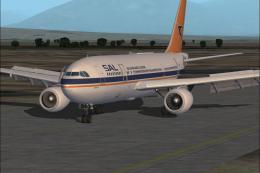
requires SGA_A300B4-200.zip here. This is a 32-bit hand drawn repaint of Sout…
 FS2004 Civil Jet Aircraft
First jet airliner ever made Update to FS2002: Bracken Dawsonand to FS2004: A…
 FS2004 Civil Jet Aircraft
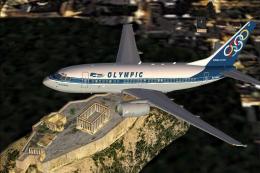
Textures only for the PMDG B737-600. Repaint by Moudatsos Stylianos. Screensh…
 FS2004 Civil Jet Aircraft
A repaint of the default B734-400 in Olympic Airways Livery. The repaint was …
 FS2004 Civil Jet Aircraft
The new addition to the SGA fleet, the Airbus A300B4-200 is loaded with featu…
Be the first to leave a comment on this download.
Be the first to share your thoughts on this download.