

 FS2004 Civil Jet Aircraft
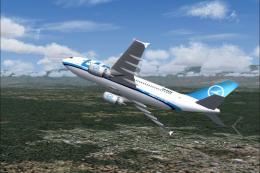
Airbus A-310, Lloyd Aero Boliviana
Airbus A310 in Lloyd Aero Boliviana livery, painted in 32-bit textures. Great…
Aero Flight Airbus A320/A321 repaint brings the short-lived German carrier’s post–Aero Lloyd identity to Flight Simulator 2004 with crisp, paint-kit-accurate textures and authentic markings for both variants. Designed for AI or user flying, it requires the Airbus Twins base pack and integrates cleanly into existing fleets for realistic European charter operations.
 Rate
Rate
Airbus A320 and A321. Aero Flight is the successor of the former bankrupt German airline Aero Lloyd, using some of its aircraft and a good deal of its personnel for a new start. Repaint based on official ARNZ paint kit. Textures only, You will need to have the Airbus Twins base pack (ABTBASE.ZIP). By Torsten Meyrowitz. Original by Jon Murchison.
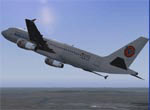
Screenshot of Aero Flight Airbus A320 in flight.
The Airline:
Aero Flight (Code:GV) is the successor of the former bankrupt German airline AERO LLOYD (YP), using some of its aircraft and a good deal of its personnel for a new start. Flights commenced late March 2004 from Germany to Spain, Turkye and Kasachstan. Aircraft are re-registered but keep their old names.
The former Austrian branch "Aero Lloyd Austria" was taken over by former racing champion Niki Lauda now flying as "NIKI" airline.
Disclaimer:
In addition to the legal paragraph by ARNZ, I also accept no responsibility for any harm You or Your system may take while, after or due to installation of these textures. Use at Your own risk!
Installation:
Unzip this archive with "create folders" option into Your 'AIRBUS TWINS'-folder or where You have installed the base pack. Included is a text file for easy addition into Your AIS-AI fleet. Copy & paste its content to the aircraft.cfg file and adjust the texture number to the next available.
Free for all simmers · 451.59 KB · Scanned clean Oct 2026
Download speed: Free tier is capped at 0.5 Mbps. PRO members download at full line speed.
This add-on may require the following files to function properly. If this is a repaint, the dependency below is likely the base aircraft package.
FS9\Aircraft\, FS9\Addon Scenery\, FS9\Gauges\, or FS9\Effects\.readme.txt or README file. It tells you exactly where files go, what dependencies are needed, and any quirks specific to this add-on.The archive aeroflit.zip has 11 files and directories contained within it.
This list displays the first 500 files in the package. If the package has more, you will need to download it to view them.
| Filename/Directory | File Date | File Size |
|---|---|---|
| aeroflight_ai.txt | 05.01.04 | 768 B |
| A3XX_AI.bmp | 05.01.04 | 1.00 MB |
| A3XX_AI_L.bmp | 09.24.03 | 256.07 kB |
| texture.320_gv | 05.01.04 | 0 B |
| A3XX_AI.bmp | 05.01.04 | 1.00 MB |
| A3XX_AI_L.bmp | 03.07.03 | 1.00 MB |
| texture.321_gv | 05.01.04 | 0 B |
| readme.txt | 05.01.04 | 2.12 kB |
| aero320.gif | 05.01.04 | 10.99 kB |
| flyawaysimulation.txt | 10.29.13 | 959 B |
| Go to Fly Away Simulation.url | 01.22.16 | 52 B |
Only PRO members can place votes.
More FS2004 add-ons hand-picked based on this download.
FS2004 Civil Jet Aircraft
Airbus A310 in Lloyd Aero Boliviana livery, painted in 32-bit textures. Great…
 FS2004 Civil Jet Aircraft
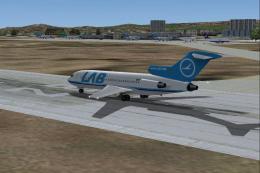
This freeware package showcases a detailed Boeing 727-100 meticulously repain…
 FS2004 Civil Jet Aircraft
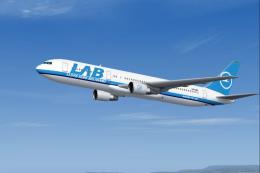
Enjoy a meticulously detailed Boeing 767-300 painted in the colors of Lloyd A…
 FS2004 Civil Jet Aircraft
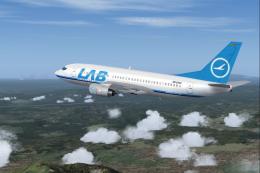
This package features a meticulously painted Boeing 737-300 decorated in the …
 FS2004 Civil Jet Aircraft
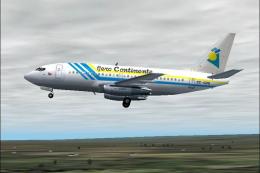
Features the latest reflection including dynamic shine, lighting, and animati…
 FS2004 Civil Jet Aircraft
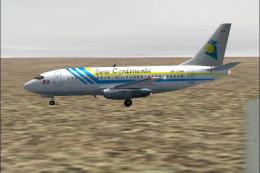
Features the latest reflection including dynamic shine, lighting, and animati…
 FS2004 Civil Jet Aircraft
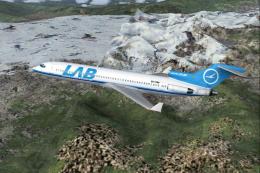
This freeware package offers a meticulously detailed recreation of the Lloyd …
 FS2004 Civil Jet Aircraft
Aero California Douglas DC-9-10, registration XA-AGS. Textures only; requires…
Be the first to leave a comment on this download.
Be the first to share your thoughts on this download.