

 FS2004 Civil Jet Aircraft
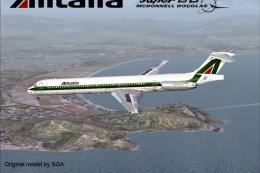
Alitalia McDonnell Douglas MD-80
This FFX/SGA McDonnell Douglas MD80 aircraft features a Gmax model that is tr…
Give the SGA McDonnell Douglas MD-80 a crisp Alitalia Renault Scenic paint scheme for FS2004, featuring 32-bit hand-drawn textures built for clean, sharp visuals in flight and on the ramp. Textures-only release tailored to the SGA MD80 package and requires the base aircraft to display the livery in the simulator.
 Rate
Rate
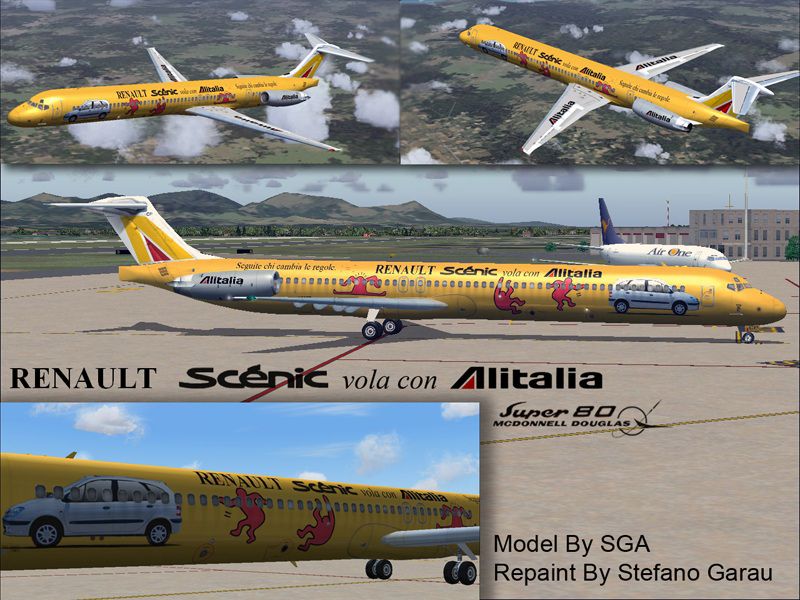
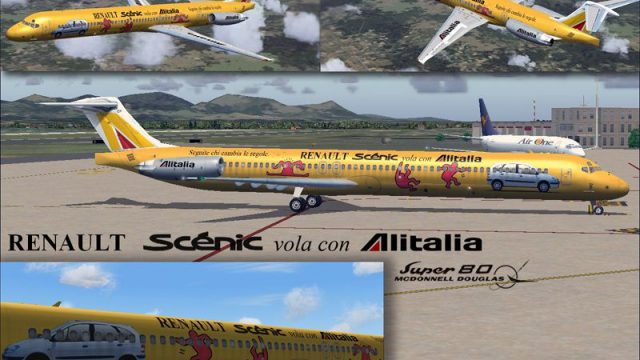
Douglas MD-80 in Renault Scenery vola con Alitalia livery. Features 32 bit hand drawn textures without mips. Textures only for the SGA MD80. Livery by Stefano Garau.
Screenshot of Alitalia McDonnell Douglas MD-80 in flight.
INSTALLATION:
Download the original MD80 aircraft designed by SGA.
Unzip the MD80 texture zip to a temporary folder. Copy and past the new texture folder into your original FS9 MD80 aircraft folder. Next edit the aircraft.cfg file to add the following lines to the aircraft identity section. The xx in the [fltsim] section should reflect the next number in succession. You should then see your new Delta aircraft in the startup menu of FS2004.
[fltsim.XX]

	title=McDonnell Douglas MD83 AZSCENIC

	sim=Super83

	model=

	panel=

	sound=

	texture=AZSCENIC

	checklists=

	ui_manufacturer=McDonnell-Douglas

	ui_type=MD83

	ui_variation=Alitalia Renault Scenic

	description=The DC-9-83 (MD83) is a development of the DC-9 Super 80 and features improved aerodynamics and updated engines.

	atc_airline=

	atc_id=I-DACP
Free for all simmers · 2.9 MB · Scanned clean Oct 2026
Download speed: Free tier is capped at 0.5 Mbps. PRO members download at full line speed.
FS9\Aircraft\, FS9\Addon Scenery\, FS9\Gauges\, or FS9\Effects\.readme.txt or README file. It tells you exactly where files go, what dependencies are needed, and any quirks specific to this add-on.The archive sg80alrs.zip has 16 files and directories contained within it.
This list displays the first 500 files in the package. If the package has more, you will need to download it to view them.
| Filename/Directory | File Date | File Size |
|---|---|---|
| DC9xINTERIOR_L.BMP | 11.16.03 | 1.33 MB |
| DC9xINTERIOR_T.BMP | 03.13.04 | 4.00 MB |
| DC9_B_L.BMP | 12.13.03 | 4.00 MB |
| DC9_B_T.BMP | 04.29.04 | 4.00 MB |
| ENGINES_L.BMP | 11.16.03 | 1.33 MB |
| ENGINES_T.BMP | 04.29.04 | 4.00 MB |
| MD83_A_L.BMP | 01.19.04 | 4.00 MB |
| MD83_A_T.BMP | 04.29.04 | 4.00 MB |
| MD83_B_L.BMP | 01.19.04 | 4.00 MB |
| MD83_B_T.BMP | 04.29.04 | 4.00 MB |
| Thumbs.db | 04.29.04 | 51.50 kB |
| texture.AZSCENIC | 04.29.04 | 0 B |
| readme!.txt | 04.29.04 | 1.25 kB |
| ss0.jpg | 04.29.04 | 183.42 kB |
| flyawaysimulation.txt | 10.29.13 | 959 B |
| Go to Fly Away Simulation.url | 01.22.16 | 52 B |
Only PRO members can place votes.
More FS2004 add-ons hand-picked based on this download.
FS2004 Civil Jet Aircraft
This FFX/SGA McDonnell Douglas MD80 aircraft features a Gmax model that is tr…
 FS2004 Civil Jet Aircraft
This aircraft features a Gmax model that is true to the real aircraft in many…
 FS2004 Civil Jet Aircraft
Features 32 bit hand drawn textures without mips. Textures only. Model by SGA…
 FS2004 Civil Jet Aircraft
Brand new model from SGA. Includes SGA MD80 with Alaska Airlines and American…
 FS2004 Civil Jet Aircraft
This package brings together a faithfully structured McDonnell Douglas MD-80 …
 FS2004 Civil Jet Aircraft
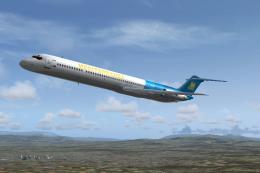
McDonnell Douglas MD-80 in Mediterranea Virtual Airlines livery, the first It…
 FS2004 Civil Jet Aircraft
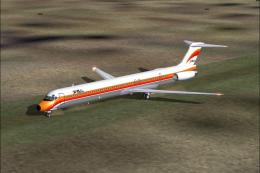
An MD80 created for AI use, but flyable also. Model by FSPainter. Repainted b…
 FS2004 Civil Jet Aircraft
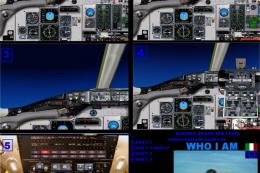
This freeware package for FS2004 delivers a highly detailed rendition of Alit…
Be the first to leave a comment on this download.
Be the first to share your thoughts on this download.