

 FS2004 Civil Jet Aircraft
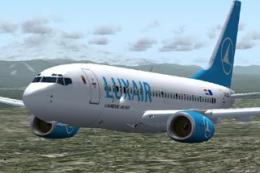
Luxair Boeing 737-700 Repaint
Includes full moving parts, dynamic shine, custom lighting, scratch-built vis…
Luxair Boeing 737-700 textures bring the airline’s look to the PMDG 737-700 with winglets, adding a crisp exterior repaint suited to both 2D and virtual cockpit configurations. Built for FS2004, it requires the PMDG 737-700 Winglets base model and uses original texture files as a foundation.
 Rate
Rate
Textures only Model by PMDG. Repaint by Leigh Green.

Screenshot of Luxair Boeing 737-700 in flight.
This livery is designed for the PMDG -700 with winglets.
To install you will need to use some original textures. To begin, you need to create a folder called texture.luxair in the PMDG737-700-Winglets aircraft directory, copy ALL the textures from the original texture folder (Texture) and place them into your newly created folder. Then simply unzip (or copy) these textures into the texture.luxair folder, overwriting the files when prompted.
Now copy and paste the following into the aircraft.cfg file. Remember to change the xx to the next number in the sequence.
[fltsim.XX]

	title=Luxair PMDG 737-700 - Winglets

	sim=B737-700WL

	model=WL

	panel=

	sound=

	texture=luxair

	checklists=PMDG737NG_CHECK

	atc_id_color=0xffffffff

	atc_id=N737AT

	atc_airline=Luxair

	atc_flight_number=737

	ui_manufacturer=Boeing-PMDG

	ui_type=737-700 - 2D Cockpit Only

	ui_variation=Luxair w/Winglets

	description=Boeing 737-700 with CFM56-7B22 engines v 1.0\nPrecision Manuals Development Group\nFor use with BOEING 737: The Next Generation by PMDG \nPMDG Developer and Customer Forum available at our website. \nSounds Developed in conjunction with SkySong Soundworks \nFSUIPC Commercially Licensed from Pete Downson \nAll Artwork encoded using Digimark Technology \nThank you for supporting PMDG!\n

	visual_damage=1

	atc_heavy=0

	kb_reference=PMDG737NG_REF
[fltsim.XX]

	title=Luxair PMDG 737-700 - Virtual Cockpit/Winglets

	sim=B737-700WL

	model=WLVC

	panel=VC

	sound=

	texture=luxair

	checklists=PMDG737NG_CHECK

	atc_id_color=0xffffffff

	atc_id=N464AT

	atc_airline=Luxair

	atc_flight_number=737

	ui_manufacturer=Boeing-PMDG

	ui_type=737-700 - Virtual Cockpit

	ui_variation=Luxair w/Winglets

	description=Boeing 737-700 with CFM56-7B22 engines v 1.0\nPrecision Manuals Development Group\nFor use with BOEING 737: The Next Generation by PMDG \nPMDG Developer and Customer Forum available at our website. \nSounds Developed in conjunction with SkySong Soundworks \nFSUIPC Commercially Licensed from Pete Downson \nAll Artwork encoded using Digimark Technology \nThank you for supporting PMDG!\n

	visual_damage=1

	atc_heavy=0

	kb_reference=PMDG737NG_REF
Free for all simmers · 1.9 MB · Scanned clean Oct 2026
Download speed: Free tier is capped at 0.5 Mbps. PRO members download at full line speed.
FS9\Aircraft\, FS9\Addon Scenery\, FS9\Gauges\, or FS9\Effects\.readme.txt or README file. It tells you exactly where files go, what dependencies are needed, and any quirks specific to this add-on.The archive pmdgluxw.zip has 12 files and directories contained within it.
This list displays the first 500 files in the package. If the package has more, you will need to download it to view them.
| Filename/Directory | File Date | File Size |
|---|---|---|
| pmdg_700_fuse_t.bmp | 04.30.04 | 4.00 MB |
| PMDG_Belly_T.bmp | 04.30.04 | 256.07 kB |
| PMDG_Det_3_T.bmp | 04.30.04 | 256.07 kB |
| PMDG_Det4_T.bmp | 04.30.04 | 1.00 MB |
| pmdg_engine_L_t.bmp | 04.30.04 | 1.00 MB |
| pmdg_engine_r_t.bmp | 04.30.04 | 1.00 MB |
| PMDG_Tail_T.bmp | 04.30.04 | 1.00 MB |
| PMDG_Wing_T.bmp | 04.30.04 | 4.00 MB |
| PMDG_WingL_T.bmp | 04.30.04 | 4.00 MB |
| Luxair Readme.txt | 04.30.04 | 2.58 kB |
| flyawaysimulation.txt | 10.29.13 | 959 B |
| Go to Fly Away Simulation.url | 01.22.16 | 52 B |
Only PRO members can place votes.
More FS2004 add-ons hand-picked based on this download.
FS2004 Civil Jet Aircraft
Includes full moving parts, dynamic shine, custom lighting, scratch-built vis…
 FS2004 Civil Jet Aircraft
Model by FFX/Erick Cantu. Painted by Karl Vermeire. Installation of the base …
 FS2004 Civil Jet Aircraft
Luxair Boeing 737-500 (new colors). Textures only; requires AIAFS9UP.ZIP. Mod…
 FS2004 Civil Jet Aircraft
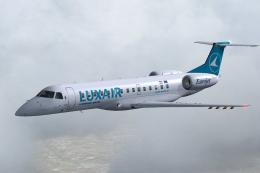
DreamWings ERJ-135 in Luxair livery (anticipated), registration LX-LHA. Textu…
 FS2004 Civil Jet Aircraft
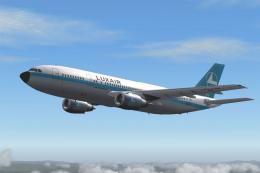
The SGA Airbus A300B4-200 is loaded with features, including some new and exc…
 FS2004 Civil Jet Aircraft
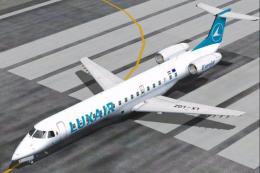
Textures only, requires Dreamwings ERJ-145 base package. This is the first ai…
 FS2004 Civil Jet Aircraft
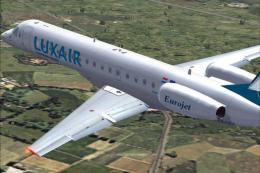
Textures only, requires Feelthere ERJ145 base package. First aircraft to spor…
 FS2004 Civil Jet Aircraft
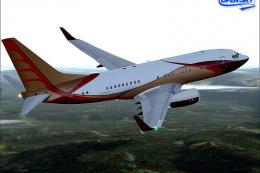
This freeware release brings a refined Boeing 737-700 Business Jet (BBJ) to M…
Be the first to leave a comment on this download.
Be the first to share your thoughts on this download.