

 FS2004 Civil Jet Aircraft
Cargolux Boeing 747-400F LX-LCV
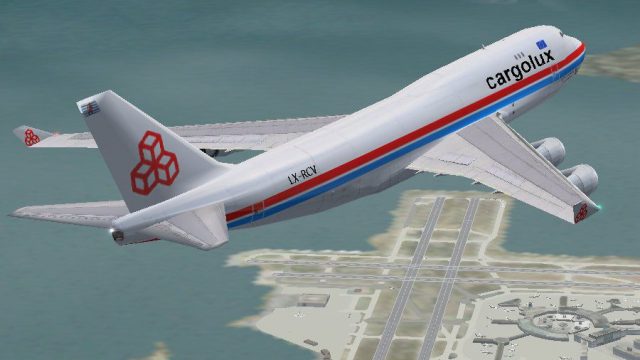
A repaint of the default B747 by Guy Sterges. Screenshot of Cargolux Boeing 7…
Cargolux Boeing 747-400F LX-RCV livery brings a freight-focused look to the default 747 with refined, more accurate grey tones and airline markings. Designed for Microsoft Flight Simulator 2004, it drops into the stock aircraft to expand cargo fleet variety while keeping the familiar virtual cockpit and handling.
 Rate
Rate
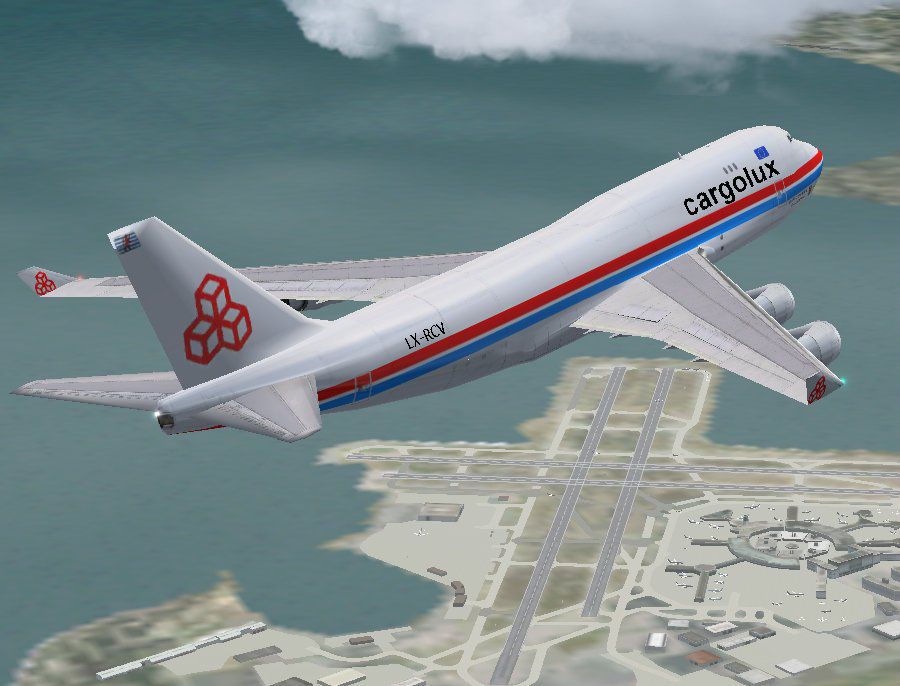
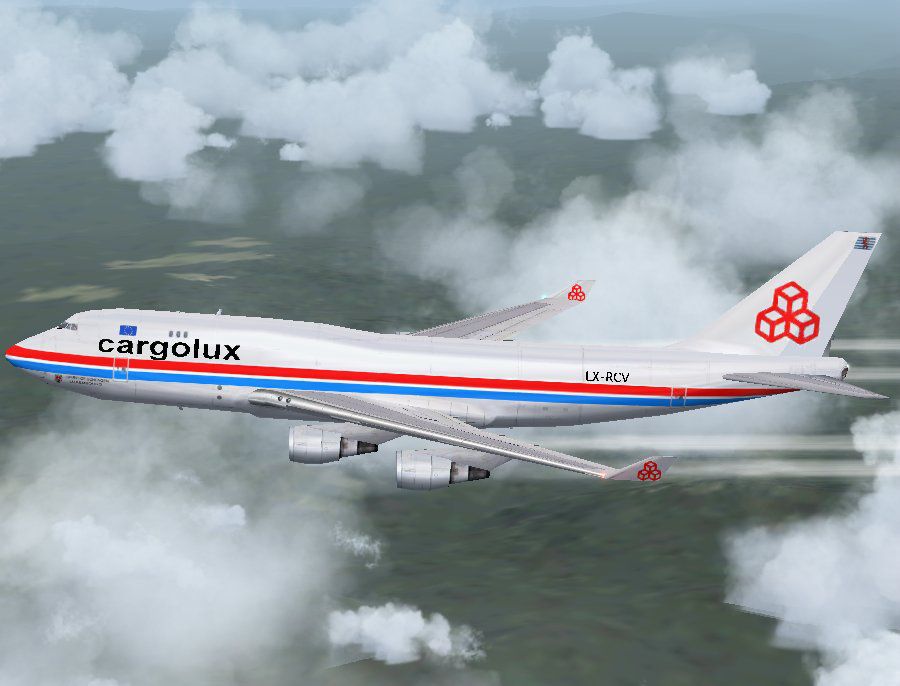
A repaint of the default B747-400. Repaint by Guy Sterges.
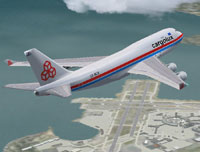
Screenshot of Cargolux Boeing 747-400F in the air.
This is Version 3 of my repaint of MS FS2004 Default B747-400 in CARGOLUX Painting.
It has more accurate colours (more greyish).
The repainting is not corresponding 100% to the real airplane.
Install :
Copy the texture.cargolux folder in your FS2004\aircraft\b747_400 directory. Add those lines in your aircraft.cfg file.
[fltsim.X]

	title=Boeing 747-400 Cargolux

	sim=Boeing747-400

	model=

	panel=

	sound=

	texture=cargolux

	kb_checklists=Boeing747-400_check

	kb_reference=Boeing747-400_ref

	atc_id=LX-RCV

	atc_airline=cargolux

	atc_flight_number=942

	atc_heavy=1

	ui_manufacturer=Boeing

	ui_type=747-400

	ui_variation=CARGOLUX

	description=
Replace X by the appropriate number.
Repainted by Guy Sterges.
Free for all simmers · 1.01 MB · Scanned clean Oct 2026
Download speed: Free tier is capped at 0.5 Mbps. PRO members download at full line speed.
FS9\Aircraft\, FS9\Addon Scenery\, FS9\Gauges\, or FS9\Effects\.readme.txt or README file. It tells you exactly where files go, what dependencies are needed, and any quirks specific to this add-on.The archive crglx743.zip has 14 files and directories contained within it.
This list displays the first 500 files in the package. If the package has more, you will need to download it to view them.
| Filename/Directory | File Date | File Size |
|---|---|---|
| cargolux_747_v3_1.JPG | 08.13.04 | 80.96 kB |
| cargolux_747_v3_2.JPG | 08.14.04 | 98.34 kB |
| cargolux_747_v3_thumbnail.GIF | 08.14.04 | 10.56 kB |
| Readme.txt | 08.14.04 | 780 B |
| texture.cargolux | 08.14.04 | 0 B |
| 747_decal_label_1.bmp | 04.02.03 | 170.74 kB |
| 747_decal_label_2.bmp | 04.02.03 | 42.74 kB |
| b747_400_c.bmp | 10.31.02 | 682.74 kB |
| b747_400_l.bmp | 08.30.03 | 85.40 kB |
| b747_400_t.bmp | 08.14.04 | 1.00 MB |
| decal_b747_400.bmp | 07.28.04 | 8.07 kB |
| Thumbs.db | 07.25.04 | 31.50 kB |
| flyawaysimulation.txt | 10.29.13 | 959 B |
| Go to Fly Away Simulation.url | 01.22.16 | 52 B |
Only PRO members can place votes.
More FS2004 add-ons hand-picked based on this download.
FS2004 Civil Jet Aircraft
A repaint of the default B747 by Guy Sterges. Screenshot of Cargolux Boeing 7…
 FS2004 Civil Jet Aircraft
This is Version 2 of the repaint of MS FS2004 Default B747-400 in CARGOLUX Pa…
 FS2004 Civil Jet Aircraft
Experience a precise, high-performance cargo model specifically crafted for M…
 FS2004 Civil Jet Aircraft
This complete freeware release presents a Cargolux Boeing 747-400 featuring G…
 FS2004 Civil Jet Aircraft
The SGA Airbus A300B4-200 is loaded with features, including some new and exc…
 FS2004 Civil Jet Aircraft
Textures only, requires Feelthere ERJ145 base package. First aircraft to spor…
 FS2004 Civil Jet Aircraft
A repaint of the default B747-400. By Guy Sterges. Screenshot of China Airlin…
 FS2004 Civil Jet Aircraft
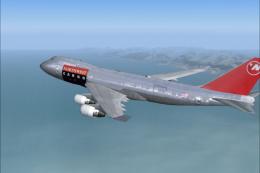
A repaint of the MelJet 747 freighter in Northwest Airlines Cargo livery. By …
Be the first to leave a comment on this download.
Be the first to share your thoughts on this download.