

 FS2004 Civil Jet Aircraft
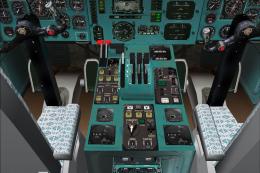
Tupolev Tu-154 B-2
Tupolev Tu-154 B-2 virtual cockpit add-on package for the Tupolev Tu-154 B-2 …
Tupolev Tu-144 brings the Soviet supersonic airliner to life in FS2004 with a detailed 3D exterior model, authentic flight dynamics, and classic “gizmos” for an era-correct experience. It includes a custom 2D panel and a dedicated real soundset, ideal for recreating historic high-speed passenger routes and NASA test flights.
 Rate
Rate
Tupolev TU-144 Soviet supersonic passenger aircraft. First flight in 1968, two months before the western Concorde. Also known as "Concordski" or "Charger". Faster than the Concorde, but less range. Today all aircraft are grounded. Some of them are on display in Russia and one is on display at the "Technik Museum" in Sinsheim, Germany. One TU-144 was used by the NASA as a test vehicle. 3D model with all common FS2004 gizmos but without virtual cockpit. Comes with custom 2D panel and real soundset. By Thomas Ruth and Claudio Mussner.
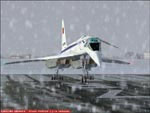
Screenshot of Tupolev TU-144 on runway.
That's all.
Free for all simmers · 19.76 MB · Scanned clean Oct 2026
Download speed: Free tier is capped at 0.5 Mbps (this file takes approximately 6 mins at the cap). PRO members download at full line speed.
FS9\Aircraft\, FS9\Addon Scenery\, FS9\Gauges\, or FS9\Effects\.readme.txt or README file. It tells you exactly where files go, what dependencies are needed, and any quirks specific to this add-on.The archive tu144.zip has 11 files and directories contained within it.
This list displays the first 500 files in the package. If the package has more, you will need to download it to view them.
| Filename/Directory | File Date | File Size |
|---|---|---|
| fs9 soundfolder.zip | 11.07.04 | 1.47 MB |
| install.txt | 11.11.04 | 811 B |
| fs9 gauges folder.zip | 11.12.04 | 2.26 MB |
| tu144 soundfolder.ZIP | 10.30.04 | 9.57 MB |
| fs9 aircraft folder.zip | 11.12.04 | 6.41 MB |
| tu144.txt | 11.08.04 | 574 B |
| tu144.jpg | 11.08.04 | 10.92 kB |
| copyright.txt | 11.11.04 | 916 B |
| fs9 effects folder.ZIP | 10.30.04 | 25.68 kB |
| flyawaysimulation.txt | 10.29.13 | 959 B |
| Go to Fly Away Simulation.url | 01.22.16 | 52 B |
Only PRO members can place votes.
More FS2004 add-ons hand-picked based on this download.
FS2004 Civil Jet Aircraft
Tupolev Tu-154 B-2 virtual cockpit add-on package for the Tupolev Tu-154 B-2 …
 FS2004 Civil Jet Aircraft
FS2004 Aeroflot Tupolev TU-154M, registration RA-85765, v2.0. Original by Pro…
 FS2004 Civil Jet Aircraft
FS2004 Tupolev Tu-134 with panel v0.9.4. By Nick Sharmanzhinov.
 FS2004 Civil Jet Aircraft
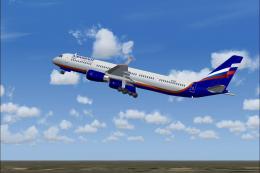
This freeware release is a modern rendition of a Russian medium-haul jet airl…
 FS2004 Civil Jet Aircraft
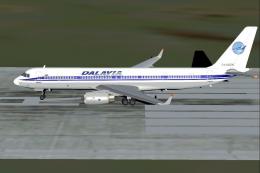
This specialized freeware release showcases a Dalavia Tupolev Tu?204?120 equi…
 FS2004 Civil Jet Aircraft
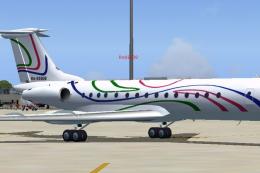
RusAir (V.I.P.) Tupolev Tu-134 repaint and flight plan for AI traffic. By Bil…
 FS2004 Civil Jet Aircraft
Model by Viktor Schacht, blank textures by Alexander Simka. Livery by Pantee …
 FS2004 Civil Jet Aircraft
Russia Tupolev Tu-154, registation 85843. 32 bit "Russia" texture for the Tu-…
Be the first to leave a comment on this download.
Be the first to share your thoughts on this download.