

 FS2004 Civil Jet Aircraft
KLM Boeing 737-800 Repaint
This highly detailed repaint offers a faithful representation of the KLM Roya…
KLM Boeing 737-800 livery textures recreate the airline’s signature blue fuselage, crisp tail detailing, and accurate emblem placement with refined panel lines, rivet effects, and subtle weathering for convincing ramp presence. Built for Microsoft Flight Simulator 2004, it requires the Tsutomu Urakawa freeware 737-800 base model package.
 Rate
Rate
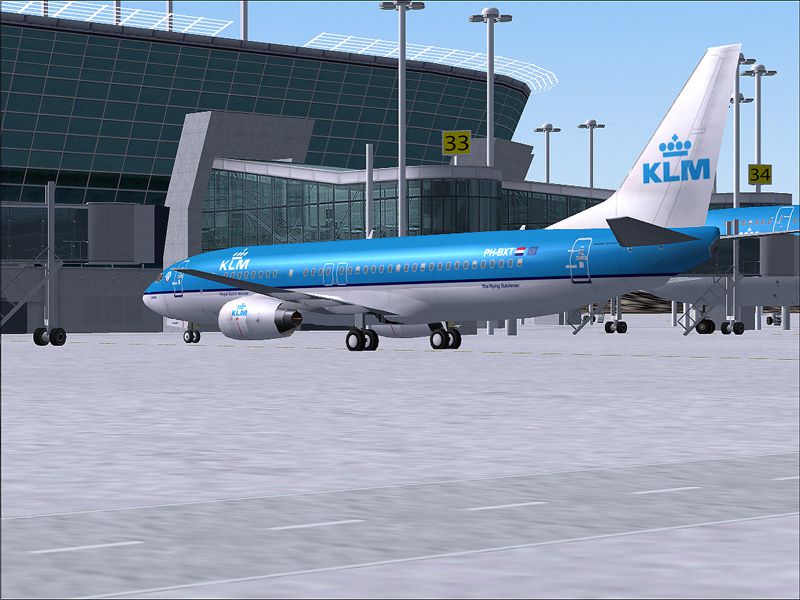
This repaint package brings the distinctive KLM Boeing 737-800 markings into Microsoft Flight Simulator 2004, delivering expertly rendered textures for the well-known narrow-body jet. The aircraft model associated with this repaint was originally created by Tsutomu Urakawa, and the livery was produced by Arjen ter Avest. The base package (737ATN.ZIP or a comparable file) is required and can be retrieved from the Fly Away Simulation file library.
The livery captures KLM’s signature design, including its trademark blue fuselage and elegant tail detailing. Each section of the exterior showcases sharply defined lines, ensuring visual clarity from any angle. You will notice the proper emblem placement around the forward fuselage, coupled with authentic engine cowling insignia for a realistic look on the virtual ramp.
This aircraft repaint mirrors the real-world Boeing 737-800 employed by KLM for short and medium-haul routes across Europe. Operators and enthusiasts often favor the 737-800 thanks to its reliable aerodynamic profile and efficient performance characteristics, valuable when simulating complex flight conditions. With this repaint by Arjen ter Avest, you can explore procedures such as quick turnarounds or gate operations that emphasize the aircraft’s operational strengths.
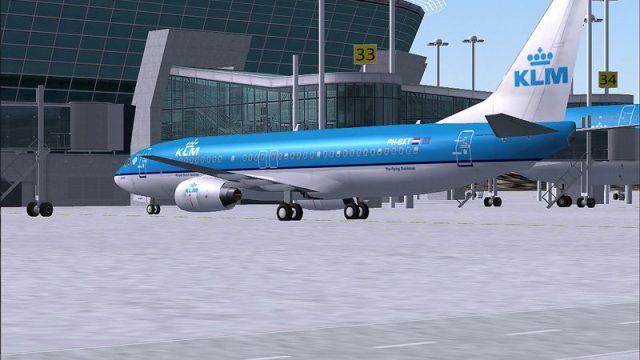
Screenshot highlighting the aircraft's detailed exterior textures while parked at the gate.
The included textures revolve around precise color matching, panel lines, and rivet effects that closely follow the actual KLM design elements. The repaint emphasizes subtle weathering to reflect an active fleet aircraft, providing immersion during preflight walkarounds. Additionally, dynamic shading accents the fuselage curvature and engine inlets.
aircraft.cfg to reference the new texture folder, following the sample entries included in the package.This repaint set provides a faithful representation of a busy short-haul jetliner, capturing every detail of KLM’s Boeing 737-800. The textures by Arjen ter Avest complement Tsutomu Urakawa’s original model well, resulting in an immersive experience worthy of any serious simulator enthusiast.
Free for all simmers · 688.92 KB · Scanned clean Sep 2026
Download speed: Free tier is capped at 0.5 Mbps. PRO members download at full line speed.
This file is a repaint — the package below is the base model it paints onto. Install it first, or the textures will have nothing to load onto.
FS9\Aircraft\, FS9\Addon Scenery\, FS9\Gauges\, or FS9\Effects\.readme.txt or README file. It tells you exactly where files go, what dependencies are needed, and any quirks specific to this add-on.The archive tu738kl2.zip has 5 files and directories contained within it.
This list displays the first 500 files in the package. If the package has more, you will need to download it to view them.
| Filename/Directory | File Date | File Size |
|---|---|---|
| tu738klmv2.jpg | 11.16.04 | 550.21 kB |
| t_u_b738_l.bmp | 11.15.04 | 1.00 MB |
| t_u_b738_t.bmp | 11.16.04 | 1.00 MB |
| flyawaysimulation.txt | 10.29.13 | 959 B |
| Go to Fly Away Simulation.url | 01.22.16 | 52 B |
Only PRO members can place votes.
More FS2004 add-ons hand-picked based on this download.
FS2004 Civil Jet Aircraft
This highly detailed repaint offers a faithful representation of the KLM Roya…
 FS2004 Civil Jet Aircraft
This freeware package offers a KLM-themed Boeing 737-800 designed specificall…
 FS2004 Civil Jet Aircraft
This package delivers a meticulously rendered Boeing 737-800 in updated KLM h…
 FS2004 Civil Jet Aircraft
KLM Royal Dutch Airlines (new colors) textures for the Tsutomu Urakawa Boeing…
 FS2004 Civil Jet Aircraft
Textures only. Model by PMDG. Repaint by Vincent v/d Hof. Screenshot of KLM B…
 FS2004 Civil Jet Aircraft
A repaint of the default B737-400. This paint contains reflective textures an…
 FS2004 Civil Jet Aircraft
A repaint of Erick Cantu's new B737-200 in the colors of KLM, registration PH…
 FS2004 Civil Jet Aircraft
Fix, for use with BO734KLM.ZIP. Includes two files to enable the KLM texture …
Be the first to leave a comment on this download.
Be the first to share your thoughts on this download.