

 FS2004 Propeller Aircraft
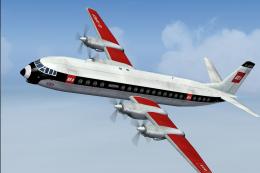
BEA Vickers Vanguard G-APEF
BEA Vickers Vanguard, red square last variation. The fuel crisis in the early…
British European Airways colors bring a classic post-war look to the default Douglas DC-3 in Microsoft Flight Simulator 2004, featuring carefully rendered metallic finishes and period-accurate BEA markings. The repaint preserves authentic fuselage branding for a retro regional airline feel and requires the stock DC-3 base aircraft.
 Rate
Rate
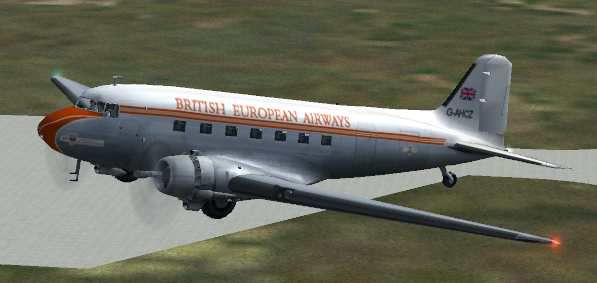
This repaint applies the classic British European Airways scheme to the default Douglas DC-3 in Microsoft Flight Simulator 2004, incorporating carefully rendered metallic finishes by Mark Beaumont. It was then repainted to BEA standards by Dale DeLuca. While it matches historical references in most respects, there are some texture mapping limitations due to the base model's structure. Nonetheless, this freeware modification aims to offer a retro experience that evokes early European passenger aviation.
Above is a preview of the DC-3 cruising with the BEA insignia under early post-war colors. British European Airways, formed shortly after World War II, notably operated short-haul routes across Europe and later merged into a larger national carrier. Although the iconic DC-3 is not typically associated with long-haul operations, its robust design and easy handling made it invaluable for regional service.
This livery is partially constrained by the default DC-3 texture system: the aircraft’s model format uses mirrored wing and rudder BMP files. As a result, registering the airline logo on opposite wings is not fully supported, and any rudder graphics appear reversed on one side. However, fuselage graphics retain accurate British European Airways branding, and the overall aesthetic is still evocative of classic mid-century aviation.
Flight Simulator 9/Aircraft/Douglas_DC3 folder, then duplicate the existing texture folder.Douglas_DC3 folder.
[fltsim.xxx]  (Replace xxx with the next available number)
title=Douglas DC-3 British European Airways
sim=Douglas_DC3
model=
panel=
sound=
texture=BEA
kb_checklists=Douglas_DC3_check
kb_reference=Douglas_DC3_ref
atc_id=
ui_manufacturer=Douglas
ui_type="DC-3"
ui_variation="British European Airways"
description="The Douglas DC-3 revolutionized air transportation and airline service during the 1930s and 1940s. It was a luxury airliner that boasted cabin heat and running water in its on-board lavatory. With the right balance of efficiency, range, speed, and payload, the DC-3 was the first aircraft to earn a profit for its owners just by carrying passengers. The hero of early airlines, a handful of DC-3s are still at work today."
Remember that this is a repaint only and does not include the core DC-3 model. You will need the freeware base package from the Fly Away Simulation library to complete the installation.
Free for all simmers · 2.2 MB · Scanned clean Oct 2026
Download speed: Free tier is capped at 0.5 Mbps. PRO members download at full line speed.
FS9\Aircraft\, FS9\Addon Scenery\, FS9\Gauges\, or FS9\Effects\.readme.txt or README file. It tells you exactly where files go, what dependencies are needed, and any quirks specific to this add-on.The archive beadc3.zip has 11 files and directories contained within it.
This list displays the first 500 files in the package. If the package has more, you will need to download it to view them.
| Filename/Directory | File Date | File Size |
|---|---|---|
| BEA DC3.jpg | 10.05.03 | 15.88 kB |
| Prop_DC3.bmp | 03.09.03 | 341.40 kB |
| Douglas_DC3_1_C.bmp | 04.29.03 | 682.74 kB |
| Douglas_DC3_1_D.bmp | 04.12.03 | 682.74 kB |
| Douglas_DC3_1_T.bmp | 10.04.03 | 4.00 MB |
| Douglas_DC3_2_C.bmp | 04.29.03 | 170.74 kB |
| Douglas_DC3_2_T.bmp | 04.28.03 | 341.40 kB |
| Douglas_DC3_3_C.bmp | 04.29.03 | 42.74 kB |
| README.txt | 10.05.03 | 2.45 kB |
| flyawaysimulation.txt | 10.29.13 | 959 B |
| Go to Fly Away Simulation.url | 01.22.16 | 52 B |
Only PRO members can place votes.
More FS2004 add-ons hand-picked based on this download.
FS2004 Propeller Aircraft
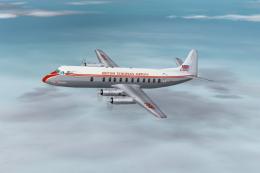
BEA Vickers Vanguard, red square last variation. The fuel crisis in the early…
 FS2004 Propeller Aircraft
Viscount 800, 1950's. A set of four aircraft paints comprising of G-AOHP "Jam…
 FS2004 Propeller Aircraft
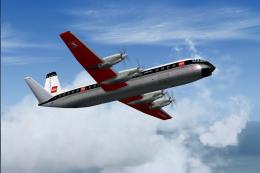
BEA Vickers Vanguard in first red square livery. The first Vanguard in the re…
 FS2004 Propeller Aircraft
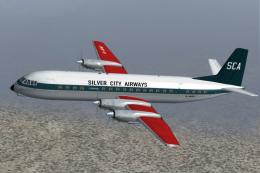
Due to be delivered to Silver City on lease, a change of policy saw this airc…
 FS2004 Propeller Aircraft
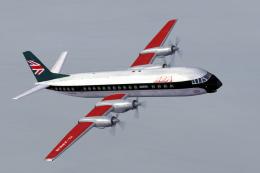
Right at the end of its life, this Vanguard received a partial paint into the…
 FS2004 Propeller Aircraft
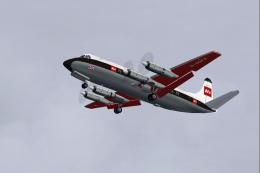
G-AOFX was the last 701 to be delivered to BEA in July 1956. It was sold in A…
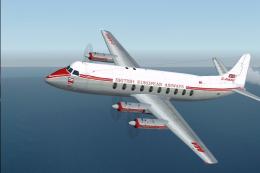 FS2004 Propeller Aircraft
Early test flights saw prototype Vickers Viscount 700 G-AMAV flying with larg…
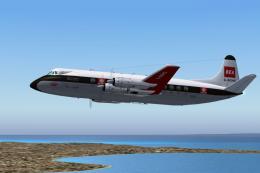 FS2004 Propeller Aircraft
G-AOHO as it appeared during secondment to the wholly owned subsidiary that p…
Be the first to leave a comment on this download.
Be the first to share your thoughts on this download.