


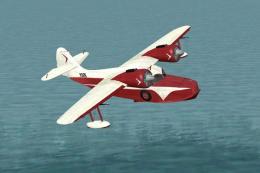
 FS2004 Propeller Aircraft
Grumman Goose G21 Civilian Pack
A set of four different textures for the Goose: two Catalina Channel Airlines…
Grumman G-21 Goose repaints bring two authentic paint schemes to the classic amphibian, adding crisp exterior textures and a distinctive presence in the virtual hangar for FS2004. Requires Lynn and Bill Lyons’ original Grumman Goose base aircraft, with support for aircraft reflections to highlight the finish in flight and on the water.
 Rate
Rate
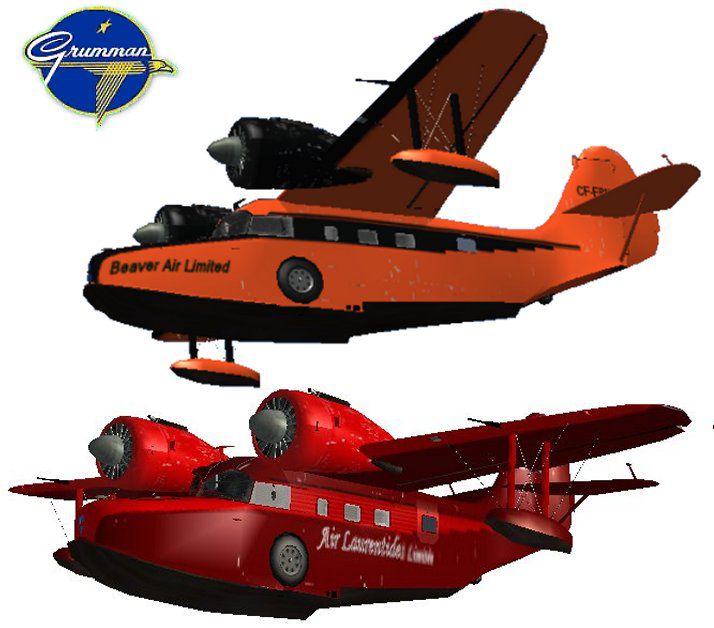
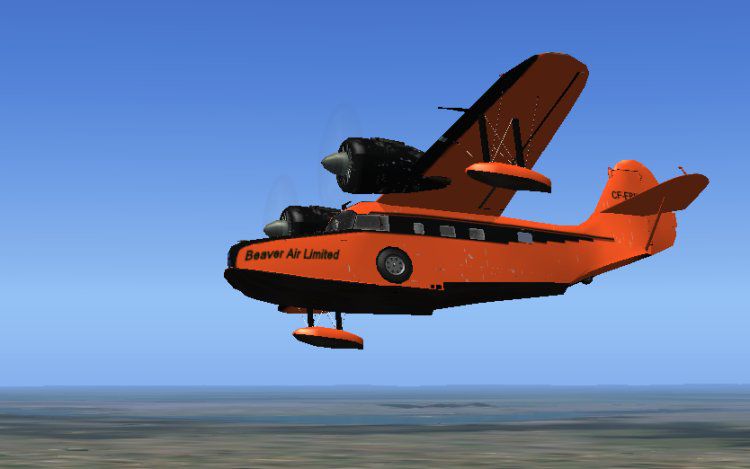
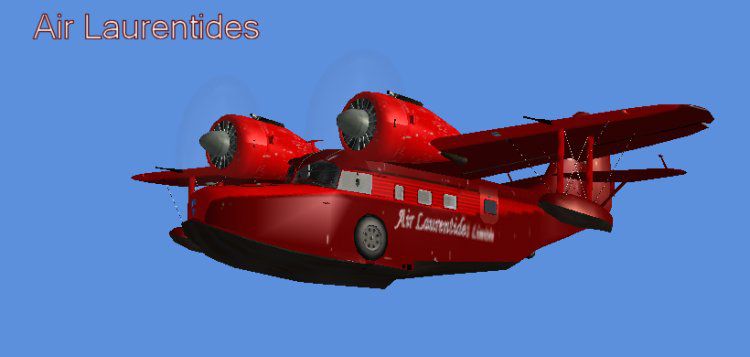
Two paint schemes for Lynn and Bill Lyons' Grumman Goose. The original aircraft file is needed. By Leon Louis.
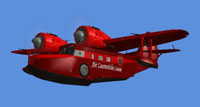
Screenshot of Air Laurentides Goose in flight.
I wish to thank and pay tribute to Lynn and Bill Lyons for all the great high quality work they do for us simmers. Thanks also for the permission to allow me to publish my repaints.
Installation:
Copy the texture folders into: X/Flight Simulator 9/Aircraft/G21
Go to your: 'xxxxxFlight Simulator 9/Aircraft/G21' and back up your Aircraft.cfg file by simply copying and pasting it in the same folder and open the original using Note Pad.
Open the enclosed Aircraft Listing text and copy paste the content under the last similar entry in your Aircraft.cfg file.
You MUST make sure that the sequence of the entries, ie: [fltsim.0].....and then .....[fltsim.1]......[fltsim.2] That sequence must be maintained. (On the text file, this shows as [fltsim.?] so you remember to change it to fit your set up.
It is as simple as this.
To see the airplane reflections, make sure that in your options, under settings/Display/Aircraft, that reflections are checked on.
Free for all simmers · 3.82 MB · Scanned clean Oct 2026
Download speed: Free tier is capped at 0.5 Mbps (this file takes approximately 1 min at the cap). PRO members download at full line speed.
FS9\Aircraft\, FS9\Addon Scenery\, FS9\Gauges\, or FS9\Effects\.readme.txt or README file. It tells you exactly where files go, what dependencies are needed, and any quirks specific to this add-on.The archive goo_ff3.zip has 102 files and directories contained within it.
This list displays the first 500 files in the package. If the package has more, you will need to download it to view them.
| Filename/Directory | File Date | File Size |
|---|---|---|
| Air Laurentides.jpg | 06.04.04 | 26.80 kB |
| Beaver.jpg | 06.04.04 | 35.30 kB |
| Goose.jpg | 06.04.04 | 63.87 kB |
| Goose.gif | 06.04.04 | 9.37 kB |
| Goo_ff3READ Me.txt | 06.04.04 | 2.53 kB |
| Aircraft Listing.txt | 06.04.04 | 686 B |
| texture.AirLaurentides | 06.04.04 | 0 B |
| ws2.bmp | 03.08.04 | 16.07 kB |
| betty.bmp | 06.04.04 | 65.05 kB |
| cgmap.bmp | 04.17.04 | 257.05 kB |
| clear1.bmp | 03.18.04 | 65.05 kB |
| corky2.bmp | 03.25.04 | 65.05 kB |
| corky.bmp | 03.25.04 | 65.05 kB |
| cutter.bmp | 03.30.04 | 65.05 kB |
| decal.bmp | 03.21.04 | 86.39 kB |
| g21plate.bmp | 04.23.04 | 65.05 kB |
| g211.bmp | 06.04.04 | 5.33 MB |
| g212.bmp | 02.18.04 | 16.07 kB |
| g213.bmp | 03.19.04 | 257.05 kB |
| g214.bmp | 03.18.04 | 257.05 kB |
| g215.bmp | 03.17.04 | 257.05 kB |
| g216.bmp | 03.02.04 | 65.05 kB |
| g217.bmp | 03.03.04 | 64.07 kB |
| g218.bmp | 03.05.04 | 86.39 kB |
| g219.bmp | 03.06.04 | 22.39 kB |
| g220.bmp | 03.13.04 | 86.39 kB |
| g221.bmp | 03.23.04 | 257.05 kB |
| jack2.bmp | 03.28.04 | 65.05 kB |
| navswitch.bmp | 03.22.04 | 22.39 kB |
| pilot1.bmp | 03.30.04 | 257.05 kB |
| prop3.bmp | 03.12.04 | 86.39 kB |
| Prop5.bmp | 03.15.04 | 86.39 kB |
| Prop.bmp | 03.12.04 | 86.39 kB |
| propa.bmp | 03.12.04 | 86.39 kB |
| Propb.bmp | 03.12.04 | 86.39 kB |
| Propslow.bmp | 03.12.04 | 86.39 kB |
| rain2.bmp | 03.19.04 | 342.39 kB |
| raindrop2.bmp | 04.17.03 | 21.40 kB |
| raindrop3.bmp | 02.28.04 | 22.39 kB |
| rainnorm.bmp | 03.18.04 | 342.39 kB |
| rotate.bmp | 03.16.04 | 342.39 kB |
| sarah.bmp | 06.04.04 | 65.05 kB |
| shad1.bmp | 03.20.04 | 86.39 kB |
| smisc.bmp | 12.10.03 | 5.43 kB |
| watnorm.bmp | 03.18.04 | 342.39 kB |
| white.bmp | 02.16.04 | 85.43 kB |
| winin1.bmp | 03.17.04 | 342.39 kB |
| winin2.bmp | 03.07.04 | 342.39 kB |
| winin3.bmp | 04.10.04 | 342.39 kB |
| winin4.bmp | 03.17.04 | 342.39 kB |
| winin5.bmp | 03.30.04 | 342.39 kB |
| winout1.bmp | 02.17.04 | 64.07 kB |
| ws1.bmp | 12.04.03 | 192.05 kB |
| texture.BeaverAir | 06.04.04 | 0 B |
| ws2.bmp | 03.08.04 | 16.07 kB |
| betty.bmp | 06.04.04 | 65.05 kB |
| cgmap.bmp | 04.17.04 | 257.05 kB |
| clear1.bmp | 03.18.04 | 65.05 kB |
| corky2.bmp | 03.25.04 | 65.05 kB |
| corky.bmp | 03.25.04 | 65.05 kB |
| cutter.bmp | 03.30.04 | 65.05 kB |
| decal.bmp | 03.21.04 | 86.39 kB |
| g21plate.bmp | 04.23.04 | 65.05 kB |
| g212.bmp | 02.18.04 | 16.07 kB |
| g213.bmp | 03.19.04 | 257.05 kB |
| g214.bmp | 03.18.04 | 257.05 kB |
| g215.bmp | 03.17.04 | 257.05 kB |
| g216.bmp | 03.02.04 | 65.05 kB |
| g217.bmp | 03.03.04 | 64.07 kB |
| g218.bmp | 03.05.04 | 86.39 kB |
| g219.bmp | 03.06.04 | 22.39 kB |
| g220.bmp | 03.13.04 | 86.39 kB |
| g221.bmp | 03.23.04 | 257.05 kB |
| jack2.bmp | 03.28.04 | 65.05 kB |
| navswitch.bmp | 03.22.04 | 22.39 kB |
| pilot1.bmp | 03.30.04 | 257.05 kB |
| prop3.bmp | 03.12.04 | 86.39 kB |
| Prop5.bmp | 03.15.04 | 86.39 kB |
| Prop.bmp | 03.12.04 | 86.39 kB |
| propa.bmp | 03.12.04 | 86.39 kB |
| Propb.bmp | 03.12.04 | 86.39 kB |
| Propslow.bmp | 03.12.04 | 86.39 kB |
| rain2.bmp | 03.19.04 | 342.39 kB |
| raindrop2.bmp | 04.17.03 | 21.40 kB |
| raindrop3.bmp | 02.28.04 | 22.39 kB |
| rainnorm.bmp | 03.18.04 | 342.39 kB |
| rotate.bmp | 03.16.04 | 342.39 kB |
| shad1.bmp | 03.20.04 | 86.39 kB |
| smisc.bmp | 12.10.03 | 5.43 kB |
| watnorm.bmp | 03.18.04 | 342.39 kB |
| white.bmp | 02.16.04 | 85.43 kB |
| winin1.bmp | 03.17.04 | 342.39 kB |
| winin2.bmp | 03.07.04 | 342.39 kB |
| winin3.bmp | 04.10.04 | 342.39 kB |
| winin4.bmp | 03.17.04 | 342.39 kB |
| winin5.bmp | 03.30.04 | 342.39 kB |
| winout1.bmp | 02.17.04 | 64.07 kB |
| ws1.bmp | 12.04.03 | 192.05 kB |
| sarah.bmp | 06.04.04 | 65.05 kB |
| g211.bmp | 06.04.04 | 5.33 MB |
| flyawaysimulation.txt | 10.29.13 | 959 B |
| Go to Fly Away Simulation.url | 01.22.16 | 52 B |
Only PRO members can place votes.
More FS2004 add-ons hand-picked based on this download.
FS2004 Propeller Aircraft
A set of four different textures for the Goose: two Catalina Channel Airlines…
 FS2004 Propeller Aircraft
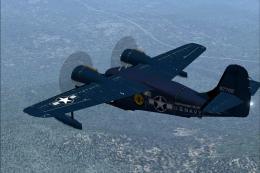
In fictional military livery. Textures only; requires SGOOSE2.ZIP. Original m…
 FS2004 Propeller Aircraft
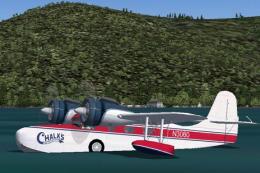
Textures only; requires SGOOSE2.ZIP. Original model by Mike Stone. Repaint by…
 FS2004 Propeller Aircraft
Corrected files for the two Catalina Channel Airlines repaints only. Now the …
 FS2004 Propeller Aircraft
The Hughes "Spruce Goose" Flying Boat is legendary. This GMax version for FS2…
 FS2004 Propeller Aircraft
FS2004 Grumman G-164A Ag-Cat. A Grumman Ag-Cat crop duster with detailed exte…
 FS2004 Propeller Aircraft
A re-release of Joe Binka's G44 Widgeon. Two models are in this package; the …
 FS2004 Propeller Aircraft
A repaint of Mike Stone's Grumman Goose in Pacific Coastal colors. Pacific Co…
Be the first to leave a comment on this download.
Be the first to share your thoughts on this download.