

 FSX General Aviation Aircraft
Cessna C172N Skyhawk II - VF111
This freeware repaint introduces a unique VF111 livery for the Carenado C172N…
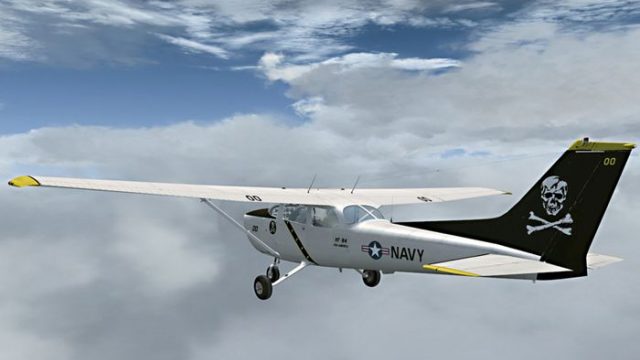
Cessna C172N Skyhawk II VF84 repaint brings a bold, naval-inspired fictional scheme to Carenado’s popular trainer, adding crisp exterior textures that stand out in screenshots and everyday VFR flying. Designed for Microsoft Flight Simulator X, it requires the payware Carenado C172N Skyhawk II and delivers a distinctive look while preserving the aircraft’s clean, classic lines.
 Rate
Rate
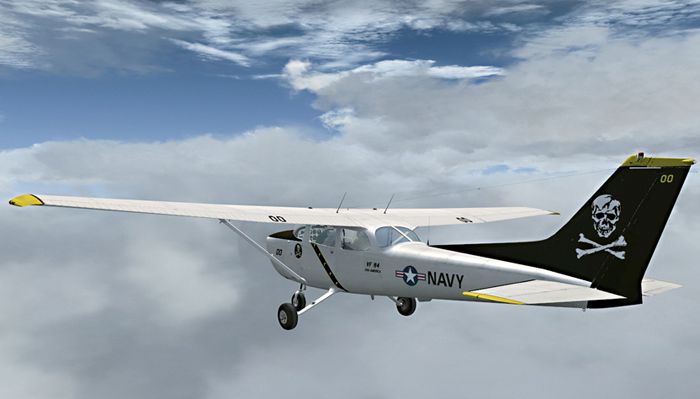
This fictional texture for the payware Carenado C172N Skyhawk II adds a distinctive VF84-inspired scheme to your virtual hangar. Although entirely fictional, it merges an iconic naval aviation motif with one of the most widely recognized single-engine trainers in general aviation. Created by Richard Luycx, these textures are offered as freeware and require the Carenado C172N Skyhawk II for Microsoft Flight Simulator X, which is available separately from payware outlets such as SimShack.
This repaint highlights a unique variant of the popular Cessna 172N (often referred to as the Skyhawk II). The real-world C172 series is commonly used for pilot instruction, private flights, and cross-country excursions. By incorporating a VF84-based color blend, this skin gives the aircraft a stylized interpretation of classic naval flair while retaining the simplicity and clean lines that the C172 is known for.
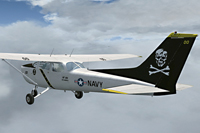
Rear angle showing the VF84-themed livery on the C172N Skyhawk II.
SimObjects\Airplanes directory.
[fltsim.XX]
title=C172N Skyhawk II VF84 WGF
sim=SingleEngineProp
model=2
panel=
sound=
texture=VF84
kb_checklists=C172_CHECK
kb_reference=C172_REF
atc_id=N399CK
ui_manufacturer="Carenado"
ui_type="C172N"
ui_variation="VF84 Skyhawk II without Gear Fairings"
ui_createdby="Carenado"
ui_typerole="Highwing single Engine Prop"
description="Repaint by Ricardo_November 2010"
atc_heavy=0
atc_airline=
atc_flight_number=
atc_id_color=0x00000000
atc_id_font=Verdana,-11,1,600,0
visual_damage=0
This package includes textures only and does not provide the base payware aircraft model. Because it is a purely cosmetic enhancement, you must own the payware Carenado C172N Skyhawk II for proper functionality. Once installed, you will have a dramatic livery that reflects a legendary emblem while showcasing the capabilities of this reliable trainer aircraft within Microsoft Flight Simulator X.
Free for all simmers · 6.82 MB · Scanned clean Oct 2026
Download speed: Free tier is capped at 0.5 Mbps (this file takes approximately 2 mins at the cap). PRO members download at full line speed.
texture.{airline}) inside FSX\SimObjects\Airplanes\{base-aircraft}\.aircraft.cfg in Notepad. Add a new [fltsim.X] section per the readme.readme.txt or README file. It tells you exactly where files go, what dependencies are needed, and any quirks specific to this add-on.The archive rl_c172_vf84.zip has 36 files and directories contained within it.
This list displays the first 500 files in the package. If the package has more, you will need to download it to view them.
| Filename/Directory | File Date | File Size |
|---|---|---|
| Readme.txt | 08.27.11 | 1.49 kB |
| RL_C172_VF84.gif | 08.27.11 | 8.58 kB |
| RL_C172_VF84_01.jpg | 08.27.11 | 171.34 kB |
| Alabeo172 WindowsA.bmp | 12.29.07 | 64.07 kB |
| Alabeo172 WindowsA_spec.bmp | 12.26.07 | 16.07 kB |
| Alabeo172a_bump.bmp | 01.20.08 | 1.00 MB |
| Alabeo172a_Reflection.bmp | 12.21.08 | 256.07 kB |
| Alabeo172a_spec.bmp | 11.10.07 | 1.00 MB |
| Alabeo172a_T.bmp | 05.08.09 | 1.00 MB |
| Alabeo172a_T_Nlight.bmp | 02.17.08 | 128.07 kB |
| Alabeo172b_bump.bmp | 09.15.07 | 1.00 MB |
| Alabeo172b_spec.bmp | 10.06.07 | 1.00 MB |
| Alabeo172b_T.bmp | 05.08.09 | 1.00 MB |
| Alabeo172c_bump.bmp | 09.15.07 | 1.00 MB |
| Alabeo172c_spec.bmp | 10.06.07 | 1.00 MB |
| Alabeo172c_T.bmp | 05.08.09 | 1.00 MB |
| Alabeo172interiorA_T.bmp | 12.29.07 | 1.00 MB |
| Alabeo172interiorA_Tnight.bmp | 06.10.08 | 1.00 MB |
| Alabeo172interiorB_C.bmp | 11.09.07 | 1.00 MB |
| Alabeo172interiorB_Cnight.bmp | 06.10.08 | 1.00 MB |
| Alabeo172interiorC_T.bmp | 11.02.07 | 1.00 MB |
| Alabeo172interiorC_Tnight.bmp | 06.12.08 | 1.00 MB |
| Alabeo172interiorD_E.bmp | 12.29.07 | 1.00 MB |
| Alabeo172interiorD_Enight.bmp | 06.10.08 | 1.00 MB |
| Alabeo172interiorD_T.bmp | 11.02.07 | 1.00 MB |
| Alabeo172interiorD_Tnight.bmp | 06.10.08 | 1.00 MB |
| Alabeo172interiorE_T.bmp | 01.18.08 | 1.00 MB |
| Alabeo172Prop.bmp | 01.18.08 | 4.00 MB |
| Panel_172_1L.bmp | 06.10.08 | 257.05 kB |
| Panel_172_2L.bmp | 06.10.08 | 257.01 kB |
| Panel_172_2_L.bmp | 01.20.08 | 256.62 kB |
| texture.cfg | 08.16.08 | 141 B |
| thumbnail.jpg | 12.19.10 | 39.52 kB |
| WindowsExt.bmp | 09.09.07 | 64.07 kB |
| flyawaysimulation.txt | 10.29.13 | 959 B |
| Go to Fly Away Simulation.url | 01.22.16 | 52 B |
Only PRO members can place votes.
More FSX & P3D add-ons hand-picked based on this download.
FSX General Aviation Aircraft
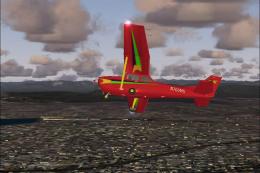
This freeware repaint introduces a unique VF111 livery for the Carenado C172N…
 FSX General Aviation Aircraft
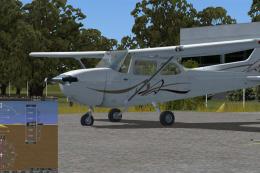
Experience a refined rendition of this popular four-seat light aircraft with …
 FSX General Aviation Aircraft
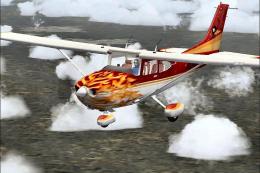
Cessna 172SP Skyhawk HD. The default C172 repainted in high definition 2008 e…
 FSX General Aviation Aircraft
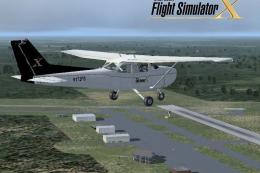
This complete freeware release brings the default Microsoft Flight Simulator …
 FSX General Aviation Aircraft
Cessna 172 Skyhawk. This livery is from the tribute for Microsoft Flight Simu…
 FSX General Aviation Aircraft
FSX Cessna 172 SP Skyhawk registration N7690X. Textures only for the default …
 FSX General Aviation Aircraft
Immerse yourself in a vintage aviation atmosphere with this repaint of the Ca…
 FSX General Aviation Aircraft
Cessna 172SP Skyhawk. Repaint textures for the fictional N7532Y, a green and …
Be the first to leave a comment on this download.
Be the first to share your thoughts on this download.