

 FSX General Aviation Aircraft
PZL-104 Wilga 35 D-ETVS V2
This freeware repaint provides a detailed livery for the Aerosoft Wilga X pay…
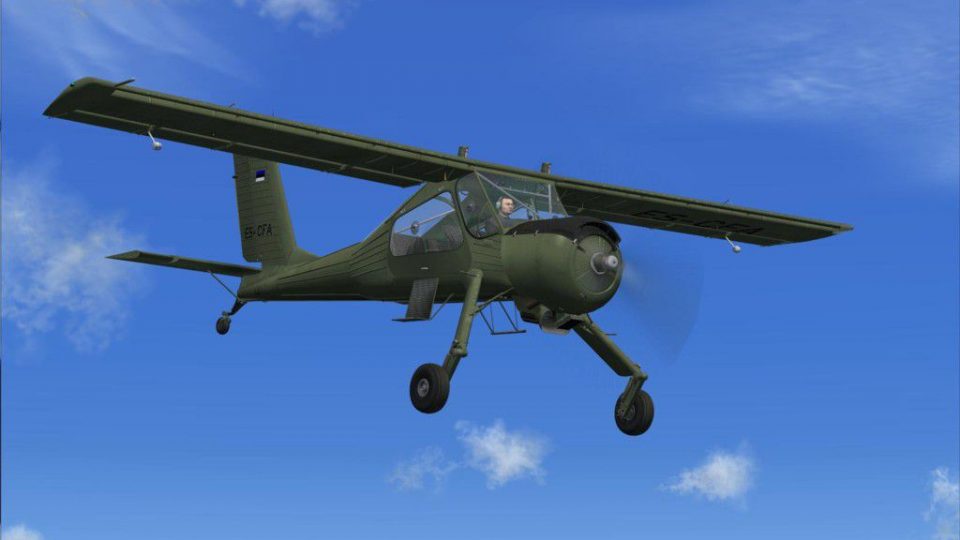
PZL-104 Wilga 35 ES-CFA adds a fictional Estonian registration repaint to Aerosoft’s Wilga X, pairing a polished exterior scheme with texture detail that suits the type’s rugged high-wing utility character. Built for short-field and low-speed flying in Microsoft Flight Simulator X, it requires the payware base aircraft.
 Rate
Rate
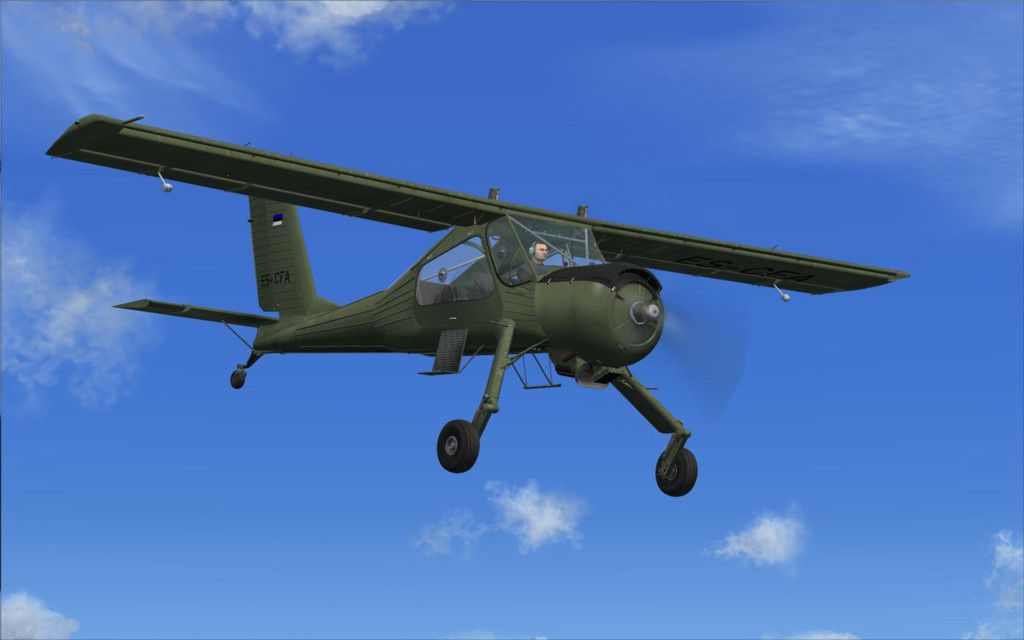
This repaint pack brings a fictional ES-CFA registration to the Aerosoft-produced PZL-104 Wilga X payware model, crafted by creator Dirk Hueschelrath. The textured aircraft captures the rugged short-field performance that the real-world Wilga is known for—perfect for those who love operating classic STOL (Short Takeoff and Landing) performers within Microsoft Flight Simulator X.
The authentic exterior scheme included herein features a polished color layout that complements the Wilga's distinct high-wing design. Since the PZL-104 Wilga 35 originated as a Polish-built utility aircraft, it frequently provided glider-towing capability and showcased remarkable low-speed flight stability. This repaint, sporting the ES-CFA markings, is an imaginative take on that heritage, giving flight simulation enthusiasts another choice for ramp presence and adventurous bush flying.
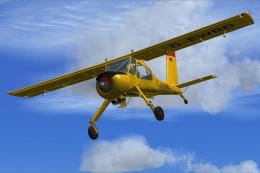
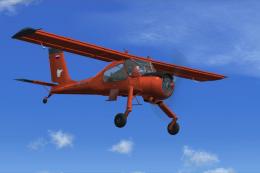
Above: Visual impression of the Wilga 35A livery cruising overhead.
Before placing the fresh textures, ensure you have the necessary payware aircraft installed (available through stores such as SimShack). Then, follow these steps:
fltsim.XX with the next sequential number if needed:[fltsim.XX] title=PZL-104 Wilga ES-CFA sim=PZL-104 model=SPEBI panel= sound= texture=ESCFA kb_checklists=PZL104_check kb_reference=PZL104_ref atc_id=ES-CFA atc_heavy=0 atc_id_color= atc_airline= ui_createdby="Aerosoft" atc_flight_number=ESCFA ui_manufacturer=PZL ui_type=PZL-104 ui_variation=ES-CFA description=PZL-104 Wilga-35A - Repaint by D. Hueschelrath prop_anim_ratio=-7 visual_damage=1
This add-on accentuates the STOL heritage that the PZL-104 design still embodies in virtual skies. Whether exploring small grass airfields or practicing short runway landings, you will appreciate the emphasis on authentic flight modeling and visual fidelity. All credit for the repaint goes to Dirk Hueschelrath, who has meticulously brought this fictional ES-CFA scheme to life for dedicated flight simulator pilots. Since the base aircraft is payware, please remember it is not bundled here; you will need to acquire it separately to enjoy this new livery.
Free for all simmers · 13.19 MB · Scanned clean Oct 2026
Download speed: Free tier is capped at 0.5 Mbps (this file takes approximately 4 mins at the cap). PRO members download at full line speed.
texture.{airline}) inside FSX\SimObjects\Airplanes\{base-aircraft}\.aircraft.cfg in Notepad. Add a new [fltsim.X] section per the readme.readme.txt or README file. It tells you exactly where files go, what dependencies are needed, and any quirks specific to this add-on.The archive as_wilgax_rp3_.zip has 6 files and directories contained within it.
This list displays the first 500 files in the package. If the package has more, you will need to download it to view them.
| Filename/Directory | File Date | File Size |
|---|---|---|
| AS_WilgaX_RP3 | 11.30.11 | 0 B |
| ES-CFA.jpg | 11.30.11 | 65.39 kB |
| Read me.txt | 11.30.11 | 1.11 kB |
| texture.ESCFA.zip | 11.30.11 | 13.28 MB |
| flyawaysimulation.txt | 10.29.13 | 959 B |
| Go to Fly Away Simulation.url | 01.22.16 | 52 B |
Only PRO members can place votes.
More FSX & P3D add-ons hand-picked based on this download.
FSX General Aviation Aircraft
This freeware repaint provides a detailed livery for the Aerosoft Wilga X pay…
 FSX General Aviation Aircraft
Immerse yourself in a meticulously detailed repaint crafted specifically for …
 FSX General Aviation Aircraft
Experience a detailed repaint for the acclaimed Aerosoft Wilga X payware mode…
 FSX General Aviation Aircraft
This repaint offers a fictional OY-EPT livery for the payware Aerosoft Wilga …
 FSX General Aviation Aircraft
German repaint for the Aerosoft Wilga X payware model. This is a repaint of t…
 FSX General Aviation Aircraft
PZL 104 Wilga. Includes five versions: stock, float, amphibian, tundra and tw…
 FSX General Aviation Aircraft
Textures for Wilga X from Aerosoft for version on skis (v1.20 or higher) only…
 FSX General Aviation Aircraft
Red Line Mega Pack for Wilga X - Part 1. Three real repaints for payware mode…
Be the first to leave a comment on this download.
Be the first to share your thoughts on this download.