

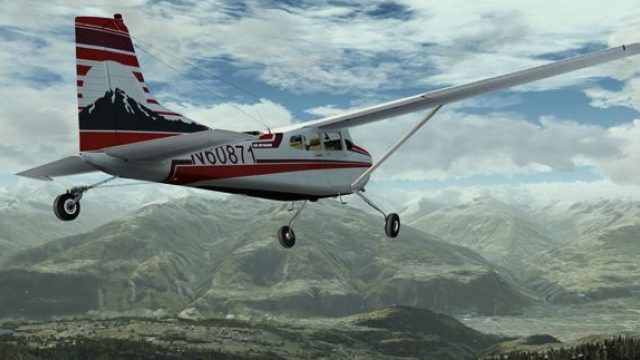
 FSX General Aviation Aircraft
Cessna Skywagon C185F Amphibian N60871
This add-on provides a faithful repaint of the amphibian Cessna Skywagon C185…
Cessna C185F Skywagon livery N60871 recreates the real U.S.-registered aircraft with accurate stripes, registration placement, and a clean wheels-only look suited to bush and backcountry flying in Microsoft Flight Simulator X. The repaint targets authentic exterior textures and lighting response, and requires the payware Carenado C185F model.
 Rate
Rate
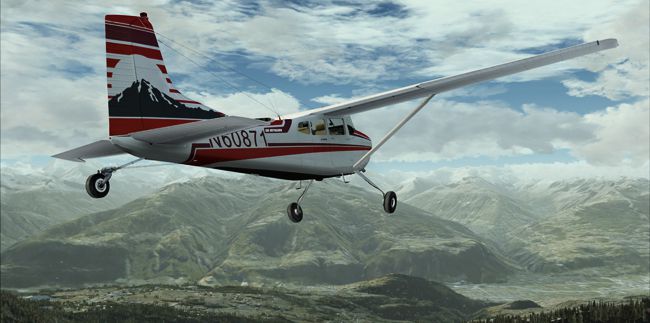
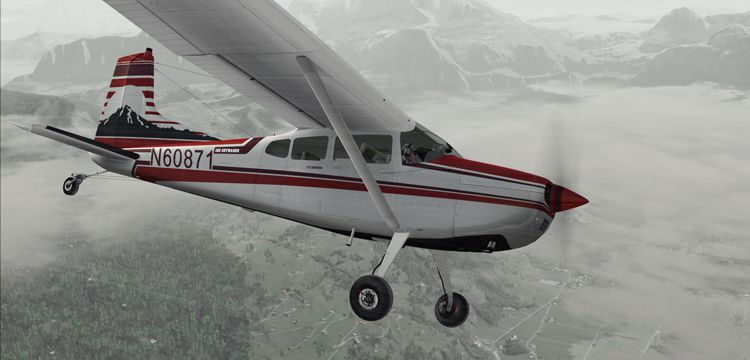
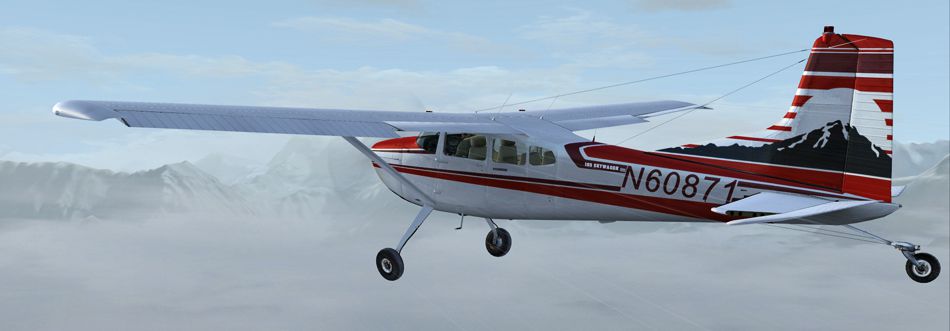
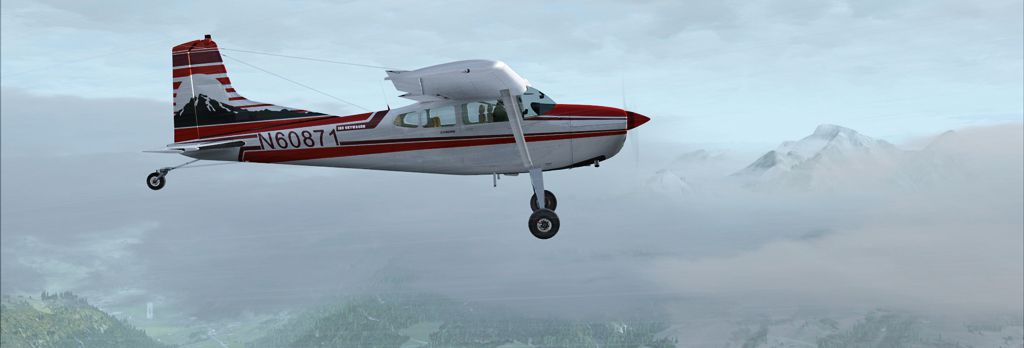
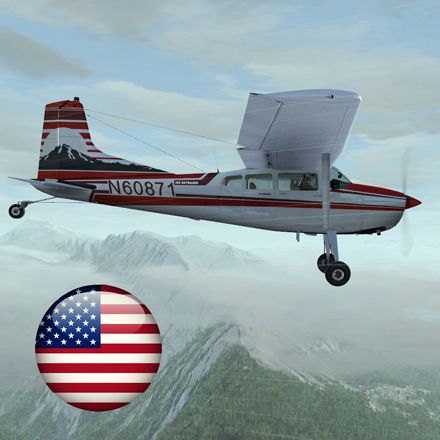
This custom repaint replicates the real-world US-registered Skywagon N60871 and is designed for the payware Carenado C185F. Created by Richard Luycx, this wheels-only version showcases authentic coloring and markings that reference its real-life counterpart. It is intended for Microsoft Flight Simulator X pilots who seek a detailed external texture aligned with actual aircraft operations. Although N60871 has also been configured for amphibious setups, this release specifically focuses on the land-based model. Installation requires an existing payware Carenado C185F, which can be obtained from a store such as SimShack, but this package provides only the repaint.
The Cessna C185 Skywagon is a rugged, taildragger aircraft known for its short takeoff and landing (STOL) capabilities. Utilized frequently for backcountry flying, the airframe supports reliable operations on unprepared strips, and the interior has space for cargo or passengers. In this repaint, the distinctive livery captures N60871’s particular style, translating closely to the Skywagon’s real-world sheen. Throughout the fuselage and vertical stabilizer, you will notice carefully placed stripes and registration markings that mimic factory specifications and field modifications.
When developing this repaint, Richard Luycx referred to available photographs and historical references of the genuine aircraft. The color palette reflects typical Skywagon aesthetics—including a neutral base color complemented by accent stripes—resulting in a design that blends well with virtual environments and varied lighting conditions.
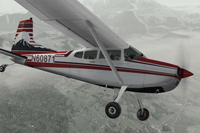
Screenshot of Cessna Skywagon C185F N60871 in flight.
[fltsim.XX]
title=C185F SKYWAGON N60871
sim=Carenado_C185
model=2
panel=
sound=
texture=N60871
kb_checklists=C185_check
kb_reference=C185_ref
atc_id=N60871
ui_manufacturer="Carenado"
ui_type="C185F"
ui_variation="N60871"
ui_createdby="Carenado"
ui_typerole="Highwing single Engine Prop"
description="Repaint by Ricardo June 2012."
atc_heavy=0
atc_airline=
atc_flight_number=
atc_id_color=0x00000000
atc_id_font=Verdana,-11,1,600,0
visual_damage=0
For those interested in practicing bush flying, the C185F’s taildragger design necessitates careful rudder input and balanced control on unpaved runways. Pair this repaint with regionally appropriate scenery for even more immersion, such as remote airstrips or wilderness environments. Since the C185F frequently carries cargo loads, sim pilots might also explore weight-and-balance adjustments to replicate more realistic conditions.
Once installed, you will be able to select the N60871 livery from your aircraft menu. This mod is freeware, yet users are reminded that the underlying payware model by Carenado must be licensed separately. The repaint itself serves to expand available C185F liveries and further enhance your simulator experience.
Free for all simmers · 17.6 MB · Scanned clean Oct 2026
Download speed: Free tier is capped at 0.5 Mbps (this file takes approximately 5 mins at the cap). PRO members download at full line speed.
texture.{airline}) inside FSX\SimObjects\Airplanes\{base-aircraft}\.aircraft.cfg in Notepad. Add a new [fltsim.X] section per the readme.readme.txt or README file. It tells you exactly where files go, what dependencies are needed, and any quirks specific to this add-on.The archive rl_c185_n60871.zip has 49 files and directories contained within it.
This list displays the first 500 files in the package. If the package has more, you will need to download it to view them.
| Filename/Directory | File Date | File Size |
|---|---|---|
| 1.jpg | 06.18.12 | 183.07 kB |
| 150.gif | 06.18.12 | 8.51 kB |
| 2.jpg | 06.18.12 | 172.55 kB |
| 3.jpg | 06.18.12 | 191.46 kB |
| 4.jpg | 06.18.12 | 181.86 kB |
| 440.jpg | 06.18.12 | 150.20 kB |
| Readme.txt | 07.24.12 | 1.42 kB |
| C1852_light.bmp | 01.23.10 | 128.07 kB |
| C1853_light.bmp | 01.23.10 | 128.07 kB |
| C185_light.bmp | 01.24.10 | 170.75 kB |
| Care185Ffuse_A.bmp | 07.05.12 | 4.00 MB |
| Care185Ffuse_Aold.bmp | 06.17.12 | 4.00 MB |
| Care185Ffuse_A_bump.bmp | 01.23.10 | 1.00 MB |
| Care185Ffuse_A_spec.bmp | 01.23.10 | 256.07 kB |
| Care185Ffuse_B.bmp | 06.17.12 | 4.00 MB |
| Care185Ffuse_B_bump.bmp | 01.23.10 | 1.00 MB |
| Care185Ffuse_B_spec.bmp | 01.23.10 | 256.07 kB |
| Care185Ffuse_C.bmp | 06.17.12 | 4.00 MB |
| Care185Ffuse_C_bump.bmp | 01.23.10 | 1.00 MB |
| Care185Ffuse_C_spec.bmp | 01.23.10 | 256.07 kB |
| Care185Ffuse_D.bmp | 06.17.12 | 4.00 MB |
| Care185Ffuse_D_bump.bmp | 01.23.10 | 1.00 MB |
| Care185Ffuse_D_spec.bmp | 01.23.10 | 256.07 kB |
| Care185Ffuse_E.bmp | 06.17.12 | 4.00 MB |
| Care185Ffuse_E_bump.bmp | 01.23.10 | 1.00 MB |
| Care185Ffuse_E_spec.bmp | 01.23.10 | 256.07 kB |
| Care185Ffuse_F.bmp | 07.05.12 | 4.00 MB |
| Care185Ffuse_FOLD.bmp | 06.17.12 | 4.00 MB |
| Care185Ffuse_F_bump.bmp | 01.23.10 | 1.00 MB |
| Care185Ffuse_F_spec.bmp | 01.23.10 | 256.07 kB |
| Care185Ffuse_G.bmp | 06.17.12 | 4.00 MB |
| Care185Ffuse_G_bump.bmp | 01.23.10 | 1.00 MB |
| Care185Ffuse_G_spec.bmp | 01.23.10 | 256.07 kB |
| Care185Finterior_A.bmp | 01.23.10 | 1.00 MB |
| Care185Finterior_B.bmp | 01.23.10 | 1.00 MB |
| Care185Finterior_C.bmp | 01.23.10 | 1.00 MB |
| Care185Finterior_D.bmp | 01.23.10 | 1.00 MB |
| Care185Finterior_E.bmp | 02.25.10 | 1.00 MB |
| Care185Finterior_F.bmp | 01.23.10 | 1.00 MB |
| Care185Finterior_G.bmp | 01.23.10 | 1.00 MB |
| Care185WindowA.bmp | 01.23.10 | 64.07 kB |
| Lights.bmp | 01.23.10 | 256.07 kB |
| Lights_night.bmp | 01.23.10 | 256.07 kB |
| Pilot.bmp | 01.23.10 | 1.00 MB |
| PROP.bmp | 01.07.10 | 1.00 MB |
| thumbnail.jpg | 06.19.12 | 41.25 kB |
| wininterior185.bmp | 01.11.10 | 4.00 MB |
| flyawaysimulation.txt | 10.29.13 | 959 B |
| Go to Fly Away Simulation.url | 01.22.16 | 52 B |
Only PRO members can place votes.
More FSX & P3D add-ons hand-picked based on this download.
FSX General Aviation Aircraft
This add-on provides a faithful repaint of the amphibian Cessna Skywagon C185…
 FSX General Aviation Aircraft
Repaint for the payware Carenado C185 F Skywagon (tundra model). This repaint…
 FSX General Aviation Aircraft
This is a repaint of the Carenado's payware Cessna C185 Skywagon. These textu…
 FSX General Aviation Aircraft
This repaint package features a fictional rendition of a Cessna 185F Skywagon…
 FSX General Aviation Aircraft
A repaint for the payware Carenado C185F Skywagon Bush (float model). This re…
 FSX General Aviation Aircraft
This repaint provides a custom livery identified as N5554D for the payware Ca…
 FSX General Aviation Aircraft
Fictional repaint for the payware Carenado C185 Skywagon amphibian model. By …
 FSX General Aviation Aircraft
Fictional repaint for the payware Carenado C185F Skywagon Bush ski model. Her…
Be the first to leave a comment on this download.
Be the first to share your thoughts on this download.