

 FSX General Aviation Aircraft
Cessna Skywagon C185F N60871
This custom repaint replicates the real-world US-registered Skywagon N60871 a…
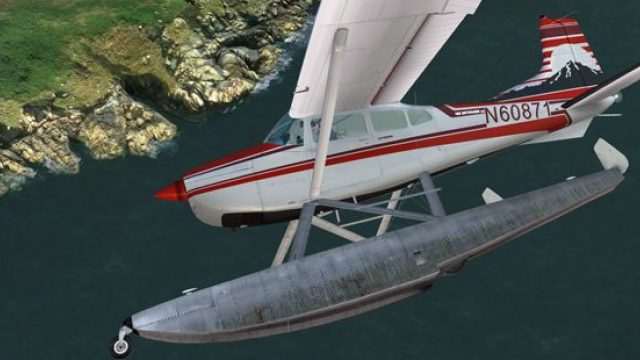
Cessna Skywagon C185F Amphibian N60871 brings a faithful real-world repaint to Microsoft Flight Simulator X, matching the distinctive colors, markings, and registration of the U.S. aircraft. Subtle panel-line wear and crisp decals complement Carenado’s reflective exterior and floats, and it requires the payware Carenado C185F Amphibian model.
 Rate
Rate
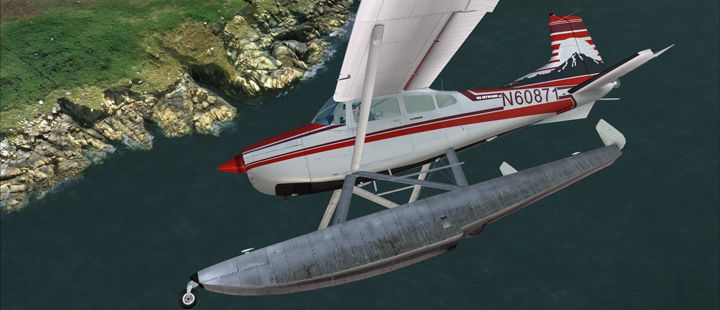
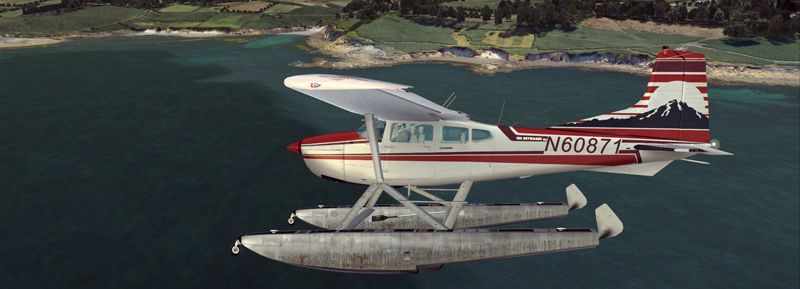
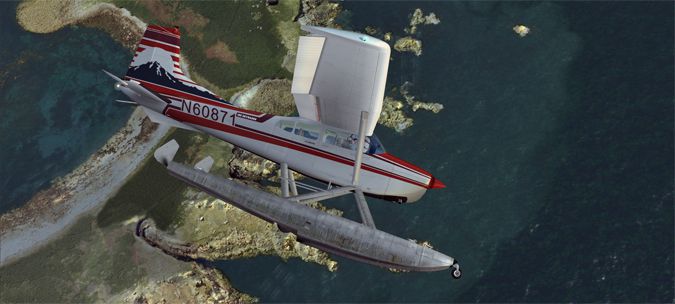
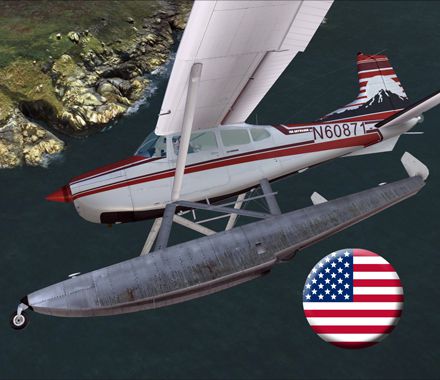
This add-on provides a faithful repaint of the amphibian Cessna Skywagon C185F, replicating the real-world US Skywagon registered as N60871. Created by Richard Luycx for the payware Carenado model, it brings an authentic exterior finish to Microsoft Flight Simulator X. This repaint captures the distinct color scheme and markings of this particular aircraft, which also operated in a wheeled configuration but is presented here with float-equipped capabilities.
The original Cessna 185, commonly labeled as the Skywagon, is a high-wing single-engine aircraft known for its rugged performance and versatility in many flight environments. In its amphibian configuration, this C185F can operate from both paved runways and water surfaces, creating a broad range of simulated missions. The real N60871 flew across various regions, showcasing the practicality of amphib floats for bush flying and remote-area landings.
Screenshot of Cessna Skywagon C185F Amphibian N60871 in the air.
This new texture set focuses on the vibrant real-life livery unique to N60871. The detailed paint job displays subtle weathering marks around panel lines, plus accurate registration lettering. It preserves the hallmark styling features Carenado integrated into their payware model, while adding specific decals to capture the amphibian form. It relies on Carenado’s advanced visual modeling to portray reflective surfaces and float components.
[fltsim.XX]

title=C185F SKYWAGON N60871 Amphibian

sim=Carenado_C185

model=

panel=

sound=

texture=N60871_A

kb_checklists=C185_check

kb_reference=C185_ref

atc_id=N60871

ui_manufacturer="Carenado"

ui_type="C185F"

ui_variation="N60871 Amphibian"

ui_createdby="Carenado"

ui_typerole="Highwing single Engine Prop"

description="Repaint by Ricardo July 2012."

atc_heavy=0

atc_airline=

atc_flight_number=

atc_id_color=0x00000000

atc_id_font=Verdana,-11,1,600,0

visual_damage=0
This texture pack is designed exclusively for the payware Carenado C185F model, which must be obtained through a trusted add-on store such as SimShack. Only the repaint files are included in this download. Once installed, sim pilots can enjoy the flexibility of water and land operations in direct homage to the real N60871’s amphibious missions.
Authored by Richard Luycx; original aircraft model by Carenado. Experience the unique freedom of an amphibious Skywagon and fly wherever your adventures lead.
Free for all simmers · 19.77 MB · Scanned clean Oct 2026
Download speed: Free tier is capped at 0.5 Mbps (this file takes approximately 6 mins at the cap). PRO members download at full line speed.
texture.{airline}) inside FSX\SimObjects\Airplanes\{base-aircraft}\.aircraft.cfg in Notepad. Add a new [fltsim.X] section per the readme.readme.txt or README file. It tells you exactly where files go, what dependencies are needed, and any quirks specific to this add-on.The archive rl_c185_n60871_a.zip has 55 files and directories contained within it.
This list displays the first 500 files in the package. If the package has more, you will need to download it to view them.
| Filename/Directory | File Date | File Size |
|---|---|---|
| 1.jpg | 07.24.12 | 187.93 kB |
| 150.gif | 07.24.12 | 11.16 kB |
| 2.jpg | 07.24.12 | 191.66 kB |
| 3.jpg | 07.24.12 | 191.10 kB |
| 440.jpg | 07.24.12 | 163.12 kB |
| Readme.txt | 07.24.12 | 1.47 kB |
| Accesorie185a.bmp | 03.24.10 | 1.00 MB |
| Accesorie185a_bump.bmp | 03.24.10 | 1.00 MB |
| Accesorie185a_spec.bmp | 03.24.10 | 256.07 kB |
| Accesorie185b _spec.bmp | 03.24.10 | 256.07 kB |
| Accesorie185b.bmp | 07.21.12 | 1.00 MB |
| Accesorie185b_bump.bmp | 03.24.10 | 1.00 MB |
| C1852_light.bmp | 01.23.10 | 128.07 kB |
| C1853_light.bmp | 01.23.10 | 128.07 kB |
| C185_light.bmp | 01.24.10 | 170.75 kB |
| Care185Ffuse_A.bmp | 07.05.12 | 4.00 MB |
| Care185Ffuse_A_bump.bmp | 01.23.10 | 1.00 MB |
| Care185Ffuse_A_spec.bmp | 01.23.10 | 256.07 kB |
| Care185Ffuse_B.bmp | 06.17.12 | 4.00 MB |
| Care185Ffuse_B_bump.bmp | 01.23.10 | 1.00 MB |
| Care185Ffuse_B_spec.bmp | 01.23.10 | 256.07 kB |
| Care185Ffuse_C.bmp | 06.17.12 | 4.00 MB |
| Care185Ffuse_C_bump.bmp | 01.23.10 | 1.00 MB |
| Care185Ffuse_C_spec.bmp | 01.23.10 | 256.07 kB |
| Care185Ffuse_D.bmp | 07.21.12 | 4.00 MB |
| Care185Ffuse_Dold.bmp | 06.17.12 | 4.00 MB |
| Care185Ffuse_D_bump.bmp | 01.23.10 | 1.00 MB |
| Care185Ffuse_D_spec.bmp | 01.23.10 | 256.07 kB |
| Care185Ffuse_E.bmp | 07.21.12 | 4.00 MB |
| Care185Ffuse_Eold.bmp | 06.17.12 | 4.00 MB |
| Care185Ffuse_E_bump.bmp | 01.23.10 | 1.00 MB |
| Care185Ffuse_E_spec.bmp | 01.23.10 | 256.07 kB |
| Care185Ffuse_F.bmp | 07.05.12 | 4.00 MB |
| Care185Ffuse_F_bump.bmp | 01.23.10 | 1.00 MB |
| Care185Ffuse_F_spec.bmp | 01.23.10 | 256.07 kB |
| Care185Ffuse_G.bmp | 06.17.12 | 4.00 MB |
| Care185Ffuse_G_bump.bmp | 01.23.10 | 1.00 MB |
| Care185Ffuse_G_spec.bmp | 01.23.10 | 256.07 kB |
| Care185Finterior_A.bmp | 03.24.10 | 1.00 MB |
| Care185Finterior_B.bmp | 03.24.10 | 1.00 MB |
| Care185Finterior_C.bmp | 03.24.10 | 1.00 MB |
| Care185Finterior_D.bmp | 03.24.10 | 1.00 MB |
| Care185Finterior_E.bmp | 03.24.10 | 1.00 MB |
| Care185Finterior_F.bmp | 03.24.10 | 1.00 MB |
| Care185Finterior_G.bmp | 03.24.10 | 1.00 MB |
| Care185WindowA.bmp | 11.23.09 | 64.07 kB |
| Carenado Cargo Packs.bmp | 03.24.10 | 1.00 MB |
| Lights.bmp | 01.23.10 | 256.07 kB |
| Lights_night.bmp | 01.23.10 | 256.07 kB |
| Pilot.bmp | 01.23.10 | 1.00 MB |
| PROP.bmp | 11.09.09 | 1.00 MB |
| thumbnail.jpg | 07.24.12 | 50.60 kB |
| wininterior185.bmp | 01.11.10 | 4.00 MB |
| flyawaysimulation.txt | 10.29.13 | 959 B |
| Go to Fly Away Simulation.url | 01.22.16 | 52 B |
Only PRO members can place votes.
More FSX & P3D add-ons hand-picked based on this download.
FSX General Aviation Aircraft
This custom repaint replicates the real-world US-registered Skywagon N60871 a…
 FSX General Aviation Aircraft
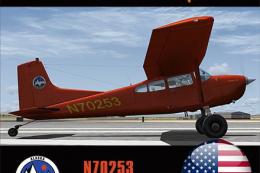
Repaint for the payware Carenado C185 F Skywagon (tundra model). This repaint…
 FSX General Aviation Aircraft
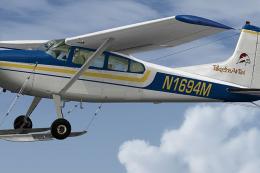
This is a repaint of the Carenado's payware Cessna C185 Skywagon. These textu…
 FSX General Aviation Aircraft
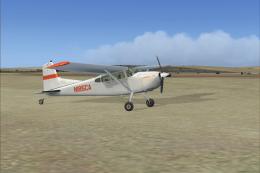
This repaint package features a fictional rendition of a Cessna 185F Skywagon…
 FSX General Aviation Aircraft
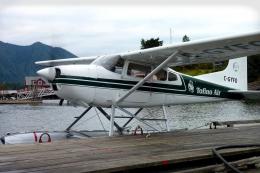
A repaint for the payware Carenado C185F Skywagon Bush (float model). This re…
 FSX General Aviation Aircraft
This repaint provides a custom livery identified as N5554D for the payware Ca…
 FSX General Aviation Aircraft
Fictional repaint for the payware Carenado C185 Skywagon amphibian model. By …
 FSX General Aviation Aircraft
Fictional repaint for the payware Carenado C185F Skywagon Bush ski model. Her…
Read what other simmers think, or add your own.

Fantastic rendition! I love it! This actually is my plane which I've been flying since 1994! It was operating up in the Yukon when I purchased it and imported into back into the States. I'm glad to send you photos of this plane that may inspire more renditions if you like.
As a finer point, I should mention that is the plane is equipped (and correctly depicted) with the Edo 2790 Amphibious floats that were originally certified and delivered by Cessna. For that reason, it does not require a ventral fin as other after-market STC brand floats require as the artist has depicted here.