

 FSX Civil Aircraft
Continental Boeing 737-800. B737-800
Continental Boeing 737-800. Fictional textures for the default B737-800. Repa…
Hooters Air’s unmistakable orange-and-white Boeing 737-800 livery brings a standout early-2000s look to the default jet in Microsoft Flight Simulator X, with crisp high-resolution exterior textures, accurate logos, and correctly placed registrations. Seamless mapping keeps lines clean on the stock model and virtual cockpit, and it requires the included FSX 737-800 base aircraft.
 Rate
Rate
This freeware repaint, created by the original developer (credits to the talented author, whose name is not documented), brings the bold Hooters Air color scheme to the default Boeing 737-800 in Microsoft Flight Simulator X. It includes high-resolution exterior textures modeled on the distinctive livery that Hooters Air once operated in the real world before ceasing operations. Enthusiasts who recall that short-lived airline will immediately recognize the bright orange accents and the unmistakable branding.
Hooters Air was known for its vibrant branding and aimed to provide a unique in-flight experience, flying under the branding of the famous restaurant chain. This repaint showcases that signature style across the fuselage and tail surfaces, all while retaining accuracy in the aircraft’s markings, window placements, and other important details. The Boeing 737-800 (classified as part of the Next Generation series) features enhanced aerodynamics along with a modernized flight deck in comparison to earlier models. This package leverages the stock cockpit and systems found in the default Microsoft Flight Simulator X 737, preserving full compatibility with established flight simulator procedures.
Since these are textures only, you will need the default 737-800 already present in Microsoft Flight Simulator X. Simply copy the provided folder into your aircraft textures directory and amend the aircraft.cfg file following standard best practices in the simulator's documentation. Make sure to use the correct [fltsim.X] entries so the repaint appears in your aircraft selection menu.
This release does not include the actual 737-800 model. If you lack the default installation files for the Boeing 737-800 in FSX, you can locate the necessary base model in the Fly Away Simulation download library. By keeping the original aircraft folder structure intact, these repainted textures will seamlessly integrate.

Hooters Air’s real-world operations may be part of aviation history now, but this repaint ensures virtual pilots can fly routes mirroring the airline’s short-lived service. For fans of unique commercial airline markings, this package provides a chance to recreate an interesting chapter in aviation.
Free for all simmers · 3.87 MB · Scanned clean Oct 2026
Download speed: Free tier is capped at 0.5 Mbps (this file takes approximately 1 min at the cap). PRO members download at full line speed.
texture.{airline}) inside FSX\SimObjects\Airplanes\{base-aircraft}\.aircraft.cfg in Notepad. Add a new [fltsim.X] section per the readme.readme.txt or README file. It tells you exactly where files go, what dependencies are needed, and any quirks specific to this add-on.The archive texthoot.zip has 11 files and directories contained within it.
This list displays the first 500 files in the package. If the package has more, you will need to download it to view them.
| Filename/Directory | File Date | File Size |
|---|---|---|
| aircraft.cfg | 09.25.07 | 28.88 kB |
| b737_800_1_T.dds | 09.25.07 | 5.33 MB |
| b737_800_1_T_Specular.dds | 09.04.06 | 1.33 MB |
| b737_800_2_T.dds | 09.04.06 | 1.33 MB |
| b737_800_2_T_Specular.dds | 09.04.06 | 1.33 MB |
| Fresnel_Ramp.dds | 09.04.06 | 640 B |
| texture.cfg | 08.14.06 | 137 B |
| thumbnail.jpg | 09.22.07 | 3.98 kB |
| Read Me.txt | 09.26.07 | 274 B |
| flyawaysimulation.txt | 10.29.13 | 959 B |
| Go to Fly Away Simulation.url | 01.22.16 | 52 B |
Only PRO members can place votes.
More FSX & P3D add-ons hand-picked based on this download.
FSX Civil Aircraft
Continental Boeing 737-800. Fictional textures for the default B737-800. Repa…
 FSX Civil Aircraft
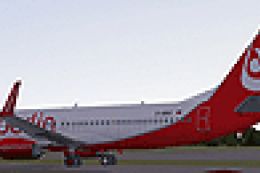
FSX Air Berlin Boeing 737-800. Model by Project Open Sky. Repaint by Misha Gr…
 FSX Civil Aircraft
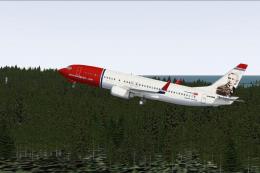
FSX Norwegian Air Shuttle Boeing 737-800, registration LN-NOB. Textures only …
 FSX Civil Aircraft
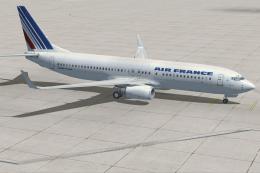
This freeware package enhances the default Boeing 737-800 in Microsoft Flight…
 FSX Civil Aircraft
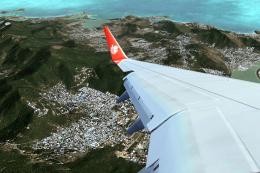
Lion Air Boeing 737-800, registration PK-LJQ (the first Boeing 737-800 in Lio…
 FSX Civil Aircraft
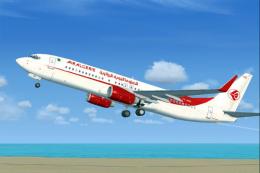
This freeware repaint offers a crisp 32-bit Air Algerie livery for the defaul…
 FSX Civil Aircraft
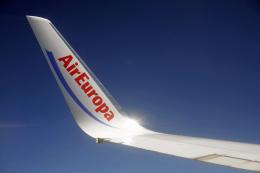
Air Europa Boeing 737-800. Air Europa Pepe Travel repaint for the default B73…
 FSX Civil Aircraft
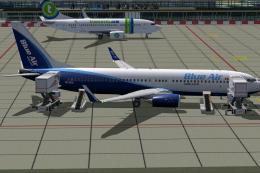
Take flight in a complete Boeing 737-800 package adorned with Blue Air Web.co…
Be the first to leave a comment on this download.
Be the first to share your thoughts on this download.