

 FSX Civil Aircraft
Merpati Nusantara Boeing 737-400 PK-MDR
This repaint package depicts a Merpati Nusantara Boeing 737-400 (PK-MDR) for …
Merpati Nusantara’s Boeing 737-300 PK-MDQ livery brings authentic Indonesian airline traffic to AI skies in Microsoft Flight Simulator X with accurate external textures tailored to the FAIB 733. Designed for believable Classic-series operations and busy airport ramps, it requires the separate FAIB 737-300 base model for full integration.
 Rate
Rate
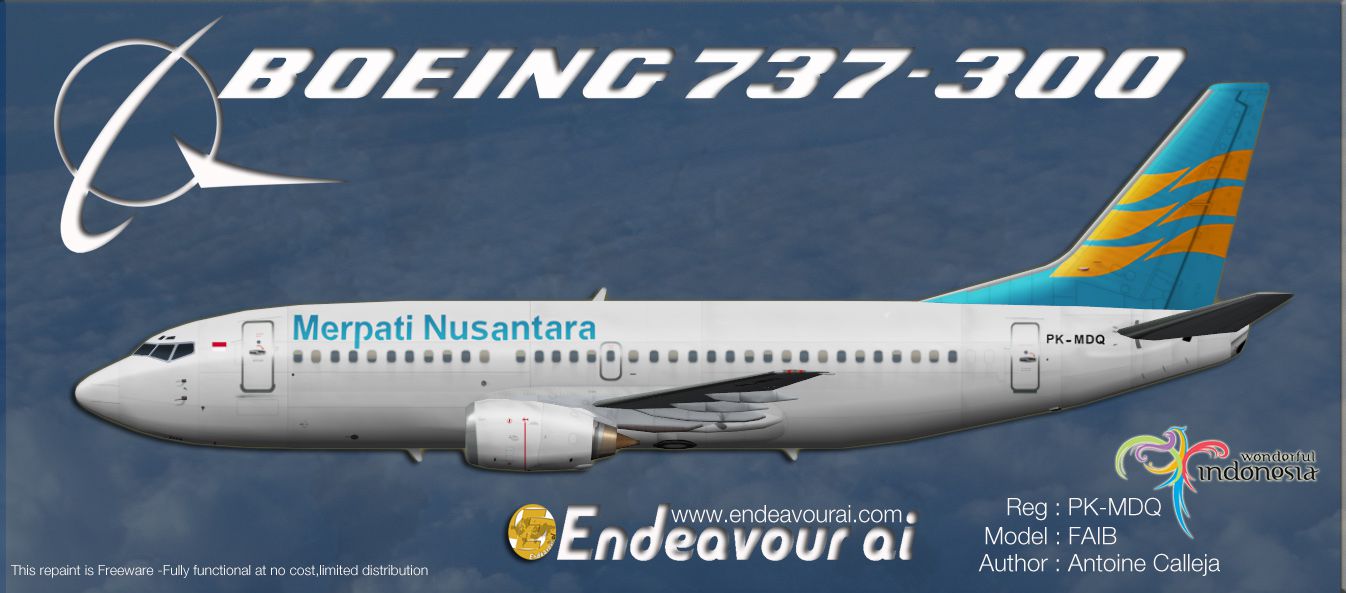
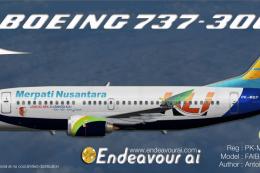
This repaint showcases a Merpati Nusantara Boeing 737-300 (PK-MDQ) for AI traffic in Microsoft Flight Simulator X. Originally crafted by Antoine Calleja, Endeavour AI Team, this package offers only the external textures. The core FAIB 733 FSX model is required separately, and it can be obtained from the Fly Away Simulation library. Once applied, virtual skies will come alive with accurate Merpati Nusantara visuals during AI traffic operations.
The 737-300 variant, part of Boeing’s “Classic” series, is widely recognized for its robust performance on short- to medium-range routes. Merpati Nusantara, a former Indonesian carrier, placed emphasis on serving various remote regions scattered across the archipelago. By adding these textures to your AI fleet, you will capture the essence of Merpati’s mission to link distant communities within Indonesia.

Above: The PK-MDQ livery as viewed in profile.
[fltsim.x] entry (replace “x” with the next sequential number for your 737-300 variants).[fltsim.x]
title=Boeing 737-300 Merpati PK-MDQ
sim=FAIB_7373
model=Normal
texture=Merpati_PK-MDQ
atc_id=PK-MDQ
atc_airline=MERPATI
atc_flight_number=
ui_manufacturer=FAIB
ui_type=737-300
ui_variation=Merpati PK-MDQ
ui_created by=FAIB
description=For AI use only. 737-300 Merpati PK-MDQ: Repaint by Antoine Calleja.
atc_parking_types=GATE
atc_parking_codes=MNA
[fltsim.x] numbering to ensure there are no duplicates. For example, if your last entry is [fltsim.15], make this one [fltsim.16].You will require the FAIB_B7373.ZIP freeware files (not included in this repaint download). Once those base components are installed, these textures will integrate seamlessly into AI traffic systems.
This modification is tailored for AI enhancements and does not alter flight dynamics. It maintains the accurate look of PK-MDQ during its service with Merpati Nusantara. By placing these textures into your simulator, you will achieve more genuine Indonesian airline operations in Microsoft Flight Simulator X.
Free for all simmers · 1.22 MB · Scanned clean Oct 2026
Download speed: Free tier is capped at 0.5 Mbps. PRO members download at full line speed.
texture.{airline}) inside FSX\SimObjects\Airplanes\{base-aircraft}\.aircraft.cfg in Notepad. Add a new [fltsim.X] section per the readme.readme.txt or README file. It tells you exactly where files go, what dependencies are needed, and any quirks specific to this add-on.The archive endeavourai_merpatinnusantara_b733_pk-mdq_fsx.zip has 8 files and directories contained within it.
This list displays the first 500 files in the package. If the package has more, you will need to download it to view them.
| Filename/Directory | File Date | File Size |
|---|---|---|
| Read_Me_Endeavour_FSX.txt | 08.11.12 | 2.85 kB |
| FAIB_737_300_AlwaysOn_L.bmp | 04.02.12 | 4.07 kB |
| FAIB_737_300_L.bmp | 08.11.12 | 4.00 MB |
| FAIB_737_300_T.bmp | 08.11.12 | 4.00 MB |
| Terms of use.txt | 08.10.12 | 1.23 kB |
| Merpati_733_Standard.jpg | 08.10.12 | 292.45 kB |
| flyawaysimulation.txt | 10.29.13 | 959 B |
| Go to Fly Away Simulation.url | 01.22.16 | 52 B |
Only PRO members can place votes.
More FSX & P3D add-ons hand-picked based on this download.
FSX Civil Aircraft
This repaint package depicts a Merpati Nusantara Boeing 737-400 (PK-MDR) for …
 FSX Civil Aircraft
This freeware repaint offers an AI-optimized Merpati Nusantara Boeing 737-500…
 FSX Civil Aircraft
Textures only for use with the payware Milviz B737-200C. By Muhammad Chariri.…
 FSX Civil Aircraft
This freeware repaint offers faithful Merpati Nusantara markings for the payw…
 FSX Civil Aircraft
This repaint brings the Merpati Nusantara Boeing 737-300 KLI logo jet (regist…
 FSX Civil Aircraft
This is the repaint of payware Captain Sim B737-200 Adv model in livery of Me…
 FSX Civil Aircraft
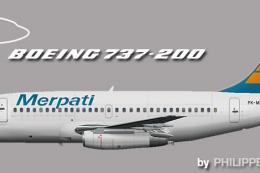
This repaint offers an immersive representation of Merpati Nusantara Airlines…
 FSX Civil Aircraft
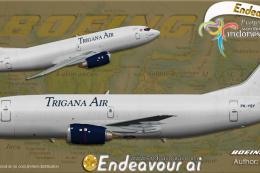
This freeware repaint depicts the Trigana Air Boeing 737-300/F registered as …
Be the first to leave a comment on this download.
Be the first to share your thoughts on this download.