

 FSX Civil Aircraft
Merpati Nusantara Boeing 737-400 PK-MDR
This repaint package depicts a Merpati Nusantara Boeing 737-400 (PK-MDR) for …
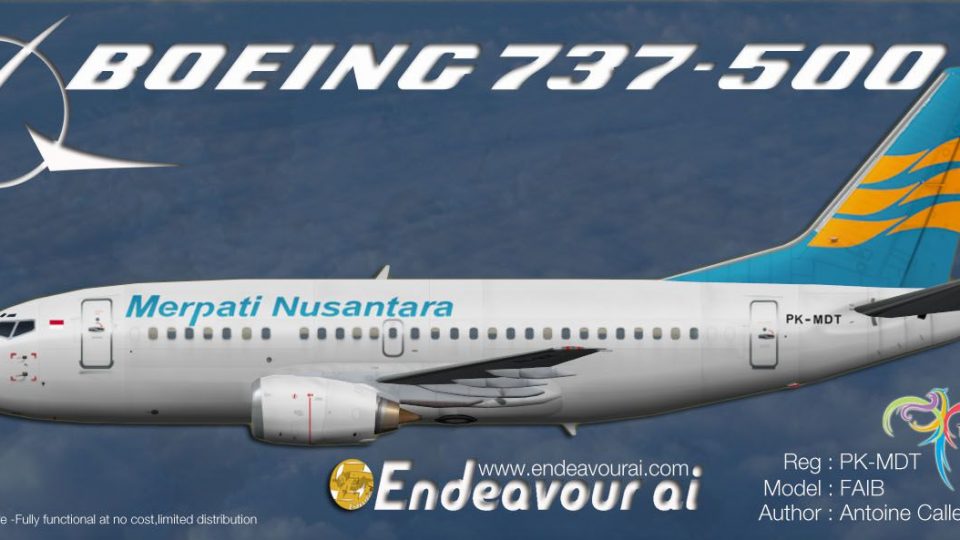
Merpati Nusantara’s PK-MDT Boeing 737-500 livery brings authentic Indonesian airline branding to AI traffic, with crisp tail artwork, fuselage striping, and accurate markings tailored for the FAIB 737-500 model in Microsoft Flight Simulator X. Designed for efficient performance on short to medium routes, it requires the freeware FAIB base package.
 Rate
Rate
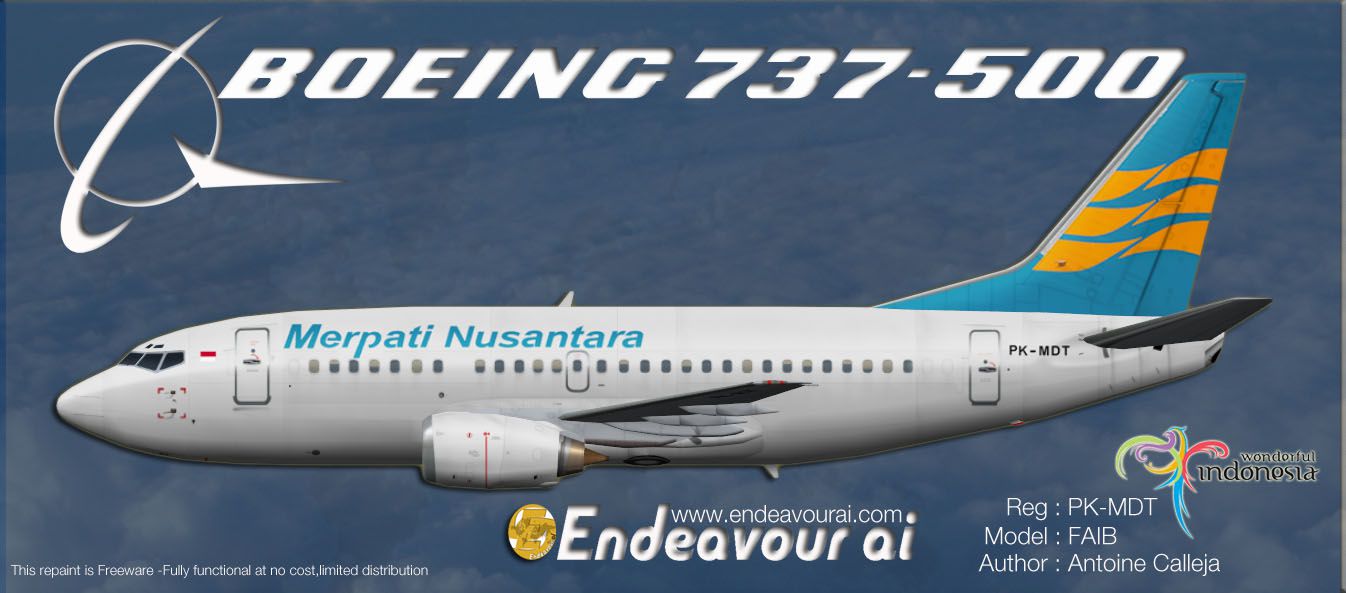
This freeware repaint offers an AI-optimized Merpati Nusantara Boeing 737-500 livery designed for the FAIB 737-500 model in Microsoft Flight Simulator X. It does not include the base model, so the separate freeware FAIB package is required. Created by Antoine Calleja, Endeavour AI Team, this texture set portrays PK-MDT in Merpati Nusantara’s distinctive color scheme.
This repaint provides realistic markings and airline-specific details to accurately represent Merpati Nusantara’s Boeing 737-500 series aircraft. The 737-500, which is part of the 737 Classic family, was favored by many carriers for its efficient performance on short to medium routes. Merpati Nusantara, an Indonesian airline known for connecting diverse island destinations, incorporated similar 737-500s into its operations. The included paint details capture the airline’s branding, incorporating identifiable tail artwork and fuselage striping.

Profile view of Merpati Nusantara Boeing 737-500.
Open the aircraft.cfg file found within the FAIB_737-500 directory and add the following entry, ensuring you assign a unique [fltsim.x] index (increment if another entry uses the same number):
[fltsim.x]
title=FAIB Boeing 737-500 Merpati Nusantara PK-MDT
sim=FAIB_7375
model=Normal
texture=Merpati
atc_id=PK-MDT
atc_airline=MERPATI
atc_flight_number=
ui_manufacturer=FAIB
ui_type=737-500 Logolight
ui_variation=Merpati Nusantara 737-500
ui_createdby=FAIB
atc_parking_types=GATE
atc_parking_codes=MNA
description=For AI use only, model and repaint by Antoine Calleja
The fltsim.x value must match your current livery sequence (for example, [fltsim.14], [fltsim.15], or the next available number in your aircraft.cfg).
This repaint is solely for AI traffic and functions best with the FAIB Boeing 737-500 base model. The core package (FAIB_B7375.ZIP) can be found in the Fly Away Simulation library. Once properly installed, Merpati Nusantara aircraft should appear in traffic schedules reflecting authentic operations.
Free for all simmers · 1.06 MB · Scanned clean Oct 2026
Download speed: Free tier is capped at 0.5 Mbps. PRO members download at full line speed.
texture.{airline}) inside FSX\SimObjects\Airplanes\{base-aircraft}\.aircraft.cfg in Notepad. Add a new [fltsim.X] section per the readme.readme.txt or README file. It tells you exactly where files go, what dependencies are needed, and any quirks specific to this add-on.The archive endeavourai_merpatinustantara_b735_fsx.zip has 8 files and directories contained within it.
This list displays the first 500 files in the package. If the package has more, you will need to download it to view them.
| Filename/Directory | File Date | File Size |
|---|---|---|
| FAIB_737_500_AlwaysOn_L.bmp | 04.02.12 | 4.07 kB |
| FAIB_737_500_L.bmp | 08.11.12 | 4.00 MB |
| FAIB_737_500_T.bmp | 08.11.12 | 4.00 MB |
| Merpati_735_NEW.jpg | 08.10.12 | 141.37 kB |
| Terms of use.txt | 08.10.12 | 1.23 kB |
| Read_Me_Endeavour_FSX.txt | 08.11.12 | 2.87 kB |
| flyawaysimulation.txt | 10.29.13 | 959 B |
| Go to Fly Away Simulation.url | 01.22.16 | 52 B |
Only PRO members can place votes.
More FSX & P3D add-ons hand-picked based on this download.
FSX Civil Aircraft
This repaint package depicts a Merpati Nusantara Boeing 737-400 (PK-MDR) for …
 FSX Civil Aircraft
This repaint showcases a Merpati Nusantara Boeing 737-300 (PK-MDQ) for AI tra…
 FSX Civil Aircraft
Textures only for use with the payware Milviz B737-200C. By Muhammad Chariri.…
 FSX Civil Aircraft
This freeware repaint offers faithful Merpati Nusantara markings for the payw…
 FSX Civil Aircraft
This is the repaint of payware Captain Sim B737-200 Adv model in livery of Me…
 FSX Civil Aircraft
This repaint brings the Merpati Nusantara Boeing 737-300 KLI logo jet (regist…
 FSX Civil Aircraft
This repaint offers an immersive representation of Merpati Nusantara Airlines…
 FSX Civil Aircraft
This repaint provides detailed textures of Garuda Indonesia’s Boeing 737-500 …
Be the first to leave a comment on this download.
Be the first to share your thoughts on this download.