

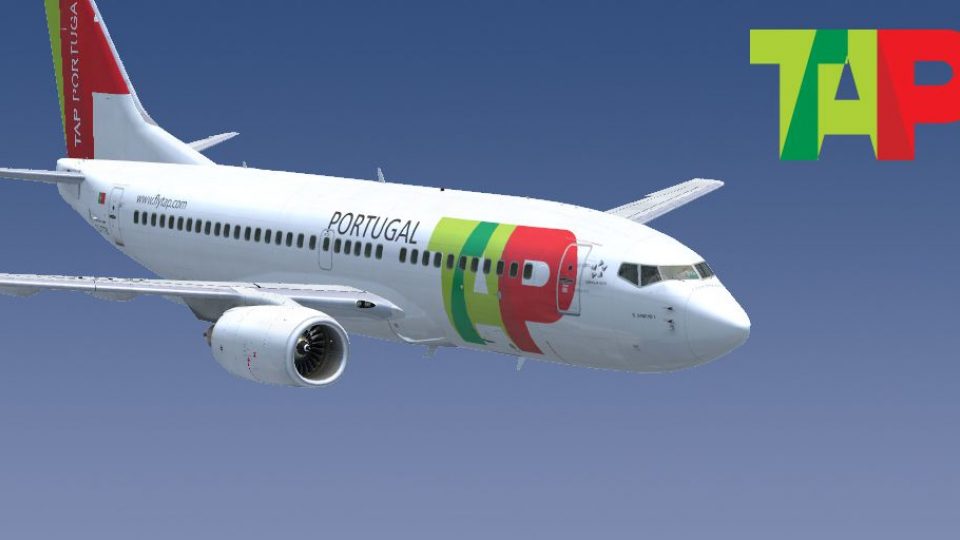
 FSX Civil Aircraft
TAP Portugal Airbus A340-600
TAP Portugal Airbus A340-600. This is a repaint for the Thomas Ruth package A…
TAP Air Portugal colors arrive on the PMDG Boeing 737-600 and 737-700 with a crisp, fictional repaint that suits mid-range route flying and screenshots alike. Built from the SP2 paint kit for clean markings and smooth texture work, it integrates via the PMDG Livery Manager in Microsoft Flight Simulator X and requires the PMDG 737-600/700.
 Rate
Rate
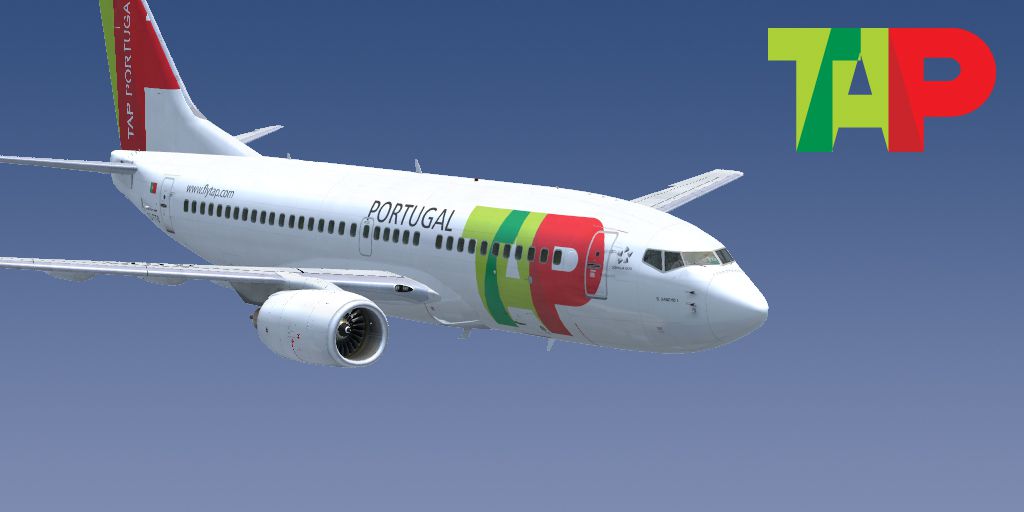
This repaint packages a fictional TAP Air Portugal skin for the PMDG Boeing 737-600 and 737-700. It comes as a straightforward addition and integrates seamlessly with the PMDG Livery Manager, enabling swift activation within Microsoft Flight Simulator X. Authored by Marcio Nobrega, it leverages the SP2 painting kit for precise texturing.
The Boeing 737-600 and 737-700 variants represent shorter-fuselage models within the 737NG (Next Generation) series, often utilized for mid-range operations. While TAP Air Portugal does not operate these specific variants in reality—relying instead on Airbus equipment—the fictional scheme brings the airline’s recognizable color branding to a 737 cockpit environment. TAP Air Portugal, headquartered at Lisbon Airport, is known for connecting European destinations, Atlantic islands, and even selected routes to the Americas.
This repaint only includes the visual artwork for the Boeing 737-600/700 variants. You must have the associated payware model from PMDG, available through official outlets such as SimShack, for proper functionality. The product has been tailored specifically for Microsoft Flight Simulator X, ensuring that cockpit instrumentation, flight models, and exterior visuals align with PMDG’s fidelity.

Screenshot of TAP Boeing 737-600/700 in flight.
This repaint is the handiwork of Marcio Nobrega, who meticulously developed the textures and tested them for stable performance. Enjoy realistic lighting, reflective surfaces, and attention-grabbing TAP colors during your flights around Europe or beyond.
Free for all simmers · 51.73 MB · Scanned clean Oct 2026
Download speed: Free tier is capped at 0.5 Mbps (this file takes approximately 14 mins at the cap). PRO members download at full line speed.
texture.{airline}) inside FSX\SimObjects\Airplanes\{base-aircraft}\.aircraft.cfg in Notepad. Add a new [fltsim.X] section per the readme.readme.txt or README file. It tells you exactly where files go, what dependencies are needed, and any quirks specific to this add-on.The archive ngx7376700tap.zip has 6 files and directories contained within it.
This list displays the first 500 files in the package. If the package has more, you will need to download it to view them.
| Filename/Directory | File Date | File Size |
|---|---|---|
| ngx_7377_tap_winglets.ptp | 02.25.12 | 16.74 MB |
| ngx_7376_tap.ptp | 03.06.12 | 18.11 MB |
| ngx_7377_tap.ptp | 02.25.12 | 16.73 MB |
| thumbnail.jpg | 05.16.12 | 209.84 kB |
| flyawaysimulation.txt | 10.29.13 | 959 B |
| Go to Fly Away Simulation.url | 01.22.16 | 52 B |
Only PRO members can place votes.
More FSX & P3D add-ons hand-picked based on this download.
FSX Civil Aircraft
TAP Portugal Airbus A340-600. This is a repaint for the Thomas Ruth package A…
 FSX Civil Aircraft
This freeware repaint brings a unique SATA Air Azores-inspired design to the …
 FSX Civil Aircraft
This freeware repaint provides a distinctive TAP Air Portugal design for the …
 FSX Civil Aircraft
This freeware add-on showcases the TAP Air Portugal Boeing 777-200ER and intr…
 FSX Civil Aircraft
FSX Boeing 737-600, v1.0. The B737-600 is a short-to-medium-range airplane ba…
 FSX Civil Aircraft
Lufthansa Boeing 737-600. A repaint for the B737-600 in the Lufthansa livery.…
 FSX Civil Aircraft
Jat Yugoslav Airlines Boeing 737-600. This file includes the entire Project O…
 FSX Civil Aircraft
Enhance your Microsoft Flight Simulator X hangar with a carefully crafted Luf…
Be the first to leave a comment on this download.
Be the first to share your thoughts on this download.