

 FSX Civil Aircraft
Macedonian Airlines Boeing 737-800
This repaint offers a faithful adaptation of the Macedonian Airlines color sc…
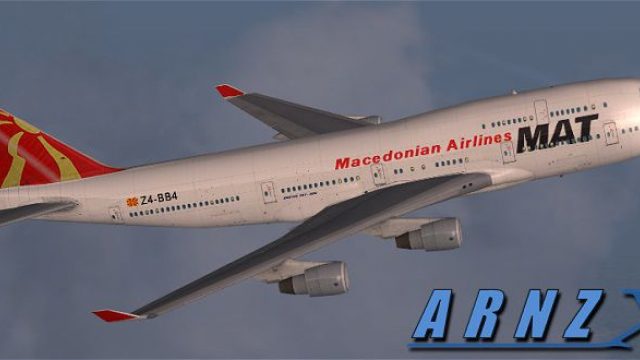
MAT Macedonian Airlines’ Boeing 747-400 livery brings a crisp, regionally authentic paint scheme to long-haul flying in Microsoft Flight Simulator X, with carefully aligned logos, stripes, and panel details across fuselage and tail. It preserves the default virtual cockpit and systems and requires the stock FSX 747-400 model.
 Rate
Rate
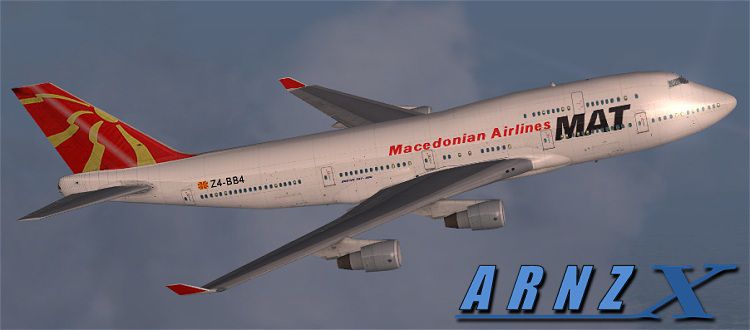
This carefully crafted repaint delivers an immersive MAT Macedonian Airlines visual scheme for the Boeing 747-400 within Microsoft Flight Simulator X. It adds localized flair to long-haul operations without overburdening system resources and showcases a unique livery designed by Jon Murchison. Downloaders should note this release includes textures only and requires the default 747-400 model in FSX. Below are more insights into this repaint, the airline, and the aircraft.
The updated textures emphasize the recognizable MAT Macedonian Airlines branding, with refined details along the fuselage and tail surfaces. Small markings, such as window outlines and fuselage panels, have been recolored to match the airline’s real-world aesthetic. This refined approach ensures accurate placement of text-based logos and stripes so that every angle remains consistent with the carrier’s official scheme.
Because these textures integrate with the default Boeing 747-400 in Microsoft Flight Simulator X, the interior cockpit layout remains unaffected. While this repaint focuses on the exterior surfaces, the liveries blend with standard FSX avionics, ensuring seamless compatibility and preserving default flight instrumentation. Pilots can still leverage FSX’s native features like autopilot management and advanced aircraft systems without any disruptions.
MAT Macedonian Airlines once served as a major carrier operating routes that connected Southeast Europe with other international destinations. This repaint captures the airline’s distinctive style, reflecting both historical and regional influences. It demonstrates Macedonia’s aviation heritage through a dynamic livery that is easily noticeable at airport gates and taxiways across FSX’s global scenery.
The Boeing 747-400 is prominently recognized for its four-engine layout, extensive range, and spacious passenger capacity. It has a signature hump-backed upper deck and a stretched range capability that allows it to serve intercontinental routes. By applying this repaint to the default 747-400 model, sim pilots can replicate the MAT Macedonian Airlines experience on virtual long-distance services.
This software only supplies the external textures. It does not include the full 747-400 model, so please make sure you have the default 747 files intact before proceeding.

This image offers a glimpse of the airline’s logo, which is blended throughout the fuselage and tail fin to achieve visual coherence from every vantage point. Users can expect color accuracy and faithful reproduction of the real-world branding steps provided by Jon Murchison.
All repaint work is courtesy of Jon Murchison. He has applied his expertise to aligning logos, modifying palette choices, and ensuring the high-resolution finish meets the standards expected by the flight simulation community.
Free for all simmers · 712.93 KB · Scanned clean Oct 2026
Download speed: Free tier is capped at 0.5 Mbps. PRO members download at full line speed.
texture.{airline}) inside FSX\SimObjects\Airplanes\{base-aircraft}\.aircraft.cfg in Notepad. Add a new [fltsim.X] section per the readme.readme.txt or README file. It tells you exactly where files go, what dependencies are needed, and any quirks specific to this add-on.The archive mat.zip has 7 files and directories contained within it.
This list displays the first 500 files in the package. If the package has more, you will need to download it to view them.
| Filename/Directory | File Date | File Size |
|---|---|---|
| MAT.jpg | 06.06.08 | 55.85 kB |
| b747_1_t.dds | 06.06.08 | 1.00 MB |
| texture.cfg | 01.07.08 | 137 B |
| thumbnail.jpg | 06.06.08 | 19.35 kB |
| README _INSTALL.txt | 06.06.08 | 1.69 kB |
| flyawaysimulation.txt | 10.29.13 | 959 B |
| Go to Fly Away Simulation.url | 01.22.16 | 52 B |
Only PRO members can place votes.
More FSX & P3D add-ons hand-picked based on this download.
FSX Civil Aircraft
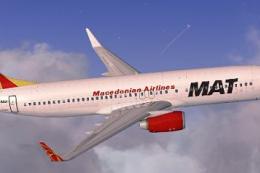
This repaint offers a faithful adaptation of the Macedonian Airlines color sc…
 FSX Civil Aircraft
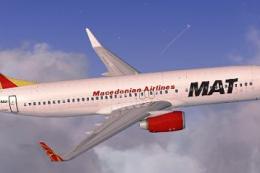
This repaint for Macedonian Airlines’ Boeing 737-800 offers a visually accura…
 FSX Civil Aircraft
Macedonian Airlines Boeing 737-800. A repaint for the default B737-800. Repai…
 FSX Civil Aircraft
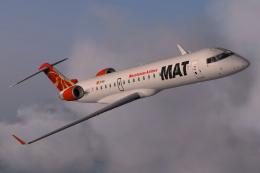
FSX Macedonian Airlines Bombardier CRJ 700. Textures only for the default CRJ…
 FSX Civil Aircraft
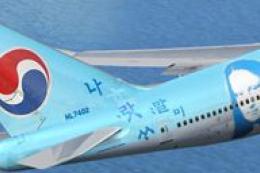
FSX Korean Airlines Boeing 747-400 "Mona Lisa". Textures only for the payware…
 FSX Civil Aircraft
FSX Aerolineas Argentinas Boeing 747-400 GE, registration LV-BBU. Textures on…
 FSX Civil Aircraft
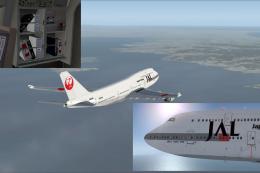
This carefully crafted repaint for the default Boeing 747-400 in Microsoft Fl…
 FSX Civil Aircraft
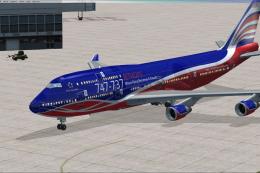
This repaint set introduces a custom Jet Hops livery to the Boeing 747-400 in…
Be the first to leave a comment on this download.
Be the first to share your thoughts on this download.