

 X-Plane Scenery Libraries
Wind Turbine
This is an animated wind turbine, suitable for both land and sea. Made in Ske…
Airport “Follow Me” truck object brings realistic ground guidance to any scenery in X-Plane 11/10, with photographic textures, a detailed exterior, and a clean conversion from SketchUp. Twin night-lit red roof beacons, blue illumination lamps, and working head and tail lights add authentic ramp presence after dark.
 Rate
Rate

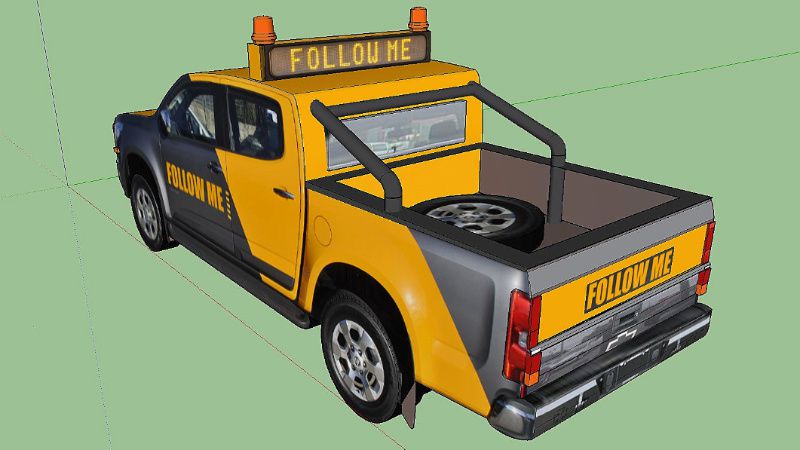
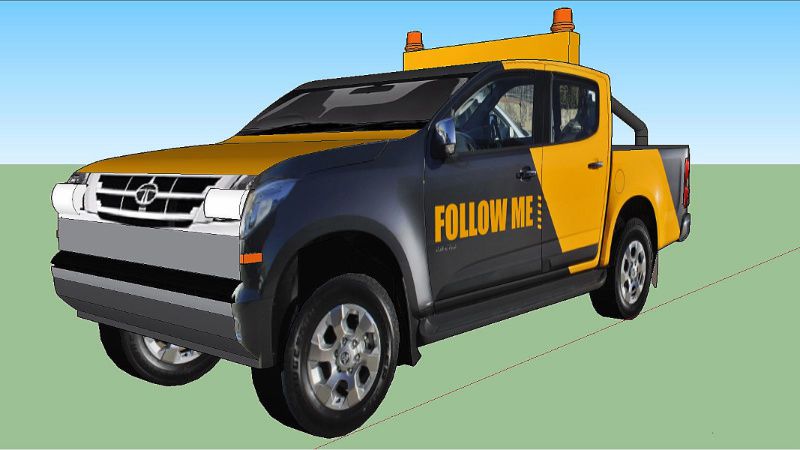
This is a highly detailed airport 'Follow Me Truck' for use in any scenery. The object features twin night lit red roof beacons, blue illumination lights, and working head/tail lights.
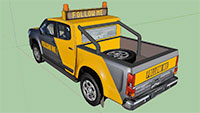 Made in SketchUp 2016 using photographic textures and converted for X-Plane with Marginal's SketchUp2XPlane utility.
By Paul Mort.
Free for all simmers · 12.45 MB · Scanned clean Oct 2026
Download speed: Free tier is capped at 0.5 Mbps (this file takes approximately 3 mins at the cap). PRO members download at full line speed.
Aircraft/ (planes), Custom Scenery/ (airports, mesh), or Resources/plugins/ (plugins).readme.txt or README file. It tells you exactly where files go, what dependencies are needed, and any quirks specific to this add-on.The archive follow_me_truck_v1_0.zip has 7 files and directories contained within it.
This list displays the first 500 files in the package. If the package has more, you will need to download it to view them.
| Filename/Directory | File Date | File Size |
|---|---|---|
| FollowMeTruck.obj | 09.28.17 | 683.70 kB |
| FollowMeTruck.png | 09.28.17 | 5.89 MB |
| FollowMeTruck.skp | 09.28.17 | 6.89 MB |
| image1.jpg | 09.28.17 | 111.23 kB |
| image2.jpg | 09.28.17 | 131.46 kB |
| flyawaysimulation.txt | 10.29.13 | 959 B |
| Go to Fly Away Simulation.url | 01.22.16 | 52 B |
Only PRO members can place votes.
More X-Plane add-ons hand-picked based on this download.
X-Plane Scenery Libraries
This is an animated wind turbine, suitable for both land and sea. Made in Ske…
 X-Plane Scenery Libraries
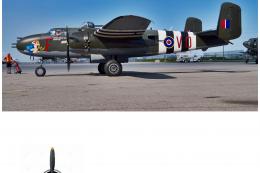
The North American B-25 Mitchell is an American twin-engine, medium bomber ma…
 X-Plane Scenery Libraries
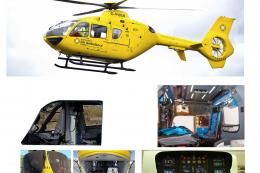
This is a highly detailed model of an NWAA EC-135 Eurocopter (N-NWEM). The an…
 X-Plane Scenery Libraries
This is a collection of six sets of animated flames with smoke. They are set …
 X-Plane Scenery Libraries
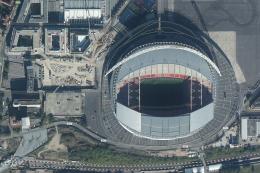
Wembley Stadium is a football stadium in Wembley, London, England, which open…
 X-Plane Scenery Libraries
The Queensferry Crossing is a road bridge under construction in Scotland. It …
 X-Plane Scenery Libraries
This is a large 180 feet long passenger terminal suitable for any large scene…
 X-Plane Scenery Libraries
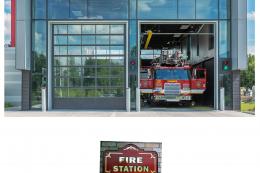
This is a small, American styled fire station for your scenery. The object is…
Read what other simmers think, or add your own.

Guys, I think I am managing to make it work. At least I share with you what I am learning.
There are two ways: paid software or free software and some tutorials to follow to make the follow me cars or trucks work properly. It seems that, in order to identify the type of aircraft you are using and then identify what finger or parking the follow me should take you to, it has to be configured via WED editor.
There are some YouTube channels to follow the tutorials, or you can get the WT3 World Traffic 3 or some similar software that makes it work. The FlyWithLua also has a plugin for follow me, which I am trying to make work.
So where to drop this nice follow me truck, I guess, depends on what plugin you use for making it work. For example, if you use FlyWithLua:
scenery.cfg.follow me 1.3 into the scripts folder from FlyWithLua NG (New Generation).Best of luck and be patient... this is a nightmare overall whenever we are willing to just jump into the plane and enjoy flying. We better get used to lots of hours of testing and reading.
Cheers and GOD BLESS

Since March 2023, people have been asking for installation instructions.
Could you please provide them here?


No directions for install, I tried all the normal logic but none of these locations worked. Can you please put an install note somewhere with it, please?


Looks nice! However could not figure out where to put the folder, tried custom scenery as well as plugin folders, truck never appears. I assume it should show up when requesting taxi from in X-plane´s built-in ATC, instead of the arrows?