

 FSX Civil Aircraft
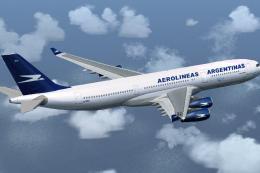
Aerolineas Argentinas Airbus A340-200 LV-ZPO
Repaint of Project Open Sky Airbus A340-200 model. This is one of the most em…
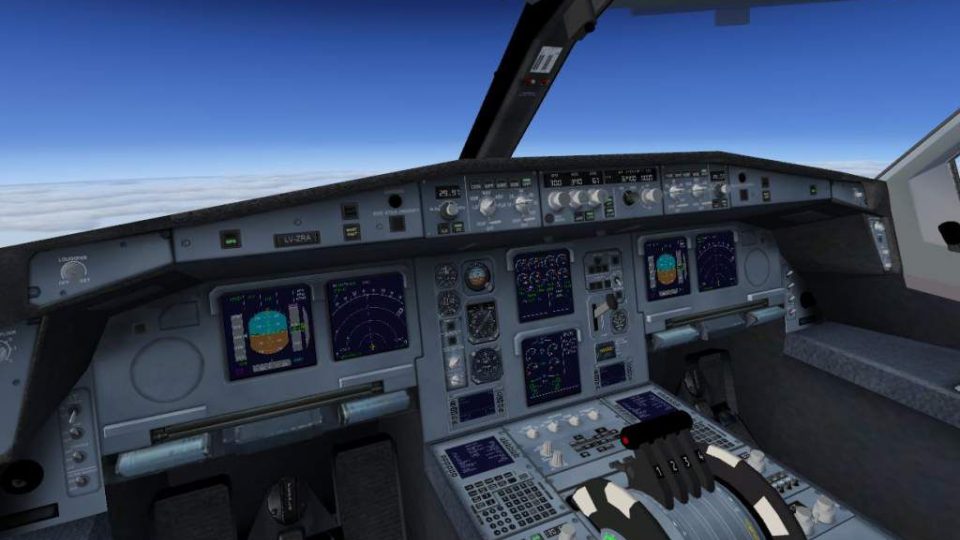
Aerolíneas Argentinas’ Airbus A340-200 arrives as a complete long-haul, four-engine wide-body package for Microsoft Flight Simulator X, featuring detailed diffuse, bump, specular and night lighting textures. A functioning virtual cockpit pairs with a tailored four-engine gauge layout, and it requires default Airbus A321 sound, panel, and texture files.
 Rate
Rate
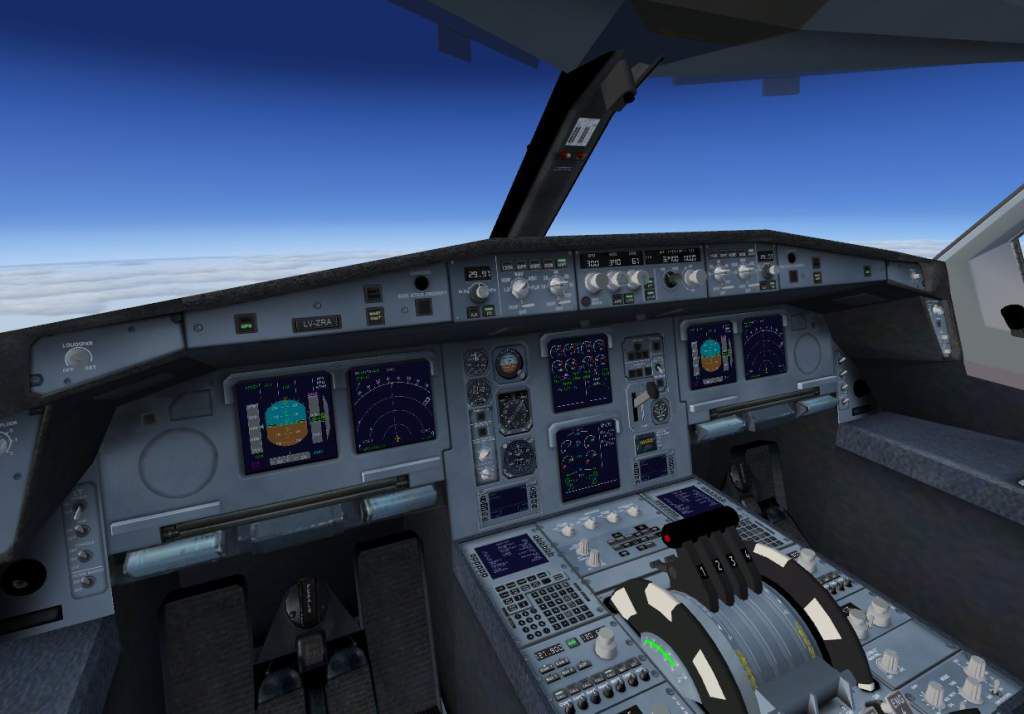
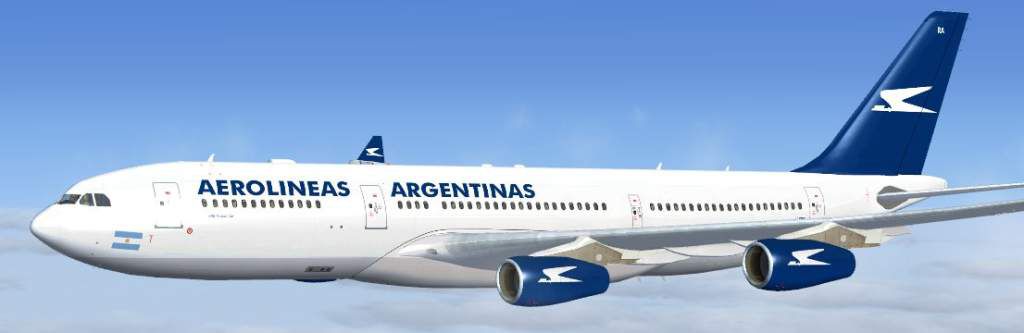

This add-on offers a complete Airbus A340-200 model in the Aerolíneas Argentinas scheme for Microsoft Flight Simulator X. It integrates realistic exterior texturing (including diffuse, bump, and specular maps) along with a functioning virtual cockpit and customized four-engine gauge layout. Created by Thomas Ruth, this freeware package is fully self-contained and supports Service Pack 1 and Service Pack 2, although DX10 compatibility has not been verified.
The Airbus A340-200 is a long-haul, four-engine, wide-body airliner designed for extended-range flights. It features a twin-aisle cabin that can accommodate various seating configurations for intercontinental routes. Aerolíneas Argentinas, the national carrier of Argentina, has historically operated A340 variants on transatlantic and trans-American services, leveraging the aircraft’s range capabilities and dependable performance. This simulated model aims to mirror those operational characteristics with crafted textures and distinctive airline branding.
The exterior visuals employ advanced texturing methods, including:
Inside the cockpit, pilots can make use of a 3D virtual environment complete with essential flight readouts and custom four-engine indicators adapted from the default instrument set.
For additional guidance, a PDF document with visual instructions, named MFP.pdf, is available in the manual subfolder.
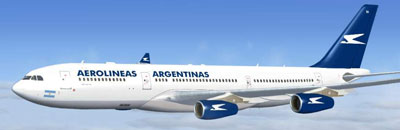
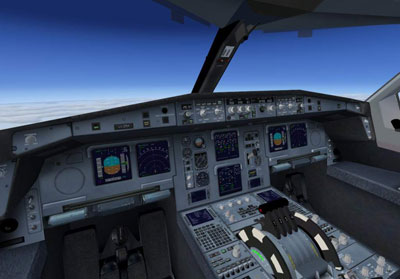
This freeware package is brought to you by Thomas Ruth, who meticulously designed the external model and virtual cockpit components. The repainted gauges and textures are included under the same release to ensure a cohesive experience for Airbus enthusiasts.
Free for all simmers · 12.5 MB · Scanned clean Oct 2026
Download speed: Free tier is capped at 0.5 Mbps (this file takes approximately 4 mins at the cap). PRO members download at full line speed.
FSX\SimObjects\Airplanes\. The folder must contain an aircraft.cfg file. Effects go into FSX\Effects\; gauges go into FSX\Gauges\.readme.txt or README file. It tells you exactly where files go, what dependencies are needed, and any quirks specific to this add-on.The archive tom340.zip has 142 files and directories contained within it.
This list displays the first 500 files in the package. If the package has more, you will need to download it to view them.
| Filename/Directory | File Date | File Size |
|---|---|---|
| FILE_ID.DIZ | 04.02.09 | 247 B |
| copyright.txt | 03.25.09 | 774 B |
| 340aa.jpg | 03.25.09 | 23.86 kB |
| aircraft.cfg | 03.28.09 | 22.50 kB |
| gauges | 04.02.09 | 0 B |
| tom340 | 04.02.09 | 0 B |
| 1024 | 04.02.09 | 0 B |
| Annun_AftDoor_on.bmp | 02.16.09 | 57.80 kB |
| Thumbs.db | 03.20.09 | 5.00 kB |
| 640 | 04.02.09 | 0 B |
| Annun_AftDoor_on.bmp | 01.08.80 | 1.38 kB |
| Thumbs.db | 03.20.09 | 5.00 kB |
| ecams.xml | 03.20.09 | 35.63 kB |
| ecams_engine_primary_background.bmp | 03.20.09 | 78.95 kB |
| eng2off.bmp | 03.20.09 | 7.71 kB |
| eng2off_night.bmp | 03.24.09 | 7.71 kB |
| eng2on.bmp | 03.20.09 | 7.71 kB |
| eng2on_night.bmp | 03.24.09 | 7.71 kB |
| eng3off.bmp | 03.20.09 | 7.71 kB |
| eng3off_night.bmp | 03.24.09 | 7.71 kB |
| eng3on.bmp | 03.20.09 | 7.71 kB |
| eng3on_night.bmp | 03.24.09 | 7.71 kB |
| eng4off.bmp | 03.20.09 | 7.71 kB |
| eng4off_night.bmp | 03.24.09 | 7.71 kB |
| eng4on.bmp | 03.20.09 | 7.71 kB |
| eng4on_night.bmp | 03.24.09 | 7.71 kB |
| FCUdummy.xml | 02.16.09 | 459 B |
| popup_ecu.xml | 03.23.09 | 45.06 kB |
| popup_ecu_background.bmp | 03.24.09 | 361.81 kB |
| popup_ecu_background_night.bmp | 03.24.09 | 361.81 kB |
| popup_ecu_button_eng_1_out_annunciators_off_night.bmp | 03.24.09 | 4.57 kB |
| popup_ecu_button_eng_2_out_annunciators_off.bmp | 03.20.09 | 2.11 kB |
| popup_ecu_button_eng_2_out_annunciators_off_night.bmp | 03.24.09 | 2.11 kB |
| popup_ecu_button_eng_2_out_fault _and _fire_annunciators_on.bmp | 03.20.09 | 1.74 kB |
| popup_ecu_button_eng_2_out_fault_annunciator_on.bmp | 03.20.09 | 1.33 kB |
| popup_ecu_button_eng_2_out_fire_annunciator_on.bmp | 03.20.09 | 1.18 kB |
| popup_ecu_knob_eng_mode_ign_start.bmp | 03.20.09 | 3.11 kB |
| popup_ecu_knob_eng_mode_ign_start_night.bmp | 03.24.09 | 5.87 kB |
| popup_ecu_knob_eng_mode_norm.bmp | 03.20.09 | 3.11 kB |
| popup_ecu_knob_eng_mode_norm_night.bmp | 03.24.09 | 5.87 kB |
| popup_ecu_lever_throttle_left.bmp | 03.20.09 | 9.43 kB |
| popup_ecu_lever_throttle_left_night.bmp | 03.24.09 | 9.43 kB |
| popup_ecu_lever_throttle_right.bmp | 03.20.09 | 9.43 kB |
| popup_ecu_lever_throttle_right_night.bmp | 03.24.09 | 9.43 kB |
| popup_ecu_switch_eng_1_off.bmp | 03.20.09 | 7.71 kB |
| popup_ecu_switch_eng_1_off_night.bmp | 03.24.09 | 7.71 kB |
| popup_ecu_switch_eng_1_on.bmp | 03.20.09 | 7.71 kB |
| popup_ecu_switch_eng_1_on_night.bmp | 03.24.09 | 7.71 kB |
| popup_overhead.xml | 03.25.09 | 115.57 kB |
| popup_overhead_background.bmp | 03.24.09 | 762.88 kB |
| popup_overhead_background_night.bmp | 03.24.09 | 762.88 kB |
| popup_overhead_button_adirs_eng_1_both_off.bmp | 03.23.09 | 5.48 kB |
| popup_overhead_button_adirs_eng_1_both_off_night.bmp | 03.24.09 | 13.03 kB |
| popup_overhead_button_anti_ice_eng_1_both_off.bmp | 03.23.09 | 3.79 kB |
| popup_overhead_button_anti_ice_eng_1_both_off_night.bmp | 03.24.09 | 8.26 kB |
| popup_overhead_button_electrical_gen_1_both_off.bmp | 03.23.09 | 4.66 kB |
| popup_overhead_button_electrical_gen_1_both_off_night.bmp | 03.24.09 | 10.37 kB |
| popup_overhead_button_fire_apu_both_off.bmp | 03.23.09 | 2.85 kB |
| popup_overhead_button_fire_apu_both_off_night.bmp | 03.24.09 | 5.27 kB |
| popup_overhead_button_fire_apu_both_on.bmp | 03.23.09 | 2.85 kB |
| popup_overhead_button_fire_apu_out_annunciator_off.bmp | 03.23.09 | 4.45 kB |
| popup_overhead_button_fire_apu_out_annunciator_off_night.bmp | 03.24.09 | 10.25 kB |
| popup_overhead_button_fire_apu_out_annunciator_on.bmp | 03.23.09 | 4.45 kB |
| popup_overhead_button_fire_apu_squib_on.bmp | 03.23.09 | 2.84 kB |
| popup_overhead_button_fire_eng_1_both_off.bmp | 03.23.09 | 2.68 kB |
| popup_overhead_button_fire_eng_1_both_off_night.bmp | 03.24.09 | 4.66 kB |
| popup_overhead_button_fire_eng_1_both_on.bmp | 03.23.09 | 2.69 kB |
| popup_overhead_button_fire_eng_1_disch_on.bmp | 03.23.09 | 2.66 kB |
| popup_overhead_button_fire_eng_1_in_annunciator_off.bmp | 03.23.09 | 4.92 kB |
| popup_overhead_button_fire_eng_1_in_annunciator_off_night.bmp | 03.24.09 | 11.66 kB |
| popup_overhead_button_fire_eng_1_in_annunciator_on.bmp | 03.23.09 | 4.92 kB |
| popup_overhead_button_fire_eng_1_out_annunciator_off.bmp | 03.23.09 | 4.92 kB |
| popup_overhead_button_fire_eng_1_out_annunciator_off_night.bmp | 03.24.09 | 11.66 kB |
| popup_overhead_button_fire_eng_1_out_annunciator_on.bmp | 03.23.09 | 4.92 kB |
| popup_overhead_button_fire_eng_1_squib_on.bmp | 03.23.09 | 2.69 kB |
| popup_overhead_button_fire_eng_2_both_off.bmp | 03.23.09 | 2.73 kB |
| popup_overhead_button_fire_eng_2_both_off_night.bmp | 03.24.09 | 4.93 kB |
| popup_overhead_button_fire_eng_2_both_on.bmp | 03.23.09 | 3.24 kB |
| popup_overhead_button_fire_eng_2_disch_on.bmp | 03.23.09 | 2.73 kB |
| popup_overhead_button_fire_eng_2_in_annunciator_off.bmp | 03.23.09 | 4.92 kB |
| popup_overhead_button_fire_eng_2_in_annunciator_off_night.bmp | 03.24.09 | 11.66 kB |
| popup_overhead_button_fire_eng_2_in_annunciator_on.bmp | 03.23.09 | 4.92 kB |
| popup_overhead_button_fire_eng_2_out_annunciator_off.bmp | 03.23.09 | 4.92 kB |
| popup_overhead_button_fire_eng_2_out_annunciator_off_night.bmp | 03.24.09 | 11.66 kB |
| popup_overhead_button_fire_eng_2_out_annunciator_on.bmp | 03.23.09 | 4.92 kB |
| popup_overhead_button_fire_eng_2_squib_on.bmp | 03.23.09 | 2.73 kB |
| popup_overhead_button_fuel_eng_1_both_off.bmp | 03.23.09 | 4.45 kB |
| popup_overhead_button_fuel_eng_1_both_off_night.bmp | 03.24.09 | 9.80 kB |
| popup_overhead_button_x_bleed_eng_1_both_off.bmp | 03.23.09 | 5.83 kB |
| popup_overhead_button_x_bleed_eng_1_both_off_night.bmp | 03.24.09 | 14.40 kB |
| popup_overhead_switch_strobe_off.bmp | 03.24.09 | 6.89 kB |
| popup_overhead_switch_strobe_off_night.bmp | 03.24.09 | 16.91 kB |
| popup_overhead_switch_strobe_on.bmp | 03.24.09 | 6.89 kB |
| popup_overhead_switch_strobe_on_night.bmp | 03.24.09 | 16.91 kB |
| Thumbs.db | 03.20.09 | 478.50 kB |
| manual | 04.02.09 | 0 B |
| FCM.pdf | 03.25.09 | 2.88 MB |
| MFP.pdf | 04.02.09 | 2.66 MB |
| model | 04.02.09 | 0 B |
| model.cfg | 03.17.09 | 53 B |
| TomA342.mdl | 03.23.09 | 8.02 MB |
| TomA342_interior.MDL | 03.24.09 | 1.48 MB |
| panel.340 | 04.02.09 | 0 B |
| $A321_2.bmp | 02.20.09 | 768.05 kB |
| panel.cfg | 03.25.09 | 6.32 kB |
| Thumbs.db | 03.31.07 | 7.00 kB |
| texture.AA | 04.02.09 | 0 B |
| A321_1_L.dds | 03.24.09 | 1.00 MB |
| A321_2_L.dds | 02.21.09 | 256.12 kB |
| A330_VC01L.dds | 03.24.09 | 1.00 MB |
| A340_VC01.dds | 03.19.09 | 1.00 MB |
| Airbus_A321_1_L.dds | 02.19.09 | 1.00 MB |
| Airbus_A321_2_L.dds | 02.19.09 | 1.00 MB |
| Airbus_A321_3_L.dds | 02.19.09 | 4.12 kB |
| Airbus_A321_4_L.dds | 02.19.09 | 1.00 MB |
| glass.dds | 03.02.09 | 64.12 kB |
| glass_spec.dds | 11.24.08 | 4.12 kB |
| main.dds | 03.23.09 | 4.00 MB |
| main_bump.dds | 03.23.09 | 4.00 MB |
| main_light.dds | 03.23.09 | 1.00 MB |
| main_spec.dds | 03.23.09 | 64.12 kB |
| texture.cfg | 03.26.09 | 140 B |
| thumbnail.jpg | 03.26.09 | 19.09 kB |
| Thumbs.db | 09.30.08 | 7.00 kB |
| VCblend.dds | 02.09.09 | 1.12 kB |
| wing_bump.dds | 03.17.09 | 1.00 MB |
| wing_l.dds | 03.21.09 | 1.00 MB |
| wing_r.dds | 03.21.09 | 1.00 MB |
| wing_spec.dds | 11.21.08 | 64.12 kB |
| TomA342.air | 03.18.09 | 8.26 kB |
| vc340.jpg | 03.25.09 | 59.39 kB |
| fx_T332beacon.fx | 11.11.08 | 3.55 kB |
| fx_T332eng.fx | 11.17.08 | 1.21 kB |
| fx_T332land.fx | 11.11.08 | 1.22 kB |
| fx_T332land2.fx | 07.11.08 | 3.01 kB |
| fx_T332logo.fx | 11.11.08 | 1.21 kB |
| fx_T332wing.fx | 11.17.08 | 1.21 kB |
| install.txt | 04.01.09 | 57 B |
| tom340.gif | 04.02.09 | 12.40 kB |
| install.txt | 04.02.09 | 1.19 kB |
| flyawaysimulation.txt | 10.29.13 | 959 B |
| Go to Fly Away Simulation.url | 01.22.16 | 52 B |
Only PRO members can place votes.
More FSX & P3D add-ons hand-picked based on this download.
FSX Civil Aircraft
Repaint of Project Open Sky Airbus A340-200 model. This is one of the most em…
 FSX Civil Aircraft
This is a repaint of the Project Open Sky Airbus A340-200 model with all the …
 FSX Civil Aircraft
A repaint of Project Open Sky Airbus A340 300 on Aerolineas Argentinas LV-CEK…
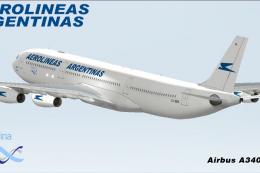 FSX Civil Aircraft
Repaint of the payware Commercial Level Simulations CLS model, in the special…
 FSX Civil Aircraft
Aerolineas Argentinas Airbus A340-600. A repaint of the CLS/SMS A340-600. Mod…
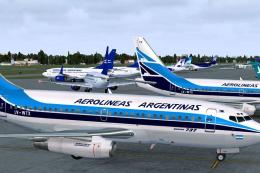 FSX Civil Aircraft
Bring a touch of nostalgic charm to Microsoft Flight Simulator X with this fr…
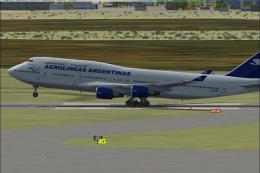 FSX Civil Aircraft
Includes all three liveries for the three models Aerolineas Argentinas operat…
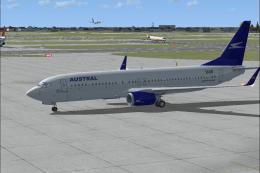 FSX Civil Aircraft
FSX Aerolineas Argentinas Boeing 737-800. Aerolineas Argentinas textures only…
Read what other simmers think, or add your own.

It was very hard fixing everything up :P and I still ended up with two wings and no fuselage. Really enoying and the "lighteffects folder" doesen't even exist??

Ive downloaded and followed the step by step instuctions but the fuselage is completely black, the wings are fine.