


 FSX General Aviation Aircraft
Cessna 172N Repaint Pack
Textures only for the payware Carenado Cessna 172 model. By Michael Mannschre…
Malev Pilot School’s HA-SJX livery brings authentic Hungarian flight-training character to the default Cessna 172 in Microsoft Flight Simulator X, matching the real-world scheme used for PPL instruction at LHDK. Crisp exterior markings complement the familiar virtual cockpit and classic Skyhawk presence, and it requires the standard or freeware base model.
 Rate
Rate


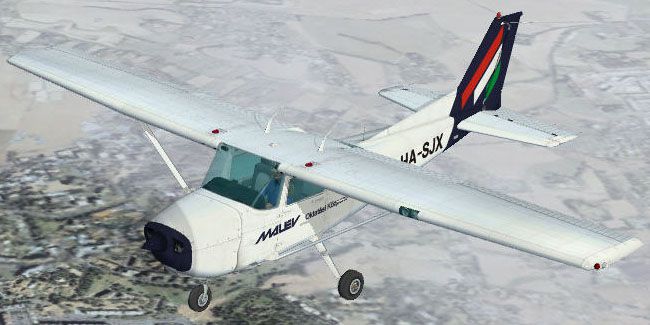
This repaint, designed by creator Tibor Kókai, brings the Malev Pilot School’s distinctive Cessna C-172N scheme into Microsoft Flight Simulator X. It references the exact livery once employed by the Malév Aero Club’s pilot training division at LHDK, where many aspiring aviators perform their initial Private Pilot License (PPL) flights. This application enhances the default Skyhawk included with FSX, adding a fresh visual theme that highlights the real-world profile of HA-SJX.
This downloadable repaint applies to the simulator’s standard Cessna 172 Skyhawk model, replicating the look of the genuine Malev Pilot School aircraft. The color layout retains historical accuracy, though a slight limitation occurs on the left wing underside because of mirrored bitmap mapping in the original texture design. Despite that minor issue, the rest of the distinctive aesthetic is faithfully reproduced.
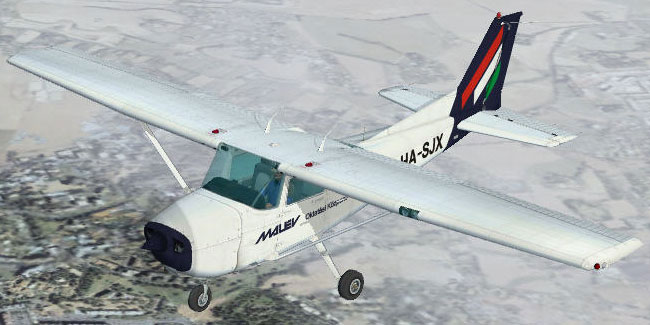
Malev Pilot School Cessna C-172N in flight.
The actual Cessna C-172N, known for its sturdy high-wing design and reliable Lycoming engine, has long served as a favorite in foundational pilot programs. Malév Aero Club utilized this version for practical flight instruction, giving students the chance to learn basic maneuvers, traffic pattern work, and cross-country navigation in a platform that remains stable and predictable.
When used in simulated conditions, aviators can immerse themselves in the iconic trainer environment, showcasing the cockpit layout that fosters confidence and discipline. While the default black registration is best disabled in the simulator’s UI, the effort in depicting the authentic HA-SJX tail marking is still evident from the exterior perspective.
Follow these steps to install the repaint correctly on your existing Microsoft Flight Simulator X Cessna 172 setup:
[fltsim.6]
title=Cessna Skyhawk Paint5
sim=Cessna172SP
model=
panel=
sound=
texture=5
kb_checklists=Cessna172SP_check
kb_reference=Cessna172SP_ref
atc_id=HA-SJX
ui_manufacturer="Cessna"
ui_type="C172N Skyhawk"
ui_variation="Malév Oktatási Központ"
ui_typerole="Single Engine Prop"
ui_createdby="Tibor Kókai"
description="A stable and trustworthy plane, most pilots have logged at least a few hours in a Cessna 172, since it's the most widely available aircraft in the rental fleet, and is used by most flight schools. Since the first prototype was completed in 1955, more than 35,000 C172s have been produced, making it the world's most popular single-engine plane. One of Cessna's first tricycle-gear airplanes, the 172 quickly became the favorite of a growing class of business pilots. Its reliability and easy handling (along with thoughtful engineering and structural updates) have ensured its continued popularity for decades."
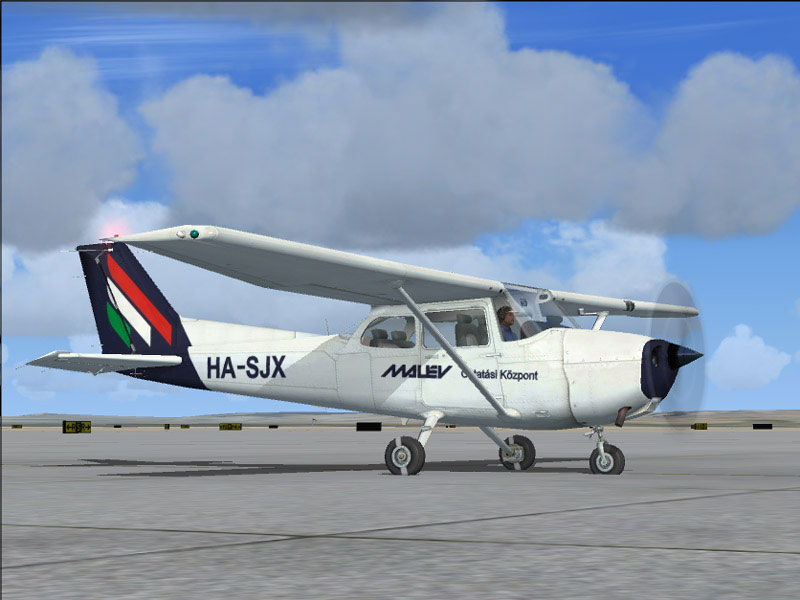
Malev Pilot School Cessna C-172N on tarmac.
This package functions as a freeware repaint only. To make use of the custom surfaces, download and install the corresponding default or freeware base model (available in the Fly Away Simulation file library). Once set up, you can enjoy a faithful depiction of the Malev Pilot School rendition of the classic Skyhawk.
The livery is meticulously created by Tibor Kókai, reflecting unique institution markings for realistic representation within the simulator’s environment. Credit belongs entirely to the developer for the authenticity of the paint scheme and dedication to capturing this single-engine trainer’s operational details.
Free for all simmers · 2.1 MB · Scanned clean Oct 2026
Download speed: Free tier is capped at 0.5 Mbps. PRO members download at full line speed.
texture.{airline}) inside FSX\SimObjects\Airplanes\{base-aircraft}\.aircraft.cfg in Notepad. Add a new [fltsim.X] section per the readme.readme.txt or README file. It tells you exactly where files go, what dependencies are needed, and any quirks specific to this add-on.The archive c172mlvx.zip has 13 files and directories contained within it.
This list displays the first 500 files in the package. If the package has more, you will need to download it to view them.
| Filename/Directory | File Date | File Size |
|---|---|---|
| Texture.5 | 10.23.06 | 0 B |
| C172_T.dds | 10.23.06 | 1.33 MB |
| c172_t_spec.dds | 10.23.06 | 1.33 MB |
| fresnel_ramp.dds | 09.04.06 | 640 B |
| Prop_C172.dds | 09.04.06 | 85.46 kB |
| texture.cfg | 08.14.06 | 137 B |
| thumbnail.jpg | 10.23.06 | 61.01 kB |
| readme.txt | 10.28.06 | 2.12 kB |
| HA-SJX.jpg | 10.28.06 | 96.98 kB |
| HA-SJX real.jpg | 10.28.06 | 110.46 kB |
| FILE_ID.DIZ | 11.04.06 | 96 B |
| flyawaysimulation.txt | 10.29.13 | 959 B |
| Go to Fly Away Simulation.url | 01.22.16 | 52 B |
Only PRO members can place votes.
More FSX & P3D add-ons hand-picked based on this download.
FSX General Aviation Aircraft
Textures only for the payware Carenado Cessna 172 model. By Michael Mannschre…
 FSX General Aviation Aircraft
Cessna 172N for the Carenado 172N. On Monday April 6th, 2009 a troubled perso…
 FSX General Aviation Aircraft
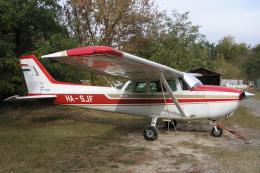
This repaint brings a Hungarian registration and color scheme to the default …
 FSX General Aviation Aircraft
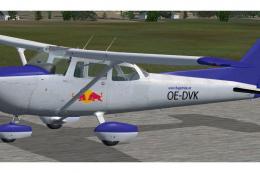
Austrian Cessna 172N. A fictional Austrian repaint of Carenado's Cessna 172. …
 FSX General Aviation Aircraft
Malev Aero Club Cessna 172. A repaint for the default C172. By Gabor Kovacs. …
 FSX General Aviation Aircraft
European Pilot Academy Aircraft. Repaints and flight plans for European Pilot…
 FSX General Aviation Aircraft
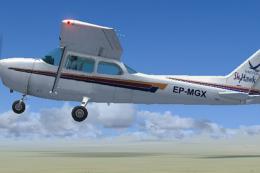
Repaint for the default Cessna 172. This lovely plane crashed in 12 July 2012…
 FSX General Aviation Aircraft
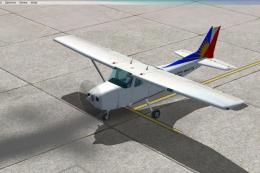
A repaint of the default C172. This one is close to the real Philippine Airli…
Be the first to leave a comment on this download.
Be the first to share your thoughts on this download.