


 Brazil
  FSX Scenery
California Complete Photoreal
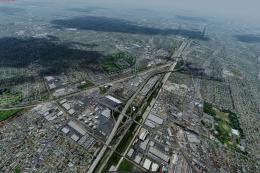
This is a complete package containing photoreal scenery for the whole state o…
Ribeirão Preto (SBRP) is recreated with sharp photoreal ground imagery, tuned autogen, and custom 3D buildings that add depth to the city skyline and aeroclube area. Built for Microsoft Flight Simulator X, it highlights roads, vegetation, industrial zones, and local landmarks for convincing low-level VFR flying and approaches.
Explore a meticulously crafted representation of Ribeirão Preto in Brazil, designed to immerse you in a highly realistic urban environment. Developed as freeware for enthusiasts of Microsoft Flight Simulator X, this scenery enhancement brings the bustling region to life using advanced photoreal imagery, refined autogen placements, and custom 3D architecture.
This update showcases immersive photo-based landscapes across Ribeirão Preto (SBRP). Paulo Ricardo, recognized for his lifelike scenery work, applied crisp aerial photography to develop highly precise ground textures. By blending these textures with autogen refinements, the city’s buildings, industrial sites, and distinctive landmarks become visual centerpieces from various altitudes and approach angles.
Ribeirão Preto is widely known for its agricultural influence and vibrant commercial district. In this package, key municipal areas are depicted in sharp detail, highlighting roads, vegetation, and suburban developments. In addition, the aeroclube regions and hangars have been carefully reproduced, reflecting the real-world structures used by general aviation pilots.
To provide a rich sense of depth, Paulo Ricardo and Felipe Bachian included fully realized buildings and other three-dimensional objects across the cityscape. Subtle touches—such as accurately scaled hangar exteriors and correctly placed autogen—contribute to a cohesive skyline as you fly overhead or taxi across the airfield.
The Aeroclube Virtual de Ribeirão Preto, in close partnership with Paulo Ricardo, spearheaded this release. Meanwhile, Felipe Bachian sourced aerial footage, supplied in-depth reference photographs, and assisted with the final compilation to ensure historical and architectural accuracy. This teamwork resulted in a striking environment that showcases expansive agricultural fields, surrounding road networks, and the city’s defining commercial zones.
Comprehensive testing ensures that frames remain smooth over dense urban textures, even when using more detailed aircraft models. Nevertheless, fine-tuning rendering settings—like texture resolution or autogen density—can help maintain optimal performance on varied hardware configurations.
Free for all simmers · 59.02 MB · Scanned clean Oct 2026
Download speed: Free tier is capped at 0.5 Mbps (this file takes approximately 17 mins at the cap). PRO members download at full line speed.
FSX\Addon Scenery\ containing scenery and texture sub-folders.readme.txt or README file. It tells you exactly where files go, what dependencies are needed, and any quirks specific to this add-on.Use these coordinates to fly directly to this location once the mod is installed.
-21.13670000,-47.77670000
Launch FSX or Prepar3D and use Flights → Load to open the downloaded .pln file. Your aircraft will be positioned at this location.
The archive sbrp_fsx.zip has 176 files and directories contained within it.
This list displays the first 500 files in the package. If the package has more, you will need to download it to view them.
| Filename/Directory | File Date | File Size |
|---|---|---|
| readme.txt | 06.02.08 | 1.27 kB |
| SCENERY | 06.02.08 | 0 B |
| aeroclube.bgl | 11.05.05 | 4.97 kB |
| cvx_PROJECT.BGL | 04.25.08 | 7.01 kB |
| exclude.bgl | 05.05.05 | 112 B |
| exclude2.bgl | 05.21.05 | 294 B |
| hangares.bgl | 09.20.05 | 12.35 kB |
| LC_3539.bgl | 05.30.08 | 917 B |
| Leite Lopes SBRP.bgl | 06.02.08 | 3.19 kB |
| PROJECT_OB0.BGL | 04.25.08 | 76.08 kB |
| PROJECT_OBX.BGL | 04.25.08 | 165.51 kB |
| RIBEIRAO_PATIO_LUZ.BGL | 04.26.08 | 506 B |
| SBRP.bgl | 06.03.08 | 57.13 MB |
| TEXTURE | 06.02.08 | 0 B |
| 01hangar1.bmp | 05.05.05 | 900.07 kB |
| 01RPhangar.bmp | 05.03.05 | 65.07 kB |
| 01RPhangar_Lm.bmp | 05.03.05 | 65.07 kB |
| 01RPhangar2.bmp | 05.03.05 | 65.07 kB |
| 01RPhangar2_lm.bmp | 05.03.05 | 65.07 kB |
| 030023320111013an.agn | 06.02.08 | 132 B |
| 030023320111031an.agn | 06.02.08 | 132 B |
| 030023320111033an.agn | 06.02.08 | 124 B |
| 030023320111101an.agn | 06.02.08 | 248 B |
| 030023320111103an.agn | 06.02.08 | 272 B |
| 030023320111110an.agn | 06.02.08 | 384 B |
| 030023320111111an.agn | 06.02.08 | 192 B |
| 030023320111120an.agn | 06.02.08 | 392 B |
| 030023320111133an.agn | 06.02.08 | 104 B |
| 030023320111300an.agn | 06.02.08 | 132 B |
| 030023320111301an.agn | 06.02.08 | 184 B |
| 030023320111311an.agn | 06.02.08 | 132 B |
| 030023320111313an.agn | 06.02.08 | 148 B |
| 030023320111330an.agn | 06.02.08 | 148 B |
| 030023320111331an.agn | 06.02.08 | 192 B |
| 030023320111332an.agn | 06.02.08 | 124 B |
| 030023320111333an.agn | 06.02.08 | 140 B |
| 030023320113110an.agn | 06.02.08 | 232 B |
| 030023320113111an.agn | 06.02.08 | 176 B |
| 030023320113112an.agn | 06.02.08 | 124 B |
| 030023320113113an.agn | 06.02.08 | 184 B |
| 030023320113130an.agn | 06.02.08 | 176 B |
| 030023320113133an.agn | 06.02.08 | 176 B |
| 030023321000000an.agn | 06.02.08 | 132 B |
| 030023321000001an.agn | 06.02.08 | 124 B |
| 030023321000002an.agn | 06.02.08 | 124 B |
| 030023321000003an.agn | 06.02.08 | 4.27 kB |
| 030023321000012an.agn | 06.02.08 | 1.80 kB |
| 030023321000013an.agn | 06.02.08 | 132 B |
| 030023321000020an.agn | 06.02.08 | 104 B |
| 030023321000021an.agn | 06.02.08 | 6.06 kB |
| 030023321000022an.agn | 06.02.08 | 1.92 kB |
| 030023321000023an.agn | 06.02.08 | 4.84 kB |
| 030023321000030an.agn | 06.02.08 | 6.30 kB |
| 030023321000031an.agn | 06.02.08 | 1.69 kB |
| 030023321000032an.agn | 06.02.08 | 3.95 kB |
| 030023321000033an.agn | 06.02.08 | 2.92 kB |
| 030023321000120an.agn | 06.02.08 | 256 B |
| 030023321000122an.agn | 06.02.08 | 288 B |
| 030023321000200an.agn | 06.02.08 | 832 B |
| 030023321000201an.agn | 06.02.08 | 4.02 kB |
| 030023321000202an.agn | 06.02.08 | 368 B |
| 030023321000203an.agn | 06.02.08 | 936 B |
| 030023321000210an.agn | 06.02.08 | 1.97 kB |
| 030023321000211an.agn | 06.02.08 | 1.08 kB |
| 030023321000212an.agn | 06.02.08 | 2.12 kB |
| 030023321000213an.agn | 06.02.08 | 2.16 kB |
| 030023321000221an.agn | 06.02.08 | 176 B |
| 030023321000222an.agn | 06.02.08 | 124 B |
| 030023321000223an.agn | 06.02.08 | 692 B |
| 030023321000230an.agn | 06.02.08 | 164 B |
| 030023321000231an.agn | 06.02.08 | 1.39 kB |
| 030023321000232an.agn | 06.02.08 | 344 B |
| 030023321000233an.agn | 06.02.08 | 392 B |
| 030023321000300an.agn | 06.02.08 | 284 B |
| 030023321000302an.agn | 06.02.08 | 492 B |
| 030023321000320an.agn | 06.02.08 | 476 B |
| 030023321000322an.agn | 06.02.08 | 148 B |
| 030023321002000an.agn | 06.02.08 | 332 B |
| 030023321002011an.agn | 06.02.08 | 164 B |
| 030023321002013an.agn | 06.02.08 | 348 B |
| 030023321002022an.agn | 06.02.08 | 292 B |
| 030023321002031an.agn | 06.02.08 | 192 B |
| 030023321002032an.agn | 06.02.08 | 212 B |
| 030023321002033an.agn | 06.02.08 | 116 B |
| 030023321002100an.agn | 06.02.08 | 252 B |
| 030023321002102an.agn | 06.02.08 | 224 B |
| 030023321002103an.agn | 06.02.08 | 140 B |
| 030023321002120an.agn | 06.02.08 | 164 B |
| 030023321002121an.agn | 06.02.08 | 268 B |
| 030023321002201an.agn | 06.02.08 | 132 B |
| 030023321002203an.agn | 06.02.08 | 132 B |
| 030023321002211an.agn | 06.02.08 | 228 B |
| 030023321002221an.agn | 06.02.08 | 156 B |
| 03Rphangar.bmp | 05.05.05 | 768.07 kB |
| 03Rphangarp.bmp | 05.05.05 | 257.07 kB |
| 2Deembarque01.bmp | 05.03.05 | 128.07 kB |
| 2Deembarque01_lm.bmp | 05.03.05 | 128.07 kB |
| 2Deembarque02.bmp | 05.03.05 | 128.07 kB |
| 2Deembarque02_lm.bmp | 05.03.05 | 128.07 kB |
| 2Deembarque03.bmp | 05.04.05 | 768.05 kB |
| 2Deembarque03_lm.bmp | 04.23.05 | 768.05 kB |
| 2quadriculado.bmp | 05.03.05 | 32.07 kB |
| 2quadriculado_lm.bmp | 05.03.05 | 32.07 kB |
| 2SBRP_nome2.bmp | 05.03.05 | 257.07 kB |
| 2SBRP_nome2_LM.bmp | 05.03.05 | 257.07 kB |
| 2Tijolo.bmp | 05.03.05 | 32.07 kB |
| 2Tijolo_lm.bmp | 05.03.05 | 32.07 kB |
| aeroclube1.bmp | 11.05.05 | 128.07 kB |
| aeroclube1_LM.bmp | 11.05.05 | 128.07 kB |
| casa.BMP | 04.20.05 | 128.07 kB |
| casa2.BMP | 01.18.05 | 128.07 kB |
| Casa2LM.BMP | 12.08.04 | 128.07 kB |
| casaLm.bmp | 12.08.04 | 128.07 kB |
| ESDG_ramp.bmp | 04.23.05 | 32.07 kB |
| ESDG_ramp_lm.bmp | 04.23.05 | 32.07 kB |
| LinhaLuzY.bmp | 09.13.04 | 42.74 kB |
| LinhaLuzY_LM.bmp | 09.06.04 | 256.07 kB |
| LuzYbranca.bmp | 03.25.05 | 65.07 kB |
| LuzYbranca_Lm.bmp | 03.25.05 | 256.07 kB |
| NovaGold008.bmp | 07.10.01 | 86.39 kB |
| NovaGold008_lm.bmp | 07.10.01 | 65.05 kB |
| NovaGold009.bmp | 07.10.01 | 86.39 kB |
| NovaGold009_lm.bmp | 07.10.01 | 86.39 kB |
| NovaGold010.bmp | 07.10.01 | 65.05 kB |
| NovaGold010_lm.bmp | 07.10.01 | 65.05 kB |
| NovaGold012.bmp | 07.10.01 | 65.05 kB |
| NovaGold012_lm.bmp | 07.10.01 | 65.05 kB |
| NovaGold013.bmp | 07.10.01 | 65.05 kB |
| NovaGold013_lm.bmp | 07.10.01 | 65.05 kB |
| NovaGold014.bmp | 07.10.01 | 171.72 kB |
| NovaGold014_lm.bmp | 07.10.01 | 171.72 kB |
| NovaGold015.bmp | 07.10.01 | 171.72 kB |
| NovaGold015_lm.bmp | 07.10.01 | 171.72 kB |
| NovaGold016.bmp | 07.10.01 | 65.05 kB |
| NovaGold016_lm.bmp | 07.10.01 | 65.05 kB |
| NovaGold017.bmp | 07.10.01 | 65.05 kB |
| NovaGold017_lm.bmp | 07.10.01 | 65.05 kB |
| NovaGold018.bmp | 07.10.01 | 86.39 kB |
| NovaGold018_lm.bmp | 07.10.01 | 86.39 kB |
| NovaGold019.bmp | 07.10.01 | 5.05 kB |
| NovaGold019_lm.bmp | 07.10.01 | 5.05 kB |
| NovaGold020.bmp | 07.10.01 | 86.39 kB |
| NovaGold020_lm.bmp | 07.10.01 | 86.39 kB |
| NovaGold024.bmp | 07.10.01 | 86.39 kB |
| NovaGold024_lm.bmp | 07.10.01 | 86.39 kB |
| Prediomaster.bmp | 05.10.08 | 10.74 kB |
| Prediomaster_Lm.bmp | 05.10.08 | 42.74 kB |
| Prediomaster2.bmp | 05.10.08 | 10.74 kB |
| Prediomaster2_Lm.bmp | 05.10.08 | 42.74 kB |
| Prediomaster3.bmp | 05.10.08 | 10.74 kB |
| Prediomaster3_Lm.bmp | 05.10.08 | 42.74 kB |
| Prediomaster4.bmp | 05.10.08 | 10.74 kB |
| Prediomaster4_Lm.bmp | 05.10.08 | 42.74 kB |
| Prediomaster5.bmp | 05.10.08 | 10.74 kB |
| Prediomaster5_Lm.bmp | 05.10.08 | 42.74 kB |
| Prediomaster6.bmp | 05.10.08 | 10.74 kB |
| Prediomaster6_Lm.bmp | 05.10.08 | 10.74 kB |
| Prediomaster7.bmp | 05.10.08 | 10.74 kB |
| Prediomaster7_Lm.bmp | 05.10.08 | 10.74 kB |
| Prediomaster8.bmp | 05.10.08 | 10.74 kB |
| Prediomaster8_Lm.bmp | 05.10.08 | 10.74 kB |
| SHcentro.BMP | 09.22.04 | 128.07 kB |
| SHcentroLM.BMP | 09.21.04 | 42.74 kB |
| shopping.bmp | 04.20.05 | 128.07 kB |
| shoppingLM.bmp | 09.27.04 | 32.07 kB |
| sk_ground-crew_1.bmp | 10.19.04 | 170.75 kB |
| sk_Passangers_1.bmp | 10.14.04 | 170.75 kB |
| sk_Passangers_2.bmp | 10.16.04 | 170.75 kB |
| sk_refueller_Chevron.bmp | 08.24.04 | 42.74 kB |
| sk_refueller_Chevron_lm.bmp | 08.24.04 | 42.74 kB |
| sk_refueller_Shell.bmp | 08.24.04 | 42.74 kB |
| sk_refueller_Shell_lm.bmp | 08.24.04 | 42.74 kB |
| sk_tree_7.bmp | 10.19.04 | 170.75 kB |
| Thumbs.db | 04.23.08 | 94.50 kB |
| flyawaysimulation.txt | 10.29.13 | 959 B |
| Go to Fly Away Simulation.url | 01.22.16 | 52 B |
Only PRO members can place votes.
More FSX & P3D add-ons hand-picked based on this download.
FSX Scenery
This is a complete package containing photoreal scenery for the whole state o…
 FSX Scenery
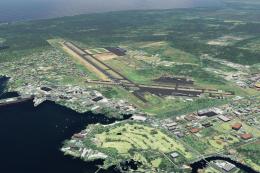
A complete and fully featured photoreal, airport, building, and autogen scene…
 FSX Scenery
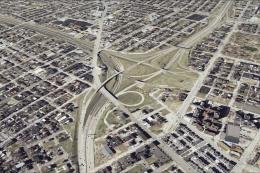
St Louis PhotoReal Scenery. This is high resolution, 1 meter/pixel, terrain s…
 FSX Scenery
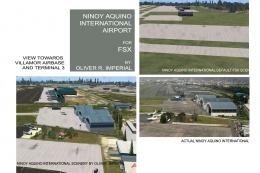
NAIA (RPLL) Photoreal Scenery. An FSX photoreal scenery package for the Ninoy…
 FSX Scenery
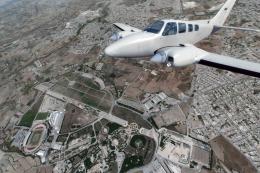
Take a trip to the small nation of Malta in any simulation package, and you w…
 FSX Scenery
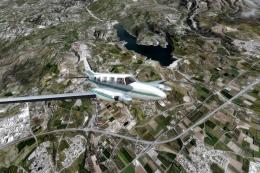
A trip to the Southern European nation of Cyprus in a flight simulator should…
 FSX Scenery
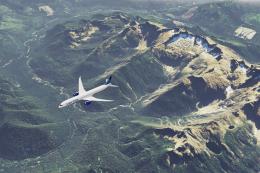
This is a complete package containing photoreal scenery for the whole state o…
 FSX Scenery
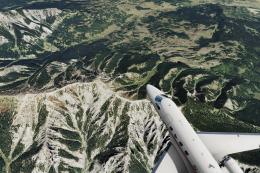
This is a complete package containing photoreal scenery for almost the whole …
Be the first to leave a comment on this download.
Be the first to share your thoughts on this download.