


 France
  FSX Scenery
Cons LFBB
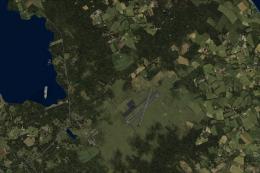
Cons LFBB v4.5. Scenery of Bordeaux/Merignac Airport, France. New and improve…
Cons Field Racing Edition transforms LFBB Bordeaux, France into a fast-paced course with new gates, a ring of fire, and dock features tailored for air racing. Built for FSX, it blends default scenery with RWY12 object libraries and requires RWY12 for the fullest set of placed details and atmosphere.
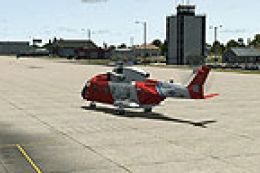
Cons Field Racing Edition LFBB, Bordeaux, France. Equiped with new gates, ring of fire and docks. By Conrad Asman.
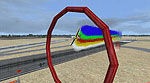
Cons Field Racing Edition Scenery.
INSTALLATION:
1. Unzip this package to a temporary directory.
2. copy the "LFBB" Folder into yuor Addon Scenery Folder.
NOTE: This scenery uses both default FSX AND RWY12 scenery objects. If you don't have RWY12 objects installed, remove the LFBB_RWY12(A) AND LFBB_RWY12(B) Obj.BGL file after installation is done. The scenery will work fine, but with very little objects.
CREDITS:
Thanks to the following for their contributions to Flight Simming:
2. The crew at FSX Planner which was used to create the FSX airport facility data, parking positions etc.
3. Peter Stark for creating "Tony's ranch" and for guiding us all in the PC Pilot tutoral.
Enjoy,
Conrad Asman, South Africa
Free for all simmers · 43.91 MB · Scanned clean Oct 2026
Download speed: Free tier is capped at 0.5 Mbps (this file takes approximately 12 mins at the cap). PRO members download at full line speed.
FSX\Addon Scenery\ containing scenery and texture sub-folders.readme.txt or README file. It tells you exactly where files go, what dependencies are needed, and any quirks specific to this add-on.Use these coordinates to fly directly to this location once the mod is installed.
44.83780000,-0.57920000
Launch FSX or Prepar3D and use Flights → Load to open the downloaded .pln file. Your aircraft will be positioned at this location.
The archive lfbb_v502_race_ed.zip has 8 files and directories contained within it.
This list displays the first 500 files in the package. If the package has more, you will need to download it to view them.
| Filename/Directory | File Date | File Size |
|---|---|---|
| LFBB install V5.0.exe | 11.10.09 | 38.41 MB |
| ReadMe.txt | 09.05.09 | 1015 B |
| a 737 taking off at the Airport.BMP | 10.30.09 | 6.56 MB |
| Thumbnail.BMP | 11.10.09 | 6.56 MB |
| new docks are included.BMP | 11.10.09 | 6.56 MB |
| on top of Terminal 1.BMP | 11.10.09 | 6.56 MB |
| flyawaysimulation.txt | 10.29.13 | 959 B |
| Go to Fly Away Simulation.url | 01.22.16 | 52 B |
Only PRO members can place votes.
More FSX & P3D add-ons hand-picked based on this download.
FSX Scenery
Cons LFBB v4.5. Scenery of Bordeaux/Merignac Airport, France. New and improve…
 FSX Scenery
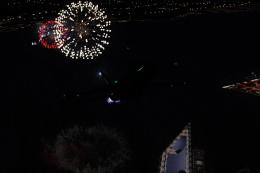
Fireworks placed throughout Canada - a small update for 2012 replacing the or…
 FSX Scenery
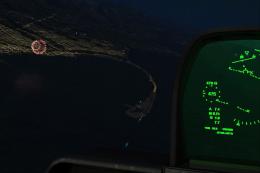
Fireworks placed throughout western Washington (WA) from Port Angeles, Port T…
 FSX Scenery
Meigs Field Chicago, Illinois (IL). Restores the greatly missed one-time Flig…
 FSX Scenery
1n 1996, The USMC abandoned the cramped quarters of MCAS El Toro and MCAS Tus…
 FSX Scenery
Dallas Love Field v1.5. Dallas Love Field (KDAL), Texas (TX) is home for Sout…
 FSX Scenery
Eppley Field (KOMA), Omaha, Nebraska (NE). This scenery is for FSX SP2 only. …
 FSX Scenery
Ellington Field (KEFD), Houston, Texas (TX). Aside from being a civil airport…
Be the first to leave a comment on this download.
Be the first to share your thoughts on this download.