

 FSX Historic & Vintage Aircraft
Republic P-47 Razorback
This is a repaint for the A2A Wings of Power III P-47D Razorback for FSX. It …
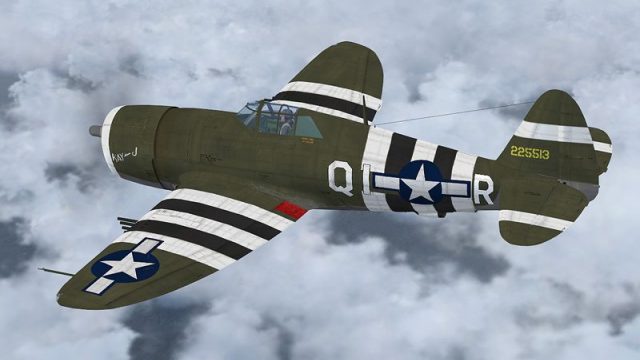
P-47D Razorback “KAY-J” textures for FSX refine historical accuracy by removing D-Day invasion stripes, matching Col. Einar A. Malmstrom’s 356th FG, 361st FS mount as flown in April 1944. Includes updated DDS texture set and a sample aircraft.cfg entry, and requires the A2A Simulations WoP3 P-47D Razorback package.
 Rate
Rate
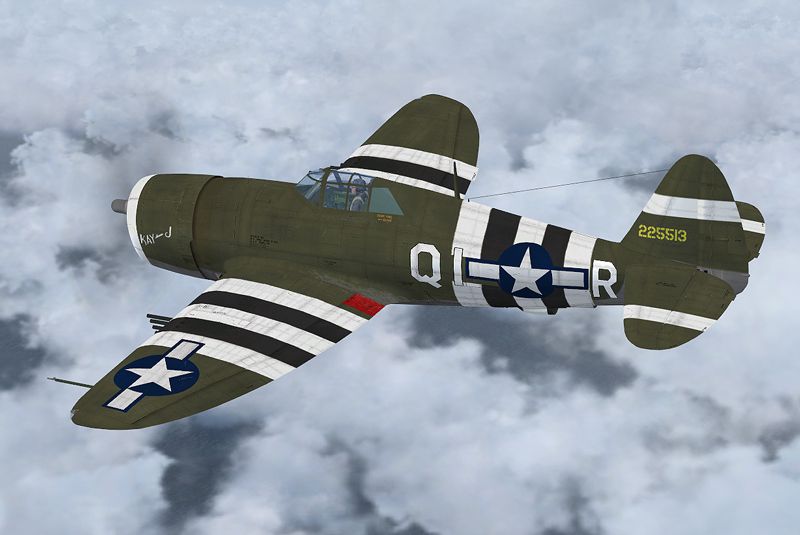
P-47D Razorback KAY-J Fix, for use with P47DKAYJ.ZIP. This update removes the D-Day invasion stripes. This particular aircraft was shot down in April, 1944 and because of that date wore no invasion stripes. By Russel R. Smith.
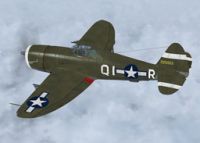
Screenshot of P-47D Razorback KAY-J in flight.
This is a repaint of the A2A Simulations excellent P-47D Razorback. These textures represent KAY-J flown by Col. Einar A Malmstrom of 356th FG, 361st FS in the ETO. Col. Malmstrom was shot down while flying 225513 by small arms fire on April 23, 1944 and spent the rest of WWII as a POW. Malmstrom AFB in Montana was named in honor of Col. Einar A Malmstrom after his unfortunate death in 1954 while flying a T-33. THESE ARE TEXTURES ONLY! You need the A2A Simulations WOP3 P-47D Razorback payware package.
I have enclosed the aircraft config file for the one I use. You can modify the original to pick up texture.361st FS. Extract the files to the "WoP3_P47D-22" folder. The zip file contains all the necessary files for this texture scheme and are dds files. Make sure "Use Folder Names" is checked so it will create the texture.361st FS folder when you extract the files. If it has too much gloss to meet your satisfacion delete the p47d_t_spec file from the folder.
CHANGE THE "X" TO THE NEXT NUMBER IN YOUR CONFIG FILE!!
Copy and paste the entry below to your bottom of the list of aircraft in the aircraft.cfg file
[fltsim.X]

title=Thunderbolt RRS2

sim=P-47D-22

model=

panel=

sound=

texture=361st FS

kb_checklists=P-47D_check

kb_reference=P-47D_ref

atc_id=QI513

ui_manufacturer=Republic

ui_type=P-47D-22 Thunderbolt

ui_variation=USAAF 356th FG, 361st FS, Col. Einar A Malmstrom

ui_typerole="Single Engine Prop"

ui_createdby="A2A Simulations Inc."

description=Col. Einar A Malmstrom flew this aircraft and was shot down by small arms fire on April 23, 1944 and spent the rest of the war as a POW. Malmstrom AFB in Montana was named in honor of Col. Einar A Malmstrom after his unfortunate death in 1954 while flying a T-33. The "Jug" was one of the most effective fighter/bombers of the war. It was fast, could outdive any other fighter on the planet, had excellent range, and packed huge firepower in its eight .50 caliber guns. It was superb at high altitudes, being equipped with a turbosupercharged, 2,300 HP engine that produced excellent power to over 30,000 feet.

atc_heavy=0

atc_airline=

atc_flight_number=

atc_id_color=0x00000000

visual_damage=0

atc_id_font=Verdana,-11,1,600,0

prop_anim_ratio=1.05
The changed repainted files are the copyright of Russel R. Smith. The original unaltered files are the copyright of A2A Simulations.
If you have any photos of Thunderbolts and want to share them with me I would appreciate it.
I would all so like to here your comments concerning the textures. Good, bad or indifferent. A comment would be appreciated.
REMEMBER. FLY NAVY!
Russel R. Smith
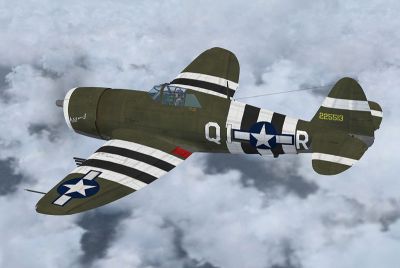
Screenshot of P-47D Razorback KAY-J with stripes.
Free for all simmers · 6.64 MB · Scanned clean Oct 2026
Download speed: Free tier is capped at 0.5 Mbps (this file takes approximately 2 mins at the cap). PRO members download at full line speed.
texture.{airline}) inside FSX\SimObjects\Airplanes\{base-aircraft}\.aircraft.cfg in Notepad. Add a new [fltsim.X] section per the readme.readme.txt or README file. It tells you exactly where files go, what dependencies are needed, and any quirks specific to this add-on.The archive kayj-fix.zip has 10 files and directories contained within it.
This list displays the first 500 files in the package. If the package has more, you will need to download it to view them.
| Filename/Directory | File Date | File Size |
|---|---|---|
| p47d_t.dds | 02.18.09 | 16.00 MB |
| p47d_t_spec.dds | 02.17.09 | 4.00 MB |
| texture.cfg | 01.14.09 | 150 B |
| Thumbnail.jpg | 02.18.09 | 25.81 kB |
| texture.361st FS | 02.18.09 | 0 B |
| Kay-J_Repaint.txt | 02.17.09 | 2.77 kB |
| P-47D_Kay-J.jpg | 02.17.09 | 182.66 kB |
| Kay-J Fix.txt | 02.18.09 | 325 B |
| flyawaysimulation.txt | 10.29.13 | 959 B |
| Go to Fly Away Simulation.url | 01.22.16 | 52 B |
Only PRO members can place votes.
More FSX & P3D add-ons hand-picked based on this download.
FSX Historic & Vintage Aircraft
This is a repaint for the A2A Wings of Power III P-47D Razorback for FSX. It …
 FSX Historic & Vintage Aircraft
A repaint of A2A's WOP III P-47D representing "Mississippi Rebel", a P-47D-22…
 FSX Historic & Vintage Aircraft
A repaint for the Wings of Power III Republic P-47 Thunderbolt based on "Eile…
 FSX Historic & Vintage Aircraft
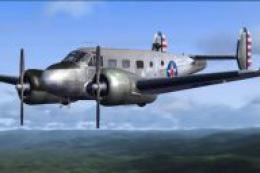
These two files are for the Beechcraft D18S for FS2004 by Milton Shupe, Scott…
 FSX Historic & Vintage Aircraft
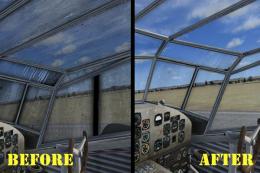
Texture Fix For O. Fisher Ju-52/3M Windscreen. DDS texture to fix a transpare…
 FSX Historic & Vintage Aircraft
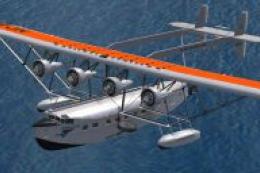
Sikorsky S-40 Amphibian Fix. For use if you are using FSX and the Sikorsky S-…
 FSX Historic & Vintage Aircraft
Vista Glass Fix For Alpha Bleu Ciel Vought Corsair F4U-7 (CORSF4U7.ZIP). Test…
 FSX Historic & Vintage Aircraft
Vista Prop Fix For Alpha Bleu Ciel Vought Corsair F4U-7 (CORSF4U7.ZIP). Teste…
Read what other simmers think, or add your own.

Greetings! Nice that you chose my uncle's plane for this, I like! FYI, it it the "K-Barb-J" which stands for Kay (his wife and whom I met many years after his death), Barb (his daughter), and Jim (his son whom I knew before HIS death). Thanks, Randy Malmstrom