

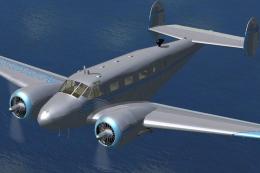
 FSX Historic & Vintage Aircraft
Beechcraft D18S/SNB
This is a full FSX Acceleration SDK compliant version of the Beechcraft D18S …
Beechcraft D18S SP2 Fix updates Milton Shupe’s classic D18S package to run smoothly in Microsoft Flight Simulator X SP2, restoring proper compatibility with refreshed propeller texture behavior and a correct aircraft-selection thumbnail. Requires the original FS2004 D18SVC4 aircraft files, then applies the included replacements for effects and gauges.
 Rate
Rate
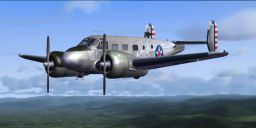
These two files are for the Beechcraft D18S for FS2004 by Milton Shupe, Scott Thomas, and Andre Folkers (D18SVC4.ZIP). They make the aircraft compatible with FSX SP2. By Nick Cooper.
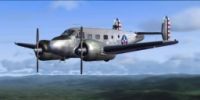
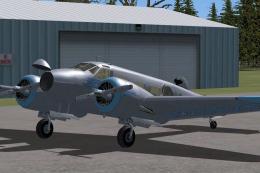
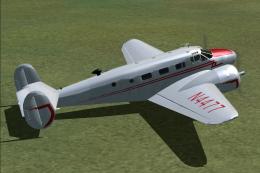
Screenshot of Beechcraft D18S in flight.
The download comes with an installer, I recommend that you install the aircraft to an empty folder of your choice and then copy the folder D18SVC to your ...fsx\simobjects\airplanes folder. You will need to copy the effects to your ...fsx\effects folder and the two gauges to each D18SVC\panel folder.
It works well in FSX SP2 except for the propellor textures. To fix these,copy the enclosed file spinpropb18.bmp to the aircraft texture folder and let it overwrite.
Enclosed also is a thumbnail to make it display correctly in the aircraft menu. Copy the Thumbnail.jpg file to the aircraft texture folder.
Regards,
Nick.
Free for all simmers · 87.78 KB · Scanned clean Oct 2026
Download speed: Free tier is capped at 0.5 Mbps. PRO members download at full line speed.
SimObjects\Airplanes\, Addon Scenery\, Effects\, or Gauges\.readme.txt or README file. It tells you exactly where files go, what dependencies are needed, and any quirks specific to this add-on.The archive beechfsx.zip has 5 files and directories contained within it.
This list displays the first 500 files in the package. If the package has more, you will need to download it to view them.
| Filename/Directory | File Date | File Size |
|---|---|---|
| readme.txt | 01.14.09 | 827 B |
| spinpropb18.bmp | 01.14.09 | 341.40 kB |
| Thumbnail.jpg | 01.14.09 | 12.24 kB |
| flyawaysimulation.txt | 10.29.13 | 959 B |
| Go to Fly Away Simulation.url | 01.22.16 | 52 B |
Only PRO members can place votes.
More FSX & P3D add-ons hand-picked based on this download.
FSX Historic & Vintage Aircraft
This is a full FSX Acceleration SDK compliant version of the Beechcraft D18S …
 FSX Historic & Vintage Aircraft
Beechcraft D18S "Touch O' Texas", registration N412K. This is an FSX adoptati…
 FSX Historic & Vintage Aircraft
This is a full FSX/P3Dv4 compliant updated and replacement version of the Bee…
 FSX Historic & Vintage Aircraft
Beechcraft D18S Passenger In The Cabin. Two complete aircraft, wheeled and am…
 FSX Historic & Vintage Aircraft
These textures are created for the David Carroll FSX Beechcraft D18S/SNB nati…
 FSX Historic & Vintage Aircraft
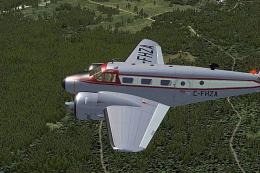
Immerse yourself in a refined Canadian paint scheme developed for the iconic …
 FSX Historic & Vintage Aircraft
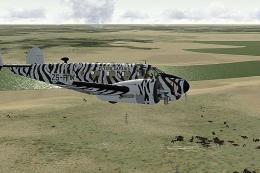
This fictional “Flying Safaris” repaint for the Beechcraft D18S/SNB brings a …
 FSX Historic & Vintage Aircraft
Private Beech D18S. Repaint of Milton Shupe Beechcraft D18 model, using Beech…
Read what other simmers think, or add your own.

there is only the prop texture nothing for panel or effects and there is no install file what a joke. O I'm sorry there is a thumbnail. Like you need that.
