

 FSX Turboprops
Fedex DeHavilland DHC-6 Srs300
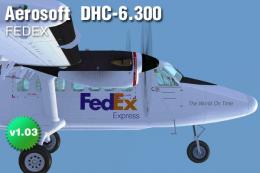
A Fedex skin for the Aerosoft DHC6 Twin Otter. By Tom Weiss. Screenshot of Fe…
Norlandair’s DHC-6 Series 300 livery brings authentic Icelandic regional style to the Twin Otter, with clean exterior markings and registration details that stand out in flight or on the ramp. Built for FSX, it requires the Aerosoft de Havilland DHC-6-300 Twin Otter and integrates as an additional selectable repaint.
 Rate
Rate
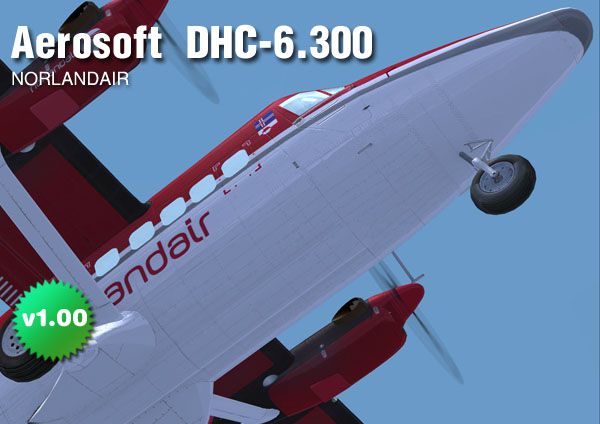
Norlandair DHC-6 Srs300 A skin for the Aerosoft DeHavilland DHC6-300 Twin Otter. By Tom Weiss.
Screenshot of Norlandair DHC-6 Srs300 in flight.
Installation:
Simply copy the files in your FSX directory. After doing that, you need to edit a configuration file. In...\SimObjects\Airplanes, open the directory 'Aerosoft Twin Otter 300 modern' and add these lines to the file 'aircraft.cfg'.
Find [fltsim.0] After the last [fltsim.xx] add
[FLTSIM.7]

	title=de Havilland Canadian Twin Otter Norlandair

	sim=DHC6

	model=gps

	panel=

	sound=

	texture=Norlandair by Tom_Weiss

	kb_checklists=dhc6-300-wheel_check

	kb_reference=dhc6-300-wheel_ref

	atc_id=xxx

	atc_parking_types=RAMP

	ui_manufacturer="de Havilland Canada"

	ui_type="DHC-6-300 Norlandair"

	ui_variation="N404X by Tom_Weiss"

	ui_typerole="Twin Engine TurboProp"

	ui_createdby="Aerosoft"
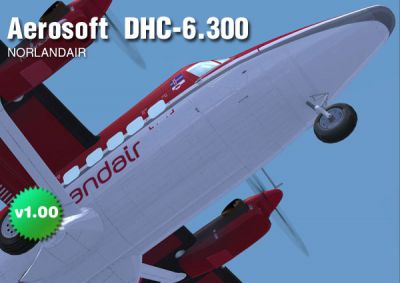
Screenshot of Norlandair DHC-6 Srs300.
Free for all simmers · 1.88 MB · Scanned clean Oct 2026
Download speed: Free tier is capped at 0.5 Mbps. PRO members download at full line speed.
SimObjects\Airplanes\, Addon Scenery\, Effects\, or Gauges\.readme.txt or README file. It tells you exactly where files go, what dependencies are needed, and any quirks specific to this add-on.The archive sep_0611_aerosoft_twin_otter_norlandair.zip has 21 files and directories contained within it.
This list displays the first 500 files in the package. If the package has more, you will need to download it to view them.
| Filename/Directory | File Date | File Size |
|---|---|---|
| Poster norlandair.jpg | 09.05.11 | 69.66 kB |
| READ ME.txt | 09.06.11 | 1.24 kB |
| SimObjects | 09.06.11 | 0 B |
| Airplanes | 09.06.11 | 0 B |
| Aerosoft Twin Otter 300 modern | 09.06.11 | 0 B |
| _aircraft.cfg | 09.06.11 | 408 B |
| texture.Norlandair by Tom_Weiss | 09.06.11 | 0 B |
| _DHC6_texture_2_T.dds | 09.05.11 | 1.33 MB |
| DHC6_pilot01.dds | 01.30.08 | 128.12 kB |
| DHC6_pilot02.dds | 01.30.08 | 128.12 kB |
| DHC6_prop.dds | 09.05.11 | 85.48 kB |
| DHC6_texture_1_T.dds | 09.06.11 | 1.33 MB |
| DHC6_texture_2_T.dds | 09.06.11 | 1.33 MB |
| DHC6_texture_3_T.dds | 09.06.11 | 1.33 MB |
| DHC6_texture_4_T.dds | 09.05.11 | 1.33 MB |
| DHC6_texture_6_T.dds | 09.06.11 | 1.33 MB |
| texture.cfg | 12.21.07 | 161 B |
| thumbnail.jpg | 09.05.11 | 49.52 kB |
| Thumbs.db | 02.01.08 | 5.00 kB |
| flyawaysimulation.txt | 10.29.13 | 959 B |
| Go to Fly Away Simulation.url | 01.22.16 | 52 B |
Only PRO members can place votes.
More FSX & P3D add-ons hand-picked based on this download.
FSX Turboprops
A Fedex skin for the Aerosoft DHC6 Twin Otter. By Tom Weiss. Screenshot of Fe…
 FSX Turboprops
Rocky Mountain Airline DHC-6 Srs300. Textures only for the Aerosoft DeHavilla…
 FSX Turboprops
Full package with model, custom panel and VC, custom sound, and check lists. …
 FSX Turboprops
Kenn Borek Air is based in Calgary and in addition to operating an airline se…
 FSX Turboprops
This package features a freeware rendition of the DeHavilland DHC-8-Q200 in A…
 FSX Turboprops
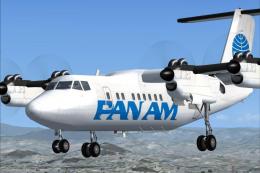
Pan American textures for the updated Milton Shupe DHC Dash-7; requires DASH7…
 FSX Turboprops
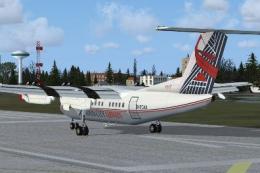
Textures only, requires DASH7PKGX.ZIP. London City Airways was a former Briti…
 FSX Turboprops
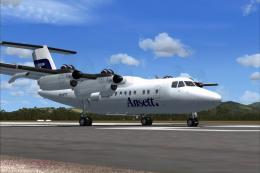
Fictional registration VH-WYT. Ansett did run a DHC7 at some stage (registrat…
Read what other simmers think, or add your own.
