

 FS2004 Civil Jet Aircraft
Asiana Airbus A380-800
Model by Mike Stone. Repainted by Chong Yun Ho. Screenshot of Asiana Airbus A…
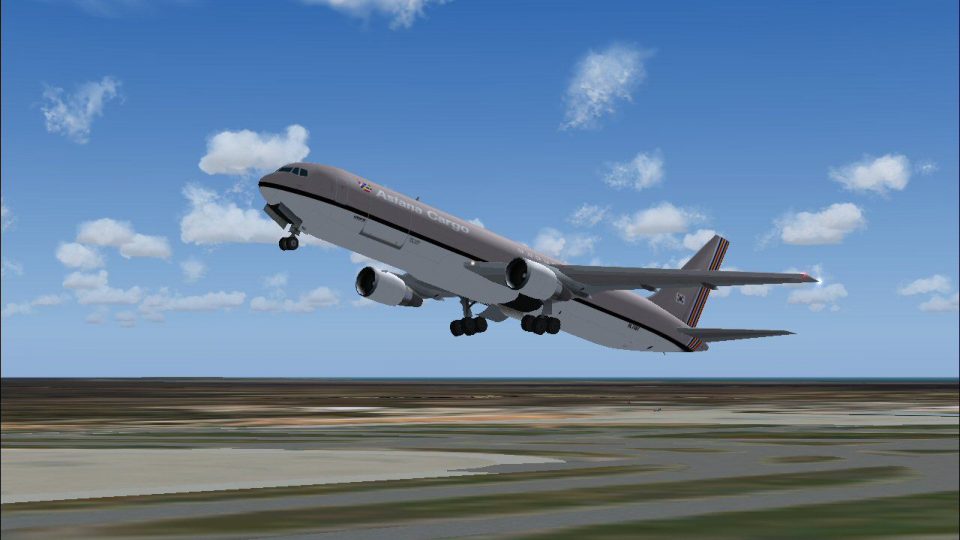
Asiana Cargo’s Boeing 767-300ER livery brings a crisp 32-bit look to AI Aardvark’s model in FS2004, tuned for smooth frame rates while keeping convincing animated details. Designed for AI traffic use, it adds authentic freighter presence on ramps and departure queues and requires the AI Aardvark 767-300ER base package.
 Rate
Rate

Painted in 32-bit textures. Great for AI traffic, frame rate friendly and many moving parts as well. Aircraft model and base textures by AI Aardvark. Repainted by Mike Pearson.

Screenshot of Asiana Cargo Boeing 767-300ER taking off.
Enjoy!
Free for all simmers · 1.09 MB · Scanned clean Oct 2026
Download speed: Free tier is capped at 0.5 Mbps. PRO members download at full line speed.
FS9\Aircraft\, FS9\Addon Scenery\, FS9\Gauges\, or FS9\Effects\.readme.txt or README file. It tells you exactly where files go, what dependencies are needed, and any quirks specific to this add-on.The archive av76efas.zip has 24 files and directories contained within it.
This list displays the first 500 files in the package. If the package has more, you will need to download it to view them.
| Filename/Directory | File Date | File Size |
|---|---|---|
| aav b763ef asiana readme.txt | 10.22.03 | 309 B |
| aav b763ef asiana small.gif | 10.22.03 | 8.77 kB |
| aav b763ef asiana.jpg | 10.22.03 | 119.54 kB |
| aia_767_300_ge.air | 10.22.03 | 8.69 kB |
| aia_767_300_pw.air | 10.22.03 | 8.69 kB |
| Aircraft.cfg | 10.22.03 | 13.63 kB |
| model.pw | 10.22.03 | 0 B |
| non-reflective | 10.22.03 | 0 B |
| aia_767_300_pw.mdl | 10.22.03 | 527.14 kB |
| model.cfg | 10.22.03 | 31 B |
| reflective | 10.22.03 | 0 B |
| aia_767_300_pw.mdl | 10.22.03 | 531.83 kB |
| model.cfg | 10.22.03 | 31 B |
| panel | 10.22.03 | 0 B |
| panel.cfg | 10.22.03 | 30 B |
| sound | 10.22.03 | 0 B |
| sound.cfg | 10.22.03 | 40 B |
| texture.asiana | 10.22.03 | 0 B |
| cargo | 10.22.03 | 0 B |
| aia_767_300_pw_l.bmp | 10.22.03 | 256.07 kB |
| aia_767_300_pw_t.bmp | 10.22.03 | 4.00 MB |
| Thumbs.db | 10.22.03 | 13.00 kB |
| flyawaysimulation.txt | 10.29.13 | 959 B |
| Go to Fly Away Simulation.url | 01.22.16 | 52 B |
Only PRO members can place votes.
More FS2004 add-ons hand-picked based on this download.
FS2004 Civil Jet Aircraft
Model by Mike Stone. Repainted by Chong Yun Ho. Screenshot of Asiana Airbus A…
 FS2004 Civil Jet Aircraft
Model by Project Open Sky. Repainted by David Gutierrez. Screenshot of Aerome…
 FS2004 Civil Jet Aircraft
Original Model by iFDG Repaint by Amy Gardner. Screenshot of Sobelair Boeing …
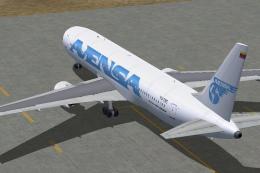 FS2004 Civil Jet Aircraft
No panel or sound included. Panel/Sound are aliased to default 777 panel/737 …
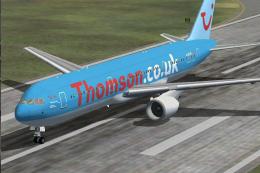 FS2004 Civil Jet Aircraft
A repaint of Project Open Sky's Boeing 767-300ER, registration G-OBYB, "Bobby…
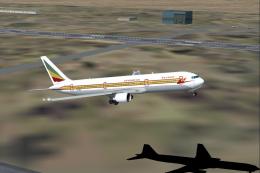 FS2004 Civil Jet Aircraft
This freeware package offers a meticulously recreated Ethiopian Airlines Boei…
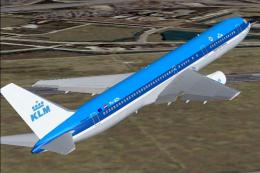 FS2004 Civil Jet Aircraft
KLM Boeing 767-300ER, registration PH-BZH, "Tower Bridge". Original model by …
 FS2004 Civil Jet Aircraft
iFDG is proud to present the B767-300. The aircraft model includes most of th…
Read what other simmers think, or add your own.

The main cargo door of the cargo models can be opened, as well as the radome of the AWACS rotates! The tanker does have an animation for the refueling parts, however, the actual transfer of fuel is not possible in flight sim.