

 FS2004 Civil Jet Aircraft
China Southern Boeing 757-21B
Enhance your Microsoft Flight Simulator 2004 experience with this free China …
Air China’s Boeing 757-21B livery brings crisp exterior markings, accurate tail art, and authentic color placement to the Project Open Sky 757-200, matching the RB211-535E4 engine variant for a convincing ramp-to-cruise look. Designed for Microsoft Flight Simulator 2004, this textures-only repaint requires the Project Open Sky base model.
 Rate
Rate
This Boeing 757-21B repaint showcases Air China’s captivating livery for use within Microsoft Flight Simulator 2004, featuring a textures-only package that integrates seamlessly with the Project Open Sky base model. Developed as freeware by CCA999 and the Project Open Sky team, it captures distinctive external markings and color schemes found on the real-world aircraft. Below, you will find guidance on installing these unique textures, alongside technical insights on the Boeing 757-200 airframe and the installations steps required for a complete setup.
Project Opensky B757-200 RR-RB211-535E4 Engine” directory in your main Flight Simulator 9 Aircraft folder.Aircraft.cfg in the same directory. Insert a new [fltsim.X] entry, and adjust the “XXX” in the title, texture name, and other references to the next available sequential number.Aircraft.cfg. Then, tailor the lines as needed:
[fltsim.XXX]
title=Project Opensky Boeing 757-21B AIR CHINA B-2836
sim=B757-200-RR-RB211-535E4
model=
panel=
sound=
texture=XXX
kb_checklists=
kb_reference=
atc_id=999
atc_airline=AIR CHINA
atc_flight_number=999
ui_manufacturer=Project Opensky
ui_type=757-21B CCA
ui_variation=AIR CHINA
description=Project Opensky
 Boeing 757-200
 Version 2004.8.0

 FS2004 Only

 Engine Type: RR RB211-535E4

 Model Designers
  Lee Rosario
  Albert Bouwman
  C. Vincent Cho
  Hiroshi Igami

 Flight Dynamics Designer
  Warren C. Daniel

 Master Texture Designers
  Jaco du Preez
  Ben Hewitt

 Technical Resource-QC
  Nick Peterson
  Simon Ng

atc_heavy=0
On-screen, this livery for Air China faithfully replicates the airline's visual styling, including its tail insignia and fuselage markings. Furthermore, the textures align with the Rolls-Royce RB211 engine variants, delivering an immersive experience of takeoff thrust and climb rate. This accuracy is rooted in Project Open Sky’s sophisticated flight dynamics and design elements, offering simmers a realistic feel of the Boeing 757 in mid-range flight scenarios.
Many thanks go to CCA999 for this intricate repaint and to the Project Open Sky collective for their well-respected Boeing 757 architecture. Their collaborative efforts significantly enhance the virtual environment, bringing the Flight Simulator 2004 experience closer to the characteristics of an actual Air China 757-21B.
Free for all simmers · 6.91 MB · Scanned clean Oct 2026
Download speed: Free tier is capped at 0.5 Mbps (this file takes approximately 2 mins at the cap). PRO members download at full line speed.
This file is a repaint — the packages below are the base model it paints onto. Install them first, or the textures will have nothing to load onto.
FS9\Aircraft\, FS9\Addon Scenery\, FS9\Gauges\, or FS9\Effects\.readme.txt or README file. It tells you exactly where files go, what dependencies are needed, and any quirks specific to this add-on.The archive b752cca.zip has 21 files and directories contained within it.
This list displays the first 500 files in the package. If the package has more, you will need to download it to view them.
| Filename/Directory | File Date | File Size |
|---|---|---|
| Readme.txt | 11.08.03 | 4.94 kB |
| posky757gear_l.bmp | 10.22.03 | 256.07 kB |
| posky757lwing_l.bmp | 10.22.03 | 4.00 MB |
| posky757misc1_l.bmp | 10.22.03 | 4.00 MB |
| posky757misc2_l.bmp | 10.24.03 | 4.00 MB |
| posky757misc2_t.bmp | 11.04.03 | 4.00 MB |
| posky757rr_l.bmp | 10.22.03 | 256.07 kB |
| posky757rwing_l.bmp | 10.22.03 | 4.00 MB |
| Thumbs.db | 11.04.03 | 83.00 kB |
| posky757fuse1_l.bmp | 11.04.03 | 4.00 MB |
| posky757fuse2_l.bmp | 11.04.03 | 4.00 MB |
| posky757rr_t.bmp | 11.04.03 | 4.00 MB |
| posky757misc1_t.bmp | 11.04.03 | 4.00 MB |
| posky757gear_t.bmp | 11.04.03 | 4.00 MB |
| posky757lwing_t.bmp | 11.04.03 | 4.00 MB |
| posky757rwing_t.bmp | 11.05.03 | 4.00 MB |
| posky757fuse1_t.bmp | 11.05.03 | 4.00 MB |
| posky757fuse2_t.bmp | 11.05.03 | 4.00 MB |
| texture.XXX | 11.08.03 | 0 B |
| flyawaysimulation.txt | 10.29.13 | 959 B |
| Go to Fly Away Simulation.url | 01.22.16 | 52 B |
Only PRO members can place votes.
More FS2004 add-ons hand-picked based on this download.
FS2004 Civil Jet Aircraft
Enhance your Microsoft Flight Simulator 2004 experience with this free China …
FS2004 Civil Jet Aircraft
This repaint package showcases a Shanghai Air Boeing 757-21B with the registr…
 FS2004 Civil Jet Aircraft
Very detailed livery, includes full dirt effects, dynamic shine, reflections,…
 FS2004 Civil Jet Aircraft
Immerse yourself in a meticulously rendered China Xinjiang Airlines Boeing 75…
FS2004 Civil Jet Aircraft
Expand your virtual hangar in Microsoft Flight Simulator 2004 with an intrica…
FS2004 Civil Jet Aircraft
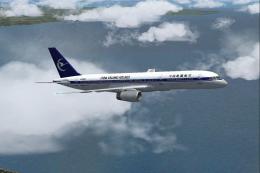
China XinJang Airlines Boeing 757-200, registration B-2827. Textures only. Mo…
 FS2004 Civil Jet Aircraft
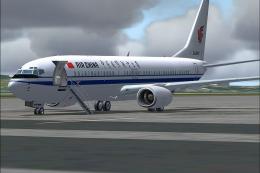
This freeware release offers a complete, high-fidelity simulation of the Air …
 FS2004 Civil Jet Aircraft
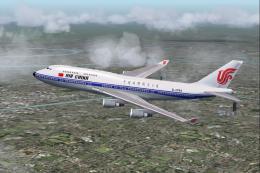
A repaint of the default Boeing 747-400 in Air China's color scheme. By Andre…
Be the first to leave a comment on this download.
Be the first to share your thoughts on this download.