

 FS2004 Civil Jet Aircraft
Air China Boeing 757-200
Very detailed livery, includes full dirt effects, dynamic shine, reflections,…
China Southwest Airlines’ Boeing 757-200 B-2832 livery brings period-accurate logos, fonts, and subtle weathering to the Project Open Sky 757 in Microsoft Flight Simulator 2004. The repaint matches the RR RB211-535E4 engines and requires the POS757VC.ZIP-enabled base model for the external aircraft and virtual cockpit.
 Rate
Rate
Expand your virtual hangar in Microsoft Flight Simulator 2004 with an intricate set of textures representing China Southwest Airlines’ Boeing 757-200 (registration B-2832). This freeware repaint by CCA999 has been meticulously crafted for the Project Open Sky base aircraft model. You will need the Project Opensky B757-200 RR-RB211-535E4 Engine variant (including POS757VC.ZIP) for proper functionality. Everything is designed to reflect fine details of the real-world airframe while honoring the history of China Southwest Airlines’ formidable aircraft fleet.
China Southwest Airlines maintained a reputation for connecting major cities by operating a range of narrow-body and wide-body jets, including the advanced Boeing 757 series. This rendition captures the airline’s distinctive livery with accurate placement of official logos, fonts, and markings. The RR RB211-535E4 engines are precisely represented to highlight core features of the powerplant. Additionally, the fuselage textures incorporate subtle weathering for added realism.
POS757VC.ZIP for the external model and virtual cockpit.texture.XXX into that same directory.XXX is replaced consistently.Below is a sample entry for the Aircraft.cfg. Append this at the appropriate position. Replace any placeholders (such as XXX) with the actual numeric values for proper configuration.
[fltsim.XXX]
title=Project Opensky Boeing B757-2Z0 China Southwest B-2832
sim=B757-200-RR-RB211-535E4
model=      // add 'VC' if you are using the VC model
panel=
sound=
texture=XXX
kb_checklists=
kb_reference=
atc_id=999
atc_airline=China Southwest
atc_flight_number=999
ui_manufacturer=Project Opensky
ui_type=B757-2Z0 CXN
ui_variation=China Southwest
description=Project Opensky
Boeing 757-200
Version 2004.8.0

FS2004 Only

Engine Type: RR RB211-535E4

Model Designers
 Lee Rosario
 Albert Bouwman
 C. Vincent Cho
 Hiroshi Igami

Flight Dynamics Designer
 Warren C. Daniel

Master Texture Designers
 Jaco du Preez
 Ben Hewitt

Technical Resource-QC
 Nick Peterson
 Simon Ng

atc_heavy=0
This repaint is made available by CCA999, while the model and key components derive from Project Open Sky. Be sure to download the essential freeware base files, which are accessible in the Fly Away Simulation library, to ensure a complete setup.
Enjoy the combination of efficient engine handling, distinctive China Southwest Airlines textures, and reliable Boeing 757 flight dynamics within your simulated adventures.
Free for all simmers · 6.77 MB · Scanned clean Oct 2026
Download speed: Free tier is capped at 0.5 Mbps (this file takes approximately 2 mins at the cap). PRO members download at full line speed.
This file is a repaint — the packages below are the base model it paints onto. Install them first, or the textures will have nothing to load onto.
FS9\Aircraft\, FS9\Addon Scenery\, FS9\Gauges\, or FS9\Effects\.readme.txt or README file. It tells you exactly where files go, what dependencies are needed, and any quirks specific to this add-on.The archive b752cxn.zip has 21 files and directories contained within it.
This list displays the first 500 files in the package. If the package has more, you will need to download it to view them.
| Filename/Directory | File Date | File Size |
|---|---|---|
| Readme.txt | 11.08.03 | 4.84 kB |
| Thumbs.db | 11.05.03 | 83.50 kB |
| posky757fuse1_l.bmp | 11.04.03 | 4.00 MB |
| posky757fuse2_l.bmp | 11.04.03 | 4.00 MB |
| posky757gear_l.bmp | 10.22.03 | 256.07 kB |
| posky757lwing_l.bmp | 10.22.03 | 4.00 MB |
| posky757misc1_l.bmp | 10.22.03 | 4.00 MB |
| posky757misc1_t.bmp | 11.04.03 | 4.00 MB |
| posky757misc2_l.bmp | 10.24.03 | 4.00 MB |
| posky757misc2_t.bmp | 11.04.03 | 4.00 MB |
| posky757rr_l.bmp | 10.22.03 | 256.07 kB |
| posky757rwing_l.bmp | 10.22.03 | 4.00 MB |
| posky757rr_t.bmp | 11.06.03 | 4.00 MB |
| posky757gear_t.bmp | 11.06.03 | 4.00 MB |
| posky757fuse2_t.bmp | 11.06.03 | 4.00 MB |
| posky757fuse1_t.bmp | 11.06.03 | 4.00 MB |
| posky757rwing_t.bmp | 11.06.03 | 4.00 MB |
| posky757lwing_t.bmp | 11.06.03 | 4.00 MB |
| texture.XXX | 11.08.03 | 0 B |
| flyawaysimulation.txt | 10.29.13 | 959 B |
| Go to Fly Away Simulation.url | 01.22.16 | 52 B |
Only PRO members can place votes.
More FS2004 add-ons hand-picked based on this download.
FS2004 Civil Jet Aircraft
Very detailed livery, includes full dirt effects, dynamic shine, reflections,…
 FS2004 Civil Jet Aircraft
China XinJang Airlines Boeing 757-200, registration B-2827. Textures only. Mo…
FS2004 Civil Jet Aircraft
Enhance your Microsoft Flight Simulator 2004 experience with this free China …
 FS2004 Civil Jet Aircraft
Immerse yourself in a meticulously rendered China Xinjiang Airlines Boeing 75…
FS2004 Civil Jet Aircraft
This Boeing 757-21B repaint showcases Air China’s captivating livery for use …
 FS2004 Civil Jet Aircraft
Vistaliners B727-227 in Southwest Airlines circa 1984 livery, registration N5…
 FS2004 Civil Jet Aircraft
A repaint of Vistaliners B727-200 in the livery of Southwest. Model by Erick …
 FS2004 Civil Jet Aircraft
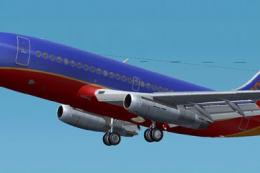
A repaint of the B737-200 in the colors of Southwest. Model by Erick Cantu, F…
Be the first to leave a comment on this download.
Be the first to share your thoughts on this download.