

 FS2004 Civil Jet Aircraft
Air China Boeing 757-200
Very detailed livery, includes full dirt effects, dynamic shine, reflections,…
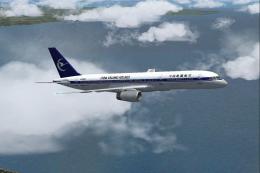
China XinJang Airlines’ Boeing 757-200 livery for FS2004 recreates aircraft B-2827 with crisp, airline-accurate textures tailored to the Project Open Sky model, enhancing ramp presence and screenshots. Requires the Project OpenSky 757-200 RR RB211-535E4 engine package, and includes configuration-ready details for a clean aircraft selection entry.
 Rate
Rate
China XinJang Airlines Boeing 757-200, registration B-2827. Textures only. Model by Project Open Sky.
You need to install Project Opensky B757-200 RR-RB211-535E4 Engine Model. Repaint by CCA999.
[fltsim.XXX]

	title=Project Opensky Boeing B757-2YO CHINA XINJIANG AIRLINES B-2827

	sim=B757-200-RR-RB211-535E4

	//add the two letters : VC for the VC model to the model= section

	model=

	panel=

	sound=

	texture=XXX
kb_checklists=

	kb_reference=
atc_id=999

	atc_airline=CHINA XINJIANG AIRLINES

	atc_flight_number=999
ui_manufacturer=Project Opensky

	ui_type=B757-2YO CXJ

	ui_variation=CHINA XINJIANG AIRLINES
description=Project Opensky \nBoeing 757-200\nVersion 2004.8.0\n\nFS2004 Only\n\nEngine Type: RR RB211-535E4\n\nModel Designers\n Lee Rosario\n Albert Bouwman\n C. Vincent Cho\n Hiroshi Igami\n\nFlight Dynamics Designer\n Warren C. Daniel\n\nMaster Texture Designers\n Jaco du Preez\n Ben Hewitt\n\nTechnical Resource-QC\n Nick Peterson\n Simon Ng

	atc_heavy=0
Free for all simmers · 6.21 MB · Scanned clean Oct 2026
Download speed: Free tier is capped at 0.5 Mbps (this file takes approximately 2 mins at the cap). PRO members download at full line speed.
FS9\Aircraft\, FS9\Addon Scenery\, FS9\Gauges\, or FS9\Effects\.readme.txt or README file. It tells you exactly where files go, what dependencies are needed, and any quirks specific to this add-on.The archive b757cxj.zip has 22 files and directories contained within it.
This list displays the first 500 files in the package. If the package has more, you will need to download it to view them.
| Filename/Directory | File Date | File Size |
|---|---|---|
| Readme.txt | 11.08.03 | 4.89 kB |
| Thumbs.db | 11.08.03 | 141.50 kB |
| posky757fuse2_t.bmp | 11.07.03 | 4.00 MB |
| posky757fuse2_l.bmp | 11.07.03 | 4.00 MB |
| posky757gear_l.bmp | 10.22.03 | 256.07 kB |
| posky757fuse1_t.bmp | 11.07.03 | 4.00 MB |
| posky757lwing_l.bmp | 10.22.03 | 4.00 MB |
| posky757misc1_l.bmp | 10.22.03 | 4.00 MB |
| posky757misc1_t.bmp | 11.04.03 | 4.00 MB |
| posky757misc2_l.bmp | 10.24.03 | 4.00 MB |
| posky757misc2_t.bmp | 10.15.03 | 4.00 MB |
| posky757rr_l.bmp | 10.22.03 | 256.07 kB |
| posky757rwing_l.bmp | 10.22.03 | 4.00 MB |
| posky757gauge_l.bmp | 09.17.03 | 257.05 kB |
| posky757fuse1_l.bmp | 11.07.03 | 4.00 MB |
| posky757rr_t.bmp | 11.07.03 | 4.00 MB |
| posky757gear_t.bmp | 11.07.03 | 4.00 MB |
| posky757lwing_t.bmp | 11.07.03 | 4.00 MB |
| posky757rwing_t.bmp | 11.07.03 | 4.00 MB |
| texture.XXX | 11.08.03 | 0 B |
| flyawaysimulation.txt | 10.29.13 | 959 B |
| Go to Fly Away Simulation.url | 01.22.16 | 52 B |
Only PRO members can place votes.
More FS2004 add-ons hand-picked based on this download.
FS2004 Civil Jet Aircraft
Very detailed livery, includes full dirt effects, dynamic shine, reflections,…
 FS2004 Civil Jet Aircraft
Expand your virtual hangar in Microsoft Flight Simulator 2004 with an intrica…
 FS2004 Civil Jet Aircraft
Immerse yourself in a meticulously rendered China Xinjiang Airlines Boeing 75…
FS2004 Civil Jet Aircraft
Enhance your Microsoft Flight Simulator 2004 experience with this free China …
FS2004 Civil Jet Aircraft
This Boeing 757-21B repaint showcases Air China’s captivating livery for use …
 FS2004 Civil Jet Aircraft
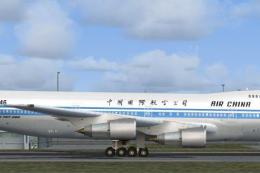
This repaint of an Air China Boeing 747-200 Combi enhances the AI Aardvark mo…
 FS2004 Civil Jet Aircraft
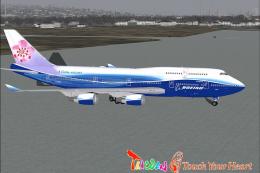
Experience the iconic China Airlines Boeing 747-409ER in your virtual skies w…
 FS2004 Civil Jet Aircraft
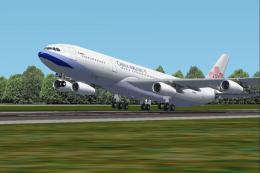
This comprehensive freeware package brings a detailed China Airlines Airbus A…
Be the first to leave a comment on this download.
Be the first to share your thoughts on this download.