

 FS2004 Civil Jet Aircraft
Air China Boeing 757-21B
This Boeing 757-21B repaint showcases Air China’s captivating livery for use …
Shanghai Air’s Boeing 757-21B B-2842 comes to life with an authentic classic livery repaint for Microsoft Flight Simulator 2004, matching the airline’s distinctive fuselage and tail markings for convincing ramp and enroute visuals. The textures-only package requires the freeware Project Opensky Boeing 757-200 PW2037 base model.
 Rate
Rate
This repaint package showcases a Shanghai Air Boeing 757-21B with the registration B-2842, designed exclusively for Microsoft Flight Simulator 2004. It includes only the texture files, which means you will require the freeware Project Opensky Boeing 757-200 (PW2037 engine variant) base model. The repaint is crafted by CCA999, while the original aircraft model and associated files come from Project Opensky. Below, you will find technical instructions and details to help you seamlessly integrate the repaint into your simulator.
The real-world Boeing 757-21B can efficiently handle medium- to long-haul routes, and Shanghai Air historically operated the 757 series to serve various domestic and international destinations. Its Pratt & Whitney PW2037 engines offer robust power and performance characteristics. This repaint seeks to replicate the authentic Shanghai Air livery, reflecting the airline’s classic markings and subtle visual elements across the fuselage and tail fin.
X:\...\Flight Simulator 9\Aircraft\Project Opensky B757-200 B757-200-PW-PW2037 Engine[fltsim.XXX] title=Project Opensky Boeing 757-200 Shanghai Air B-2842 sim=B757-200-PW-PW2037 model= panel= sound= texture=XXX kb_checklists= kb_reference= atc_id=999 atc_airline=Shanghai Air atc_flight_number=999 ui_manufacturer=Project Opensky ui_type=757-26D CSH ui_variation=Shanghai Air description=Project Opensky Boeing 757-200 Version 2004.8.0 FS2004 Only Engine Type: PW2037 Model Designers Lee Rosario Albert Bouwman C. Vincent Cho Hiroshi Igami Flight Dynamics Designer Warren C. Daniel Master Texture Designers Jaco du Preez Ben Hewitt Technical Resource-QC Nick Peterson Simon Ng atc_heavy=
This freeware repaint is contributed by CCA999. The core aircraft model is a product of the Project Opensky team, known for its high-detail visual models and thorough flight dynamics. Contributors include Lee Rosario, Albert Bouwman, C. Vincent Cho, Hiroshi Igami, Warren C. Daniel, Jaco du Preez, Ben Hewitt, and additional technical support from Nick Peterson and Simon Ng.
By following the instructions above, you can enjoy flying the Shanghai Air Boeing 757-21B in your virtual skies. Remember that this offering is textures only, so confirm you have installed the correct Project Opensky base model before loading your new aircraft in Microsoft Flight Simulator 2004.
Free for all simmers · 4.74 MB · Scanned clean Oct 2026
Download speed: Free tier is capped at 0.5 Mbps (this file takes approximately 1 min at the cap). PRO members download at full line speed.
This file is a repaint — the packages below are the base model it paints onto. Install them first, or the textures will have nothing to load onto.
FS9\Aircraft\, FS9\Addon Scenery\, FS9\Gauges\, or FS9\Effects\.readme.txt or README file. It tells you exactly where files go, what dependencies are needed, and any quirks specific to this add-on.The archive b752csh.zip has 22 files and directories contained within it.
This list displays the first 500 files in the package. If the package has more, you will need to download it to view them.
| Filename/Directory | File Date | File Size |
|---|---|---|
| Readme.txt | 11.08.03 | 4.78 kB |
| Thumbs.db | 11.04.03 | 205.00 kB |
| posky757fuse1_L.bmp | 11.04.03 | 4.00 MB |
| posky757fuse1_t.bmp | 11.03.03 | 4.00 MB |
| posky757fuse2_L.bmp | 11.04.03 | 4.00 MB |
| posky757fuse2_t.bmp | 11.03.03 | 4.00 MB |
| posky757gauge_l.bmp | 09.17.03 | 257.05 kB |
| posky757gear_l.bmp | 10.22.03 | 256.07 kB |
| posky757gear_t.bmp | 11.04.03 | 4.00 MB |
| posky757lwing_L.bmp | 10.19.03 | 1.33 MB |
| posky757lwing_t.bmp | 11.03.03 | 4.00 MB |
| posky757misc1_l.bmp | 10.22.03 | 4.00 MB |
| posky757misc1_t.bmp | 11.03.03 | 4.00 MB |
| posky757misc2_l.bmp | 10.24.03 | 4.00 MB |
| posky757misc2_t.bmp | 09.21.03 | 4.00 MB |
| posky757pw_l.bmp | 10.12.03 | 64.07 kB |
| posky757pw_t.bmp | 11.03.03 | 4.00 MB |
| posky757rwing_L.bmp | 10.19.03 | 1.33 MB |
| posky757rwing_t.bmp | 11.04.03 | 4.00 MB |
| texture.XXX | 11.08.03 | 0 B |
| flyawaysimulation.txt | 10.29.13 | 959 B |
| Go to Fly Away Simulation.url | 01.22.16 | 52 B |
Only PRO members can place votes.
More FS2004 add-ons hand-picked based on this download.
FS2004 Civil Jet Aircraft
This Boeing 757-21B repaint showcases Air China’s captivating livery for use …
FS2004 Civil Jet Aircraft
Enhance your Microsoft Flight Simulator 2004 experience with this free China …
 FS2004 Civil Jet Aircraft
This is the final B757, as Boeing has ended production of the model. Textures…
 FS2004 Civil Jet Aircraft
Model by AI Aardvark. Livery by Arjet ter Avest. Screenshot of Air Shanghai C…
 FS2004 Civil Jet Aircraft
This B757-200 has been painted with the new Air Canada scheme, even though th…
 FS2004 Civil Jet Aircraft
Two repaints, textures only, of the AI Aardvark B757-200 RR in both the old a…
 FS2004 Civil Jet Aircraft
US Air Boeing 757-2B7, registration N625VJ. Painted with 32-bit chrome textur…
 FS2004 Civil Jet Aircraft
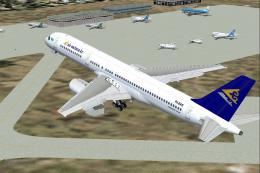
Registration P4-EAS. Utilizing Project Opensky's wonderful 757-200 aircraft; …
Be the first to leave a comment on this download.
Be the first to share your thoughts on this download.