

 FS2004 Civil Jet Aircraft
Northwest Boeing 757-200
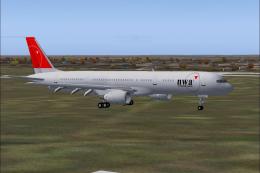
The Boeing 757-200 bearing registration N545US and adorned in Northwest’s mod…
Northwest Airlines’ Boeing 757-300 arrives in FS2004 as a complete freeware package with a dynamic-shine exterior, authentic Pratt & Whitney engine options, and flight dynamics tuned from real performance data. Expect animated doors, cargo hatches, crew, and full control-surface movement, plus upgraded lighting and optional virtual cockpit or wing views.
 Rate
Rate
This release brings a freeware rendition of the Northwest Airlines Boeing 757-300 into FS2004, merging a detailed exterior framework with realistic flight characteristics. The aircraft showcases Pratt & Whitney engine modeling and is offered as a complete package. The creators, Project Open Sky, developed the core model, and Ben Hewitt meticulously applied the Northwest livery. Below, you will discover specialized features, distinct animations, technical aspects, and essential installation steps.
Northwest Airlines, before merging into another major carrier, served countless domestic and international routes using a varied fleet. The Boeing 757-300, known for its longer fuselage, delivered added capacity on busier segments while maintaining an efficient fuel profile. This simulation aligns with that operational history, offering a glimpse into Northwest’s mid-haul and transcontinental services.
If you plan to activate the VC, make sure you have installed the additional VC textures and the 757-300 VC update files. Then open aircraft.cfg and, on the line beginning with model=, append VC directly after the equals sign. This step shifts the model from a wing-focused variant to the fully operational virtual cockpit.
This mod prides itself on faithfully replicating the extended Boeing 757-300 silhouette while capturing the distinctive Northwest Airlines paint scheme. The package is a freeware release from Project Open Sky and Ben Hewitt, offering an all-inclusive experience for those looking to immerse themselves in a classic mid-to-late 1990s airliner configuration within FS2004.
Free for all simmers · 6.88 MB · Scanned clean Oct 2026
Download speed: Free tier is capped at 0.5 Mbps (this file takes approximately 2 mins at the cap). PRO members download at full line speed.
FS9\Aircraft\, FS9\Addon Scenery\, FS9\Gauges\, or FS9\Effects\.readme.txt or README file. It tells you exactly where files go, what dependencies are needed, and any quirks specific to this add-on.The archive po753nwn.zip has 42 files and directories contained within it.
This list displays the first 500 files in the package. If the package has more, you will need to download it to view them.
| Filename/Directory | File Date | File Size |
|---|---|---|
| Aircraft.cfg | 11.25.03 | 15.21 kB |
| B757-300-PW-PW2040.air | 11.15.03 | 9.29 kB |
| effects | 11.25.03 | 0 B |
| Opensky_747_vclight.fx | 10.02.02 | 1.31 kB |
| Opensky_757_nav_yellow.fx | 09.28.03 | 3.07 kB |
| Opensky_757_strobe.fx | 09.28.03 | 4.80 kB |
| Opensky_sparks.fx | 09.08.02 | 7.05 kB |
| Readme.txt | 10.24.03 | 2.83 kB |
| model.vc | 11.25.03 | 0 B |
| model.cfg | 11.25.03 | 70 B |
| posky753PWvc.mdl | 11.08.03 | 1.35 MB |
| model | 11.22.03 | 0 B |
| model.cfg | 11.22.03 | 62 B |
| posky753PW.mdl | 11.08.03 | 1.36 MB |
| panel | 11.25.03 | 0 B |
| panel.cfg | 12.29.02 | 32 B |
| Readme.txt | 11.25.03 | 3.21 kB |
| sound | 11.25.03 | 0 B |
| sound.cfg | 04.18.01 | 32 B |
| texture | 11.23.03 | 0 B |
| 753tailskid.bmp | 10.22.03 | 3.00 MB |
| posky752vc_t.bmp | 10.20.03 | 4.00 MB |
| posky753fuse1_L.bmp | 11.23.03 | 4.00 MB |
| posky753fuse1_t.bmp | 11.22.03 | 4.00 MB |
| posky753fuse2_L.bmp | 11.23.03 | 4.00 MB |
| posky753fuse2_t.bmp | 11.22.03 | 4.00 MB |
| posky757gauge_l.bmp | 09.17.03 | 257.05 kB |
| posky757gear_l.bmp | 10.22.03 | 256.07 kB |
| posky757gear_t.bmp | 11.22.03 | 4.00 MB |
| posky757lwing_l.bmp | 10.22.03 | 4.00 MB |
| posky757lwing_t.bmp | 09.13.03 | 4.00 MB |
| posky757misc1_l.bmp | 10.22.03 | 4.00 MB |
| posky757misc1_t.bmp | 10.23.03 | 4.00 MB |
| posky757misc2_l.bmp | 10.24.03 | 4.00 MB |
| posky757misc2_t.bmp | 10.15.03 | 4.00 MB |
| posky757pw_l.bmp | 10.22.03 | 256.07 kB |
| posky757pw_t.bmp | 10.23.03 | 4.00 MB |
| posky757rwing_l.bmp | 10.22.03 | 4.00 MB |
| posky757rwing_t.bmp | 09.13.03 | 4.00 MB |
| Thumbs.db | 11.25.03 | 148.50 kB |
| flyawaysimulation.txt | 10.29.13 | 959 B |
| Go to Fly Away Simulation.url | 01.22.16 | 52 B |
Only PRO members can place votes.
More FS2004 add-ons hand-picked based on this download.
FS2004 Civil Jet Aircraft
The Boeing 757-200 bearing registration N545US and adorned in Northwest’s mod…
FS2004 Civil Jet Aircraft
This freeware package offers a faithful reproduction of a Northwest Airlines …
 FS2004 Civil Jet Aircraft
Textures only; requires SB757200.ZIP. Model by Mike Stone. Repaint by Mike Ma…
 FS2004 Civil Jet Aircraft
Pilot one of the most well known and popular planes of the modern age with th…
 FS2004 Civil Jet Aircraft
Features dynamic shine, real virtual cockpit, opening doors and cargo doors, …
FS2004 Civil Jet Aircraft
Project Open Sky Boeing 757-300 V1 Virtual Cockpit. Works only with the POSKY…
FS2004 Civil Jet Aircraft
This freeware package introduces a highly detailed depiction of a Boeing 757-…
 FS2004 Civil Jet Aircraft
Project Open Sky Boeing 757-200/300 flight dynamics version 2004.8.2. New fea…
Be the first to leave a comment on this download.
Be the first to share your thoughts on this download.