

 X-Plane Helicopters & Rotorcraft
Airwolf
Max speed Mach 2 (1.3 at sea level). Extending working guns and rocket pod. S…
Eurocopter X3 Proto brings the high-speed hybrid rotorcraft concept to X-Plane 10, blending five-blade main-rotor lift with wing-mounted propellers for fast, stable cruise and true hovering. It flies like a conventional helicopter up to about 80 knots, then uses electric trim to increase propeller thrust for efficient, record-inspired performance.
 Rate
Rate
L ' X3 uses a cell of helicopter Eurocopter Dauphin equipped with a main rotor for five pales drawn away by two turbines and of two aircraft propellers taken up on short fixed wings. This hybrid shape gives birth to an apparatus of advanced transport which conjugates the speed of a plane with turboprop engine and the capacities of stationary flight of a helicopter. In cruise, wings take the intermediary of the main rotor for the lift. The rotor adopts a "flat" contour, where trail is trifling. Potency is then transferred towards aircraft propellers.
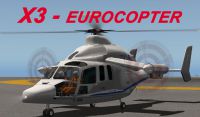
Screenshot of X3 Eurocopter on the ground.
X3 pilots as a classical helicopter until 80 kt. Beyond, an additional order intervenes. It is about a button of trim electrical which augments the step of aircraft propellers and therefore the potency which they provide. It is necessary to reduce collective of the main rotor at the same time the not.
An important stage was crossed on May 12th of this year when the demonstrator broke his own record of speed by stealing some minutes at the speed of 430 km / h (232kt) during a flight of tries on the basis of Istres.
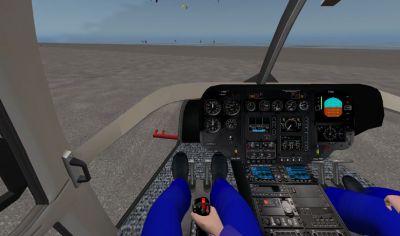
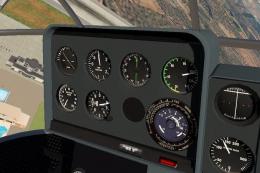
View from inside the X3 Eurocopter cockpit.
Free for all simmers · 22.44 MB · Scanned clean Sep 2026
Download speed: Free tier is capped at 0.5 Mbps (this file takes approximately 6 mins at the cap). PRO members download at full line speed.
Aircraft/ (planes), Custom Scenery/ (airports, mesh), or Resources/plugins/ (plugins).readme.txt or README file. It tells you exactly where files go, what dependencies are needed, and any quirks specific to this add-on.Only PRO members can place votes.
More X-Plane add-ons hand-picked based on this download.
X-Plane Helicopters & Rotorcraft
Max speed Mach 2 (1.3 at sea level). Extending working guns and rocket pod. S…
 X-Plane Helicopters & Rotorcraft
Winch BK117 Nils. Screenshot of winch attached to BK117 Nils. Installation: U…
 X-Plane Helicopters & Rotorcraft
The Aerospatiale Alouette III is a single-engine, light utility helicopter de…
 Free Flight Simulators
A demo version of the latest X-Plane version 12 (XP12) released in September …
 Free Flight Simulators
Orbiter is a unique flight simulator that lets users launch manned or unmanne…
 Other
Other
Windows Live messenger is the Micosoft alternative for Yahoo messenger, Googl…
 FSX Misc
A message from David Grindele in regards to using older flightsim add-ons wit…
 X-Plane Civil Heavy Aircraft
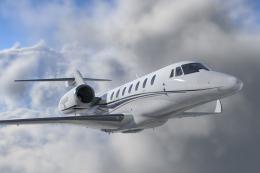
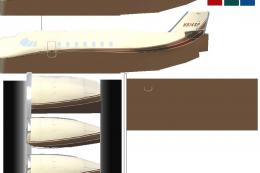
Citation Sovereign (C680) converted to X-Plane 10.04rc3. Screenshot of Citati…
Be the first to leave a comment on this download.
Be the first to share your thoughts on this download.