

 FS2004 Civil Jet Aircraft
Arkia BAC 1-11 500 4X-BAR
Model by David Maltby. Repainted by Felix Tchvertkin. Screenshot of Arkia BAC…
Tikal Jets’ BAC 1-11 livery brings a Guatemalan charter look to your classic jetliner flights in FS2004, evoking routes that carry travelers toward the Mayan ruins of Tikal. The repaint focuses on authentic airline markings and clean exterior textures, and requires David Maltby’s BAC 1-11 base model.
 Rate
Rate
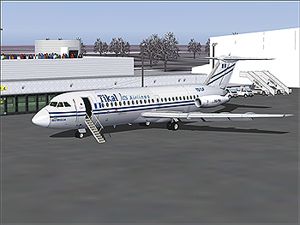
Textures of the BAC 1-11 of Tikal Jets, the Guatemalan airline that flies the people to the Mayan ruins of Tikal. Textures only. Original aircraft by David Maltby, repainted by Bob Whitney.
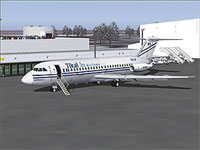
Screenshot of Tikal Jets BAC 1-11 on the ground.
Free for all simmers · 770.2 KB · Scanned clean Oct 2026
Download speed: Free tier is capped at 0.5 Mbps. PRO members download at full line speed.
FS9\Aircraft\, FS9\Addon Scenery\, FS9\Gauges\, or FS9\Effects\.readme.txt or README file. It tells you exactly where files go, what dependencies are needed, and any quirks specific to this add-on.The archive 111tikal.zip has 32 files and directories contained within it.
This list displays the first 500 files in the package. If the package has more, you will need to download it to view them.
| Filename/Directory | File Date | File Size |
|---|---|---|
| Texture.Tikal Jets | 02.12.04 | 0 B |
| 111ENG.bmp | 03.10.04 | 768.05 kB |
| 111ENG_L.bmp | 01.18.03 | 341.43 kB |
| 111EXTRA.bmp | 08.10.02 | 257.05 kB |
| 111EXTRA_L.bmp | 01.18.03 | 341.43 kB |
| 111FUSE_1.bmp | 02.12.04 | 682.75 kB |
| 111FUSE_1_L.bmp | 03.22.03 | 341.43 kB |
| 111FUSE_2.bmp | 02.12.04 | 682.75 kB |
| 111FUSE_2_L.bmp | 03.22.03 | 341.43 kB |
| 111FUSE_3.bmp | 02.12.04 | 682.75 kB |
| 111FUSE_3_L.bmp | 03.22.03 | 341.43 kB |
| 111FUSE_4.bmp | 02.12.04 | 682.75 kB |
| 111FUSE_4_L.bmp | 01.18.03 | 341.43 kB |
| 111STEPS.bmp | 12.18.03 | 65.05 kB |
| 111Tail_L.bmp | 02.12.04 | 682.75 kB |
| 111Tail_L_L.bmp | 02.12.04 | 682.75 kB |
| 111Tail_R.bmp | 02.12.04 | 682.75 kB |
| 111Tail_R_L.bmp | 02.12.04 | 682.75 kB |
| 111WING_BL.bmp | 08.09.02 | 257.05 kB |
| 111WING_BL_L.bmp | 01.18.03 | 341.43 kB |
| 111WING_BR.bmp | 08.09.02 | 257.05 kB |
| 111WING_BR_L.bmp | 01.18.03 | 341.43 kB |
| 111WING_TL.bmp | 08.09.02 | 257.05 kB |
| 111WING_TL_L.bmp | 01.18.03 | 341.43 kB |
| 111WING_TR.bmp | 08.09.02 | 257.05 kB |
| 111WING_TR_L.bmp | 01.18.03 | 341.43 kB |
| File_id.diz | 03.10.04 | 298 B |
| Readme.txt | 03.10.04 | 673 B |
| tikaljets web.jpg | 02.19.04 | 68.20 kB |
| aircraft.cfg | 03.10.04 | 8.11 kB |
| flyawaysimulation.txt | 10.29.13 | 959 B |
| Go to Fly Away Simulation.url | 01.22.16 | 52 B |
Only PRO members can place votes.
More FS2004 add-ons hand-picked based on this download.
FS2004 Civil Jet Aircraft
Model by David Maltby. Repainted by Felix Tchvertkin. Screenshot of Arkia BAC…
 FS2004 Civil Jet Aircraft
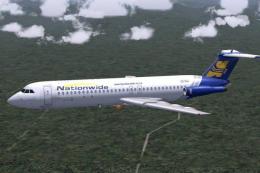
This freeware BAC 1-11 500 package for Microsoft Flight Simulator 2004 brings…
 FS2004 Civil Jet Aircraft
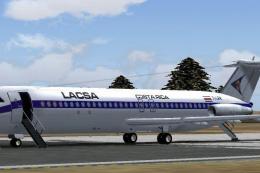
David Maltby's latest 1-11 with opening passenger doors front and tail, with …
 FS2004 Civil Jet Aircraft
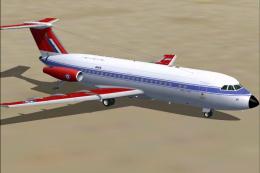
This complete freeware package incorporates the classic British Aircraft Corp…
 FS2004 Civil Jet Aircraft
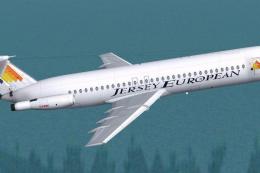
Model by David Maltby incorporating the latest additions with opening entranc…
 FS2004 Civil Jet Aircraft
This package delivers a complete freeware BAC 1-11 Series 500 variant with no…
 FS2004 Civil Jet Aircraft
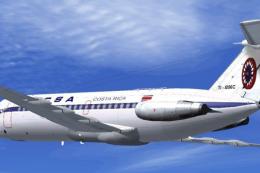
Experience a classic Latin American jet era with this freeware LACSA Costa Ri…
 FS2004 Civil Jet Aircraft
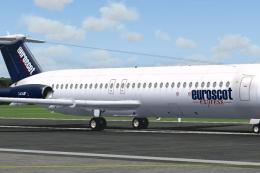
Textures only. High detail model by David Maltby, with forward opening cabin …
Read what other simmers think, or add your own.

Thanks for this repaint, only one glitch: The engine's BMPs are not shown in FS9. So one can use the BMPs of David Maltby's repaint "ETPS" Emperial Test Pilots School Bac 1-11 475.
Kind regards
Walter