

 FS2004 Civil Jet Aircraft
Atlas Air 747-200 Pack
This enhanced repaint collection provides twelve distinct Atlas Air liveries …
Atlas Jet International’s Boeing 757-200 for FS2004 delivers a finely modeled narrow-body with authentic exterior geometry, animated doors and cargo hatches, and optional virtual cockpit support when the matching texture set is installed. Tuned flight dynamics and engine variant options pair with tailored lighting and custom damage profiles for immersive, reliable airline-style operations.
 Rate
Rate
This comprehensive freeware package for FS2004 offers a rendition of the narrow-body Boeing 757 in Atlas Jet International livery, fully developed by the Project Open Sky team, with paintwork contributed by Maho. It brings together a realistic flight model, detailed exterior visuals, and numerous immersive features that enhance virtual airline operations.
The Boeing 757 series is admired for its efficient twin-engine design, extended range, and short-runway capability. In this add-on, the creators emphasize precise geometry, accurate engine variants, and a sophisticated set of animations. The 3D cabin crew models, along with dynamic lighting, enrich cockpit and passenger cabin immersion. The developers include:

Atlas Jet International logo.
To fly with the immersive 3D cockpit, obtain the VC texture set from the developers and place them appropriately. Then locate the line model= in your aircraft.cfg and add “VC” (without quotation marks) right after that line. This switches from the wing view model to the fully rendered flight deck model.
Below are the custom assignments for the Project Open Sky rendition of the 757-200:
All design elements in this Atlas Jet International package reflect the dedication of Project Open Sky’s team. From the FDE adjustments by Warren C. Daniel to the textures pioneered by Maho, every part underscores the developers’ commitment to delivering an accurate simulation experience for FS2004. Enjoy this specialized Boeing 757 release and explore the versatile operations that the 757 platform is known for around the world.
Free for all simmers · 7.19 MB · Scanned clean Oct 2026
Download speed: Free tier is capped at 0.5 Mbps (this file takes approximately 2 mins at the cap). PRO members download at full line speed.
FS9\Aircraft\, FS9\Addon Scenery\, FS9\Gauges\, or FS9\Effects\.readme.txt or README file. It tells you exactly where files go, what dependencies are needed, and any quirks specific to this add-on.The archive tc-ogb.zip has 38 files and directories contained within it.
This list displays the first 500 files in the package. If the package has more, you will need to download it to view them.
| Filename/Directory | File Date | File Size |
|---|---|---|
| Opensky 757-200 Atlas Jet TC-OGB | 04.04.04 | 0 B |
| Aircraft.cfg | 04.04.04 | 15.89 kB |
| B757-200-RR-RB211-535E4.air | 02.06.04 | 9.31 kB |
| model | 04.03.04 | 0 B |
| model.cfg | 10.23.03 | 66 B |
| posky752RRe4-1.mdl | 10.21.03 | 1.30 MB |
| model.vc | 04.03.04 | 0 B |
| model.cfg | 10.23.03 | 75 B |
| posky752RRe4-1vc.mdl | 10.21.03 | 1.32 MB |
| panel | 04.03.04 | 0 B |
| forward_1024.bmp | 07.06.01 | 769.05 kB |
| forward_640.bmp | 07.06.01 | 301.05 kB |
| panel.cfg | 07.30.03 | 5.01 kB |
| Thumbs.db | 04.03.04 | 8.00 kB |
| Readme.txt | 04.04.04 | 3.28 kB |
| sound | 04.03.04 | 0 B |
| Sound.cfg | 08.17.03 | 38 B |
| texture.oge | 04.04.04 | 0 B |
| posky757fuse1_l.bmp | 10.24.03 | 4.00 MB |
| posky757fuse1_t.bmp | 04.04.04 | 4.00 MB |
| posky757fuse2_l.bmp | 10.24.03 | 4.00 MB |
| posky757fuse2_t.bmp | 04.04.04 | 4.00 MB |
| posky757gauge_l.bmp | 09.17.03 | 257.05 kB |
| posky757gear_l.bmp | 10.22.03 | 256.07 kB |
| posky757gear_t.bmp | 04.04.04 | 4.00 MB |
| posky757lwing_l.bmp | 10.22.03 | 4.00 MB |
| posky757lwing_t.bmp | 02.08.04 | 4.00 MB |
| posky757misc1_l.bmp | 10.22.03 | 4.00 MB |
| posky757misc1_t.bmp | 01.29.04 | 4.00 MB |
| posky757misc2_l.bmp | 10.24.03 | 4.00 MB |
| posky757misc2_t.bmp | 10.15.03 | 4.00 MB |
| posky757rr_l.bmp | 10.22.03 | 256.07 kB |
| posky757rr_t.bmp | 04.04.04 | 4.00 MB |
| posky757rwing_l.bmp | 10.22.03 | 4.00 MB |
| posky757rwing_t.bmp | 09.13.03 | 4.00 MB |
| Thumbs.db | 04.04.04 | 88.50 kB |
| flyawaysimulation.txt | 10.29.13 | 959 B |
| Go to Fly Away Simulation.url | 01.22.16 | 52 B |
Only PRO members can place votes.
More FS2004 add-ons hand-picked based on this download.
FS2004 Civil Jet Aircraft
This enhanced repaint collection provides twelve distinct Atlas Air liveries …
 FS2004 Civil Jet Aircraft
gMax Boeing 757-200. Modelling : Robert V. Kristiaan D. Alexander S. Air File…
 FS2004 Civil Jet Aircraft
This freeware release brings a refined Boeing 737-700 Business Jet (BBJ) to M…
 FS2004 Civil Jet Aircraft
Textures only for the Kittyhawk Productions Boeing B737-700. BBJ paint scheme…
 FS2004 Civil Jet Aircraft
A repaint of the Kittyhawk Gmax B737-700 in the Jet Airways livery, one of In…
 FS2004 Civil Jet Aircraft
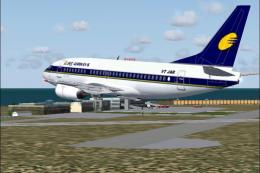
A repaint of the B737-500 model by Erick Cantu in Jet Airways colors by Shive…
 FS2004 Civil Jet Aircraft
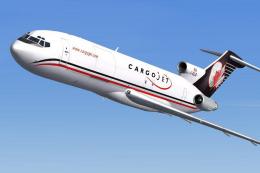
Textures only for Erick Cantu's Vistaliners B727-200F; requires B7272FVL.ZIP.…
 FS2004 Civil Jet Aircraft
Aerodesigns Airbus A318-111 in Easy Jet livery. Included are default panel an…
Be the first to leave a comment on this download.
Be the first to share your thoughts on this download.