

 FS2004 Civil Jet Aircraft
LAB Airlines Boeing 727-200
This freeware repaint offers a classic LAB Airlines livery specifically for t…
LAB Airlines’ Ekeko Boeing 727 repaint brings Bolivian heritage to classic tri-jet operations in Microsoft Flight Simulator 2004, capturing the airline’s distinctive South American look with crisp exterior textures. It requires the freeware FFX/SGA Boeing 727 base model and pairs it with authentic period character for immersive regional and high-altitude route flying.
 Rate
Rate
This freeware repaint showcases the unique Ekeko-themed livery of LAB Airlines for the Boeing 727 in Microsoft Flight Simulator 2004. Developed collaboratively by FFX/SGA, with the distinctive paintwork by Anghelo Ibanez, this package enables those who enjoy tri-jet operations to experience a historically significant aircraft that once served routes across South America. Originally introduced in the 1960s, the Boeing 727 famously combined performance and reliability for medium-range travel, making it a favorite among both airlines and pilots.
Inspired by Lloyd Aéreo Boliviano’s (LAB) tradition, this Ekeko scheme brings a touch of Bolivian heritage to the three-engine Boeing airframe. Ekeko, often associated with abundance and good fortune in Andean culture, is a fitting symbol for an airline that connected remote high-altitude airfields with more populous destinations. The base model from FFX/SGA offers accurate geometry, flight dynamics, and external animations, making this repaint a visual and operational delight.
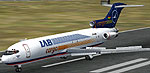
LAB Airlines Ekeko Boeing 727 on a Bolivian runway.
This texture package requires the original freeware Boeing 727 model by FFX/SGA, which is not included. You will need to acquire the base aircraft from the Fly Away Simulation library. Once the model is installed, you can easily activate this Ekeko repaint by following the steps below.
[fltsim.X]
title=FlightFX 727-200 Ekeko
sim=NNNN
model=
panel=
sound=
texture=ekeko
atc_id=CP-2428
atc_heavy=0
atc_flight_number=1056
atc_airline=Ekeko
ui_manufacturer=Boeing
ui_type=727-200
ui_variation=Ekeko
description=One of the most successful commercial jet airliners ever designed. Production totaled 1,831 aircraft between the early 1960's and 1984.
Original model: Kevin Trinkle,Gary Carlson
Modifications and GMax design: Erick Cantu, Jonathan Stewart, FDE by Mike Baumann, Painted by Anghelo Ibanez.
visual_damage=1
Though the Boeing 727 series no longer dominates the commercial skies, it remains a highly regarded jetliner for flight simulation enthusiasts who appreciate its tri-engine layout and robust handling. LAB Airlines, once a significant player in the Andean region, utilized the 727 for its versatility in both domestic and regional flights, often connecting challenging high-altitude airports with major travel hubs. Pilots who simulate these dynamic operations can look forward to the aircraft’s characteristic performance and authentic cockpit environment.
This repaint package stands on the excellent FFX/SGA Boeing 727 platform. The entire texture work, showcasing the Ekeko motif, has been expertly completed by Anghelo Ibanez. This mod is offered as a free enhancement for virtual aviators seeking an immersive Bolivian air transport experience in Microsoft Flight Simulator 2004.
Free for all simmers · 1.29 MB · Scanned clean Sep 2026
Download speed: Free tier is capped at 0.5 Mbps. PRO members download at full line speed.
FS9\Aircraft\, FS9\Addon Scenery\, FS9\Gauges\, or FS9\Effects\.readme.txt or README file. It tells you exactly where files go, what dependencies are needed, and any quirks specific to this add-on.The archive 727ekeko.zip has 36 files and directories contained within it.
This list displays the first 500 files in the package. If the package has more, you will need to download it to view them.
| Filename/Directory | File Date | File Size |
|---|---|---|
| Texture.ekeko | 05.17.04 | 0 B |
| 727FUSE1_T.bmp | 05.15.04 | 1.00 MB |
| 727FUSE2_T.bmp | 05.12.04 | 1.00 MB |
| ENGINES_T.BMP | 05.12.04 | 1.00 MB |
| FRAMES_T.BMP | 05.12.04 | 64.07 kB |
| NOSEDOORS_T.bmp | 05.12.04 | 64.07 kB |
| Pylons_t.bmp | 05.12.04 | 64.07 kB |
| STAB_T.BMP | 11.12.03 | 64.07 kB |
| Tire_T.bmp | 11.09.03 | 256.07 kB |
| 727FUSE1_L.bmp | 03.03.03 | 1.00 MB |
| CARGODOOR.BMP | 03.09.03 | 900.05 kB |
| 727FUSE2_L.BMP | 03.03.03 | 1.00 MB |
| CONE_L.BMP | 03.10.03 | 256.07 kB |
| CONE_t.BMP | 03.10.03 | 16.07 kB |
| ENGINES_L.BMP | 03.10.03 | 256.07 kB |
| FLAPGUIDES_L.BMP | 03.10.03 | 256.07 kB |
| FLAPGUIDES_T.BMP | 03.10.03 | 64.07 kB |
| FLAPS_L.BMP | 03.10.03 | 256.07 kB |
| FLAPS_T.BMP | 03.10.03 | 64.07 kB |
| FRAMES_L.BMP | 03.10.03 | 256.07 kB |
| INTAKE_L.BMP | 03.10.03 | 256.07 kB |
| INTAKE_T.BMP | 03.10.03 | 32.07 kB |
| MAINDOORS_L.BMP | 03.10.03 | 256.07 kB |
| MAINDOORS_T.BMP | 10.19.03 | 65.05 kB |
| NOSEDOORS_L.BMP | 03.03.03 | 5.05 kB |
| PYLONS_L.BMP | 03.10.03 | 256.07 kB |
| STAB_L.BMP | 03.10.03 | 256.07 kB |
| Tire_L.BMP | 03.10.03 | 256.07 kB |
| WING_LEFT_L.BMP | 03.10.03 | 256.07 kB |
| WING_LEFT_T.bmp | 03.14.03 | 256.07 kB |
| WING_RIGHT_L.BMP | 03.10.03 | 256.07 kB |
| WING_RIGHT_T.bmp | 03.14.03 | 256.07 kB |
| MD_83_T.BMP | 05.12.04 | 1.00 MB |
| Readme.txt | 05.17.04 | 1.19 kB |
| flyawaysimulation.txt | 10.29.13 | 959 B |
| Go to Fly Away Simulation.url | 01.22.16 | 52 B |
Only PRO members can place votes.
More FS2004 add-ons hand-picked based on this download.
FS2004 Civil Jet Aircraft
This freeware repaint offers a classic LAB Airlines livery specifically for t…
 FS2004 Civil Jet Aircraft
Textures only; requires SB7222.ZIP. Original model by Mike Stone. Livery by G…
 FS2004 Civil Jet Aircraft
Enjoy a meticulously crafted representation of the early 1970s Delta tri-jet …
 FS2004 Civil Jet Aircraft
This freeware package portrays a classic Boeing 727-290ADV wearing the 1993 A…
 FS2004 Civil Jet Aircraft
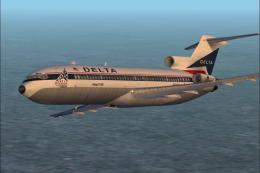
Delta's 1776-1976 Bicentennial livery. These textures are based on Jim Campis…
 FS2004 Civil Jet Aircraft
Vistaliners B727-227 in Southwest Airlines circa 1984 livery, registration N5…
 FS2004 Civil Jet Aircraft
A repaint of Vistaliners B727-200 in the livery of Southwest. Model by Erick …
 FS2004 Civil Jet Aircraft
This package offers a carefully crafted rendition of the famous Boeing 727-20…
Be the first to leave a comment on this download.
Be the first to share your thoughts on this download.