

 FS2004 Civil Jet Aircraft
United Airlines Boeing 747SP-21
This aircraft utilizes Mike Stone's 747SP model, with many animations and fea…
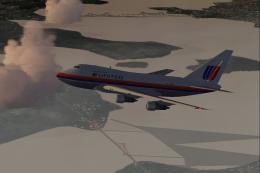
United Airlines’ circa-1993 Boeing 747SP livery brings classic fleet colors to Mike Stone’s widebody in FS2004, with tailored wing texture refinements and tail night lighting for stronger after-dark presence. The package includes complete repaint textures and typical airline identifiers, and requires SB747SP.ZIP.
 Rate
Rate
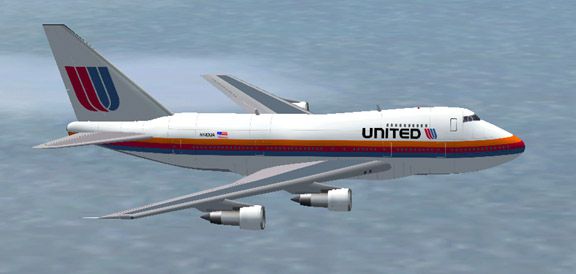
Circa 1993. Textures for Mike Stone's Boeing 747SP in the colors of United Airlines. Tail nightlighting included and I have also adjusted the wing textures slightly. Requires SB747SP.ZIP. Textures by Geoff Chambers.

Screenshot of United Airlines Boeing 747SP in flight.
Simply unzip the package to a temporary folder, copy the texture folders your MS folder and add the following to the aircraft.cfg file substituting the next numbers instead of x in the line [fltsim.x] where appropriate.
[fltsim.x]

	title=Boeing 747SP United Airlines

	sim=b747sp

	model=

	panel=

	sound=

	texture=UA

	kb_checklists=

	kb_reference=

	atc_id=N142UA

	atc_airline=UNITED

	atc_flight_number=1123

	atc_heavy=1

	atc_parking_types=GATE,RAMP

	ui_manufacturer=Boeing

	ui_type=747SP

	ui_variation=UNITED

	description=More than 30 years ago, the 747 made its first trip from New York to London. Since then, it's become the standard by which other large passenger jets are judged. Its size, range, speed and capacity were then, and are now, the best in its class.
Free for all simmers · 299.17 KB · Scanned clean Oct 2026
Download speed: Free tier is capped at 0.5 Mbps. PRO members download at full line speed.
This add-on may require the following files to function properly. If this is a repaint, the dependency below is likely the base aircraft package.
FS9\Aircraft\, FS9\Addon Scenery\, FS9\Gauges\, or FS9\Effects\.readme.txt or README file. It tells you exactly where files go, what dependencies are needed, and any quirks specific to this add-on.The archive 747sp-ua.zip has 18 files and directories contained within it.
This list displays the first 500 files in the package. If the package has more, you will need to download it to view them.
| Filename/Directory | File Date | File Size |
|---|---|---|
| 747SP United.jpg | 10.01.03 | 34.79 kB |
| 747SP_UA.gif | 10.01.03 | 9.19 kB |
| FILE_ID.DIZ | 05.15.04 | 232 B |
| Readme first.txt | 05.15.04 | 1.16 kB |
| fuslg_l.bmp | 09.18.03 | 1.00 MB |
| fuslg_t.bmp | 09.30.03 | 1.00 MB |
| lwing_l.bmp | 09.18.03 | 1.00 MB |
| lwing_t.bmp | 09.28.03 | 1.00 MB |
| root_l.bmp | 09.18.03 | 1.00 MB |
| root_t.bmp | 09.30.03 | 1.00 MB |
| rwing_l.bmp | 09.18.03 | 1.00 MB |
| rwing_t.bmp | 09.28.03 | 1.00 MB |
| stab_l.bmp | 09.18.03 | 257.05 kB |
| stab_t.bmp | 09.28.03 | 257.05 kB |
| tail_l.bmp | 10.01.03 | 1.00 MB |
| tail_t.bmp | 10.01.03 | 1.00 MB |
| flyawaysimulation.txt | 10.29.13 | 959 B |
| Go to Fly Away Simulation.url | 01.22.16 | 52 B |
Only PRO members can place votes.
More FS2004 add-ons hand-picked based on this download.
FS2004 Civil Jet Aircraft
This aircraft utilizes Mike Stone's 747SP model, with many animations and fea…
 FS2004 Civil Jet Aircraft
This aircraft utilizes Mike Stone's 747SP model, with many animations and fea…
 FS2004 Civil Jet Aircraft
(CN 22289/445) real livery. All new Gmax model. Model includes full range of …
 FS2004 Civil Jet Aircraft
This package is configured with a default panel. It is intended for use with …
 FS2004 Civil Jet Aircraft
The long range 747SP is an adaptation of the 747-100. The SP suffix in 747SP …
 FS2004 Civil Jet Aircraft
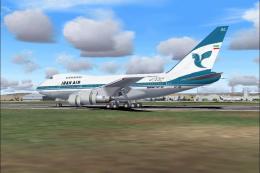
Iran Boeing 747SP, registration EP-IAC (FARS) in the old national color schem…
 FS2004 Civil Jet Aircraft
Textures only; requires SB747SP.ZIP. Model by Mike Stone. Repaint by Graeme P…
 FS2004 Civil Jet Aircraft
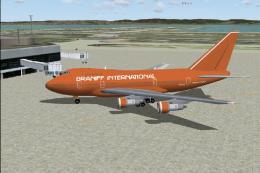
An all new Gmax model. Model includes full range of animation including accur…
Be the first to leave a comment on this download.
Be the first to share your thoughts on this download.