

 FS2004 Civil Jet Aircraft
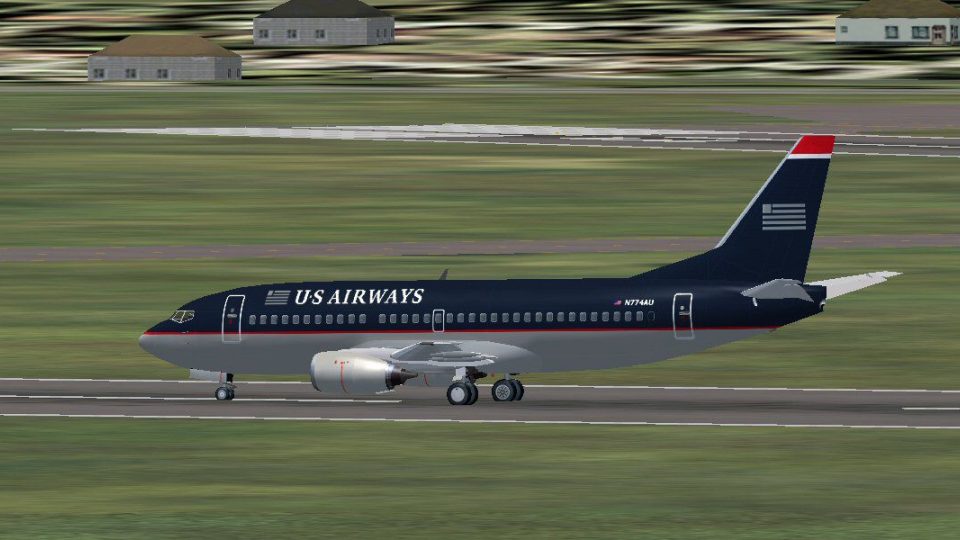
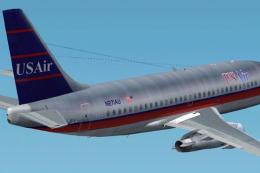
US Airways Boeing 737-200
This package offers an accurate representation of US Airways’ Boeing 737-200 …
US Airways Boeing 737-300 brings the 737 Classic era to life with Erick Cantu’s detailed model and Patrick Finch’s authentic livery, complete with subtle in-service wear, accurate markings, and a strong sense of period. Built for Microsoft Flight Simulator 2004, it includes animated doors, deployable airstairs, retractable landing lights, and convincing CFM56-3 audio.
 Rate
Rate

This freeware package offers a faithful US Airways Boeing 737-300 rendition for Microsoft Flight Simulator 2004. It brings together the original Erick Cantu model and a repaint by Patrick Finch, showcasing a short-to-medium haul classic that once regularly moved passengers across the United States and beyond. This release presents the entire aircraft in a single download, so simmers can begin exploring every detail of this iconic twinjet immediately.
US Airways operated numerous Boeing 737s as part of its domestic fleet. This scheme reflects the airline’s distinct color layout, preserving the notable stripes and logos seen on real-world flights. The repaint showcases accurate registration markings and tail insignia to maintain historical authenticity. Pilots who value realism will appreciate how the intricate texture work captures the look of a well-maintained fuselage while retaining the subtle weathering one might see on an active airliner.
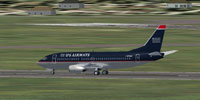
Screenshot of US Airways Boeing 737-300 on runway.
Originally developed for FS2000 using FSDS1, this project evolved into a GMax-based effort that covers multiple 737 Classic variants, including the -300, -400, and -500. Erick Cantu and fellow collaborators embarked on a far-reaching plan to create a genuine experience of Boeing’s 737 Classic series in flight simulation. By capturing the unique CFM56-3 engine sounds, taken from numerous field recordings of various 737s, they produced a robust audio set that closely emulates what flight deck personnel actually hear. If the volume proves too loud, engine sounds may be adjusted within the simulator’s audio settings.
The model showcases extensive animation throughout its exterior parts. Several distinctive features have been implemented to enrich the immersive factor:
The 737-300, part of Boeing’s renowned 737 Classic family, arrived as a modernized successor to earlier -200 versions. Its CFM56 engines improved both fuel efficiency and noise levels, while wider wings and updated avionics enhanced overall performance. During its operational lifetime, US Airways leveraged these aircraft for numerous domestic routes in the continental U.S., capitalizing on their balance of seating capacity and flight range.
This freeware release owes its existence to the dedication of Erick Cantu, who developed the core GMax model, and Patrick Finch, who meticulously crafted the US Airways textures. Their combined efforts deliver a complete Boeing 737-300 experience tailored for enthusiasts seeking realistic dynamics and visuals in Microsoft Flight Simulator 2004. The added convenience of a single, ready-to-fly download ensures everyone can quickly integrate this piece of aviation history into their virtual hangars.
Free for all simmers · 1.62 MB · Scanned clean Oct 2026
Download speed: Free tier is capped at 0.5 Mbps. PRO members download at full line speed.
FS9\Aircraft\, FS9\Addon Scenery\, FS9\Gauges\, or FS9\Effects\.readme.txt or README file. It tells you exactly where files go, what dependencies are needed, and any quirks specific to this add-on.The archive usair73a.zip has 71 files and directories contained within it.
This list displays the first 500 files in the package. If the package has more, you will need to download it to view them.
| Filename/Directory | File Date | File Size |
|---|---|---|
| US Airways B733 | 06.15.04 | 0 B |
| 737README.txt | 03.10.04 | 8.65 kB |
| aircraft.cfg | 04.30.04 | 8.61 kB |
| Boeing737-300.air | 04.03.03 | 8.27 kB |
| boeing737-400_check.txt | 03.01.00 | 1.75 kB |
| boeing737-400_notes.txt | 02.21.03 | 82 B |
| boeing737-400_ref.txt | 03.01.00 | 618 B |
| INSTALL.txt | 06.15.04 | 494 B |
| model | 06.14.04 | 0 B |
| b737_300.mdl | 05.25.03 | 1.21 MB |
| model.cfg | 04.01.03 | 25 B |
| panel | 06.14.04 | 0 B |
| panel.cfg | 06.03.03 | 32 B |
| sound | 06.14.04 | 0 B |
| sound.cfg | 06.03.03 | 31 B |
| Texture.usa | 06.14.04 | 0 B |
| 733FUSE_L.BMP | 05.17.03 | 1.33 MB |
| 733FUSE_T.bmp | 06.14.04 | 1.33 MB |
| 737WING_L.BMP | 05.18.03 | 5.43 kB |
| 737WING_T.BMP | 06.02.03 | 1.33 MB |
| AILERON_L.bmp | 05.18.03 | 5.43 kB |
| AILERON_T.bmp | 05.04.03 | 341.43 kB |
| CFM56FAN1.bmp | 05.21.03 | 257.05 kB |
| CFM56FAN2.BMP | 05.21.03 | 257.05 kB |
| CFM56_CONE_L.bmp | 05.18.03 | 5.43 kB |
| CFM56_CONE_T.bmp | 05.04.03 | 42.78 kB |
| CFM56_TAILPIPE_L.bmp | 05.18.03 | 5.43 kB |
| CFM56_TAILPIPE_T.bmp | 05.04.03 | 42.78 kB |
| FLAPGUIDES_L.bmp | 05.18.03 | 5.43 kB |
| FLAPGUIDES_T.BMP | 05.04.03 | 85.46 kB |
| FRAMES_L.bmp | 05.18.03 | 5.43 kB |
| FRAMES_T.BMP | 05.04.03 | 85.43 kB |
| GEARLEGS_L.bmp | 05.18.03 | 5.43 kB |
| GEARLEGS_T.bmp | 05.04.03 | 42.78 kB |
| INNERFLAPS_L.bmp | 05.18.03 | 5.43 kB |
| INNERFLAPS_T.bmp | 05.04.03 | 341.43 kB |
| INSPOILER_L.bmp | 05.18.03 | 5.43 kB |
| INSPOILER_T.BMP | 05.26.03 | 85.43 kB |
| INTAKE_L.bmp | 05.18.03 | 5.43 kB |
| INTAKE_T.BMP | 05.04.03 | 42.78 kB |
| KRAP_L.BMP | 05.18.03 | 5.43 kB |
| KRAP_T.bmp | 05.04.03 | 85.43 kB |
| LENG_L.BMP | 05.18.03 | 341.43 kB |
| LENG_T.bmp | 06.14.04 | 257.05 kB |
| LMAINDOOR_L.bmp | 05.18.03 | 5.43 kB |
| LMAINDOOR_T.bmp | 05.04.03 | 85.43 kB |
| MESH_L.bmp | 05.18.03 | 5.43 kB |
| MESH_T.BMP | 05.04.03 | 42.78 kB |
| MISC_L.BMP | 05.18.03 | 5.43 kB |
| MISC_T.bmp | 06.14.04 | 257.05 kB |
| MOREKRAP_L.BMP | 05.18.03 | 5.43 kB |
| MOREKRAP_T.BMP | 05.04.03 | 5.43 kB |
| OLEO_L.bmp | 05.18.03 | 5.43 kB |
| OLEO_T.bmp | 05.04.03 | 170.78 kB |
| OUTERFLAPS_L.bmp | 05.18.03 | 5.43 kB |
| OUTERFLAPS_T.bmp | 05.04.03 | 341.43 kB |
| OUTSPOILER_L.bmp | 05.18.03 | 5.43 kB |
| OUTSPOILER_T.bmp | 05.04.03 | 341.43 kB |
| PYLONS_L.bmp | 05.18.03 | 5.43 kB |
| PYLONS_T.bmp | 05.04.03 | 85.46 kB |
| RENG_L.BMP | 05.18.03 | 341.43 kB |
| RENG_T.bmp | 06.14.04 | 257.05 kB |
| RMAINDOOR_L.bmp | 05.18.03 | 5.43 kB |
| RMAINDOOR_T.bmp | 05.04.03 | 85.43 kB |
| STAB_L.bmp | 05.18.03 | 5.43 kB |
| STAB_T.bmp | 05.04.03 | 341.43 kB |
| TAIL_L.BMP | 05.18.03 | 85.43 kB |
| TAIL_T.bmp | 06.13.04 | 257.05 kB |
| US Airways B733.jpg | 06.14.04 | 123.01 kB |
| flyawaysimulation.txt | 10.29.13 | 959 B |
| Go to Fly Away Simulation.url | 01.22.16 | 52 B |
Only PRO members can place votes.
More FS2004 add-ons hand-picked based on this download.
FS2004 Civil Jet Aircraft
This package offers an accurate representation of US Airways’ Boeing 737-200 …
 FS2004 Civil Jet Aircraft
This freeware package, designed for Microsoft Flight Simulator 2004, brings J…
 FS2004 Civil Jet Aircraft
Includes registration YU-ANW (white fuse/grey engines), registration YU-AOO (…
 FS2004 Civil Jet Aircraft
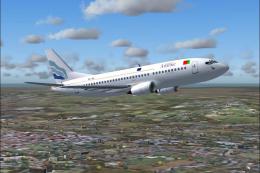
Original model by Eric Cantu. Repaint Wes Archibald. Screenshot of Euro Atlan…
FS2004 Civil Jet Aircraft
Textures only. Repaint for AI. Accurate flight plan info also in zip. Model b…
 FS2004 Civil Jet Aircraft
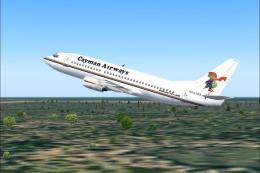
A repaint of the FFX B737-300 in Cayman Airways. Textures only. By Paul Van H…
 FS2004 Civil Jet Aircraft
Immerse yourself in a fully realized Boeing 767-200(ER) featuring US Airways …
 FS2004 Civil Jet Aircraft
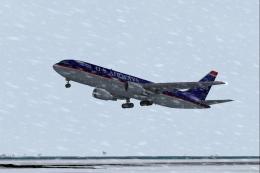
US Airways Boeing 767-201ER painted in 32-bit textures. Great for AI traffic,…
Be the first to leave a comment on this download.
Be the first to share your thoughts on this download.