

 FS2004 Civil Jet Aircraft
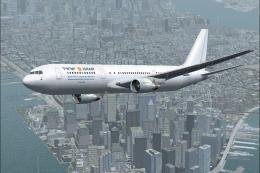
Israir Boeing 767-3Y0ER
This livery was painted especially to celebrate Israir's opening of their new…
Israir Boeing 767-300 textures bring authentic airline branding to the ARNZ AIS AI model for FS2004, ideal for enriching real-world traffic with accurate paintwork and ground presence. Designed as a texture-only package, it requires AIS767H.ZIP and integrates cleanly with the 767-300 model and configuration setup.
 Rate
Rate
Textures only for the ARNZ model by Jon Murchison; requires AIS767H.ZIP.
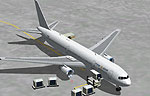
Screenshot of Israir Boeing 767-300 on the ground.
Copy the texture folder into your ARNZ 767 AI model and add the following to the aircraft.cfg:
[fltsim.x]

	title=AIS 763 Israir

	sim=767

	model=763

	panel=

	sound=

	texture=763_ISRAIR

	checklists=

	description=ARNZ AIS AIRCRAFT

	ui_manufacturer=AIS

	ui_type=767-300

	ui_variation=Israir

	atc_heavy=0

	atc_id=

	atc_airline=Israir

	visual_damage=0

	atc_id_color=000000ffff
Free for all simmers · 162.2 KB · Scanned clean Oct 2026
Download speed: Free tier is capped at 0.5 Mbps. PRO members download at full line speed.
This add-on may require the following files to function properly. If this is a repaint, the dependency below is likely the base aircraft package.
FS9\Aircraft\, FS9\Addon Scenery\, FS9\Gauges\, or FS9\Effects\.readme.txt or README file. It tells you exactly where files go, what dependencies are needed, and any quirks specific to this add-on.The archive isr763ai.zip has 6 files and directories contained within it.
This list displays the first 500 files in the package. If the package has more, you will need to download it to view them.
| Filename/Directory | File Date | File Size |
|---|---|---|
| 76X_AI.bmp | 06.20.04 | 4.00 MB |
| 76X_AI_L.bmp | 01.06.04 | 256.07 kB |
| readme.txt | 06.20.04 | 534 B |
| texture.763_ISRAIR | 06.19.04 | 0 B |
| flyawaysimulation.txt | 10.29.13 | 959 B |
| Go to Fly Away Simulation.url | 01.22.16 | 52 B |
Only PRO members can place votes.
More FS2004 add-ons hand-picked based on this download.
FS2004 Civil Jet Aircraft
This livery was painted especially to celebrate Israir's opening of their new…
 FS2004 Civil Jet Aircraft
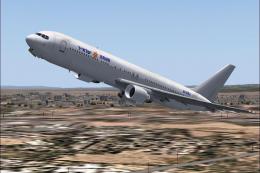
This is a paint for the new 767-300 that Israir leased for direct flights to …
 FS2004 Civil Jet Aircraft
The following download is compatible with Flight Simulator 2004. This downloa…
 FS2004 Civil Jet Aircraft
using iFDG's incredible 767-300 aircraft; registration TF-ARB. This is a very…
 FS2004 Civil Jet Aircraft
This freeware package features a fully integrated Air Pacific Boeing 767-300 …
 FS2004 Civil Jet Aircraft
This enhanced rendition of the iFDG Gmax Boeing 767-300 includes an Aeroflot …
 FS2004 Civil Jet Aircraft
Experience a finely rendered, twin-aisle jet that merges a polished exterior …
 FS2004 Civil Jet Aircraft
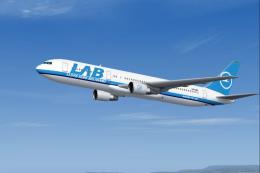
Enjoy a meticulously detailed Boeing 767-300 painted in the colors of Lloyd A…
Be the first to leave a comment on this download.
Be the first to share your thoughts on this download.