

 FS2004 Civil Jet Aircraft
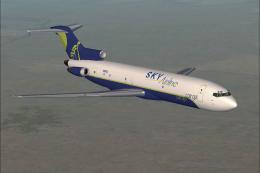
FS2004/2 Sky Airline Chile Boeing 737-200 CC-CTH
Model FFX. Very detailed, includes animated gear, flaps, thurst reversers & s…
SkyEurope Boeing 737-500 “Zsuzsanna Laky” (HA-LKO) brings authentic airline markings to AI traffic in FS2004, with crisp textures tuned for the AI Aardvark model. The package includes textures only and requires AIAFS9UP.ZIP, delivering a polished regional jetliner look for busy airport ramp and runway scenes.
 Rate
Rate
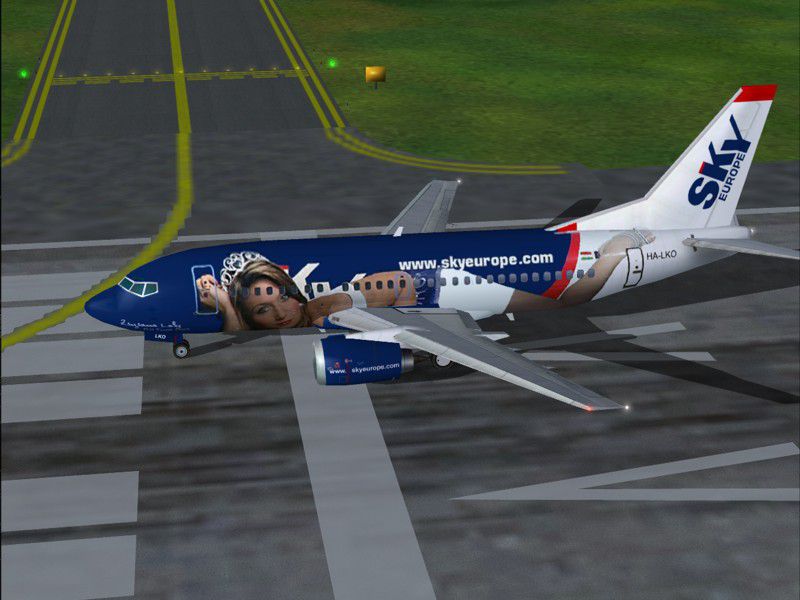
"Zsuzsanna Laky", registration HA-LKO. Textures only; requires AIAFS9UP.ZIP. Model by AI Aardvark. Livery by Lukasz Pluta. Original base textures by Vladko Fejes.
Screenshot of Sky Europe Boeing 737-500 on runway.
First of all, you need the model, so if you don't have it, download it from the ai-aardvark website.
Add the following to your aircraft.cfg file (xx is the next available number in your list of installed aircraft.
[fltsim.XX]

	title=AAV B735 Sky Europe Zsuzsanna Laky

	sim=aia_737_500

	model=no_refl

	panel=

	sound=

	texture=Sky Europe Zsuzsanna Laky

	atc_id=

	atc_airline=Relax

	atc_flight_number=

	atc_parking_codes=ESK

	atc_parking_types=GATE

	ui_manufacturer=AIA - Boeing

	ui_type=Boeing 737-500

	ui_variation=Sky Europe Zsuzsanna Laky

	description=AI Aardvark 737-500

	atc_id_color=0000000000

	visual_damage=0
Free for all simmers · 321.92 KB · Scanned clean Oct 2026
Download speed: Free tier is capped at 0.5 Mbps. PRO members download at full line speed.
This add-on may require the following files to function properly. If this is a repaint, the dependency below is likely the base aircraft package.
FS9\Aircraft\, FS9\Addon Scenery\, FS9\Gauges\, or FS9\Effects\.readme.txt or README file. It tells you exactly where files go, what dependencies are needed, and any quirks specific to this add-on.The archive ai753lko.zip has 6 files and directories contained within it.
This list displays the first 500 files in the package. If the package has more, you will need to download it to view them.
| Filename/Directory | File Date | File Size |
|---|---|---|
| AIA_737_500_l.bmp | 08.13.04 | 1.00 MB |
| AIA_737_500_t.bmp | 08.13.04 | 1.00 MB |
| zsuzanna1.jpg | 08.13.04 | 85.15 kB |
| readme.txt.txt | 08.13.04 | 1.21 kB |
| flyawaysimulation.txt | 10.29.13 | 959 B |
| Go to Fly Away Simulation.url | 01.22.16 | 52 B |
Only PRO members can place votes.
More FS2004 add-ons hand-picked based on this download.
FS2004 Civil Jet Aircraft
Model FFX. Very detailed, includes animated gear, flaps, thurst reversers & s…
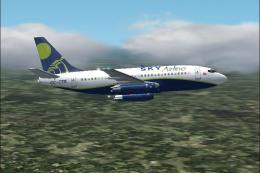 FS2004 Civil Jet Aircraft
This freeware Boeing 737-230 package combines authentic modeling, refined tex…
 FS2004 Civil Jet Aircraft
Air Europe Boeing 767-300ER (Volare Group). Milan Malpensa base textures by M…
 FS2004 Civil Jet Aircraft
Textures only. Model by Project Open Sky. Screenshot of Air Atlanta Europe Bo…
 FS2004 Civil Jet Aircraft
Brand new SST Europe series upgraded specifically for FS2004. Innovative conc…
 FS2004 Civil Jet Aircraft
Texture pak for Jon Murchison's AIS-AI Airbus Twins AI models. This pack feat…
 FS2004 Civil Jet Aircraft
Original model: Kevin Trinkle,Gary CarlsonnModifications and GMax design: Eri…
 FS2004 Civil Jet Aircraft
Features dynamic shine, wingview or virtual cockpit, opening doors, 3D flight…
Be the first to leave a comment on this download.
Be the first to share your thoughts on this download.