

 FSX Military Aircraft
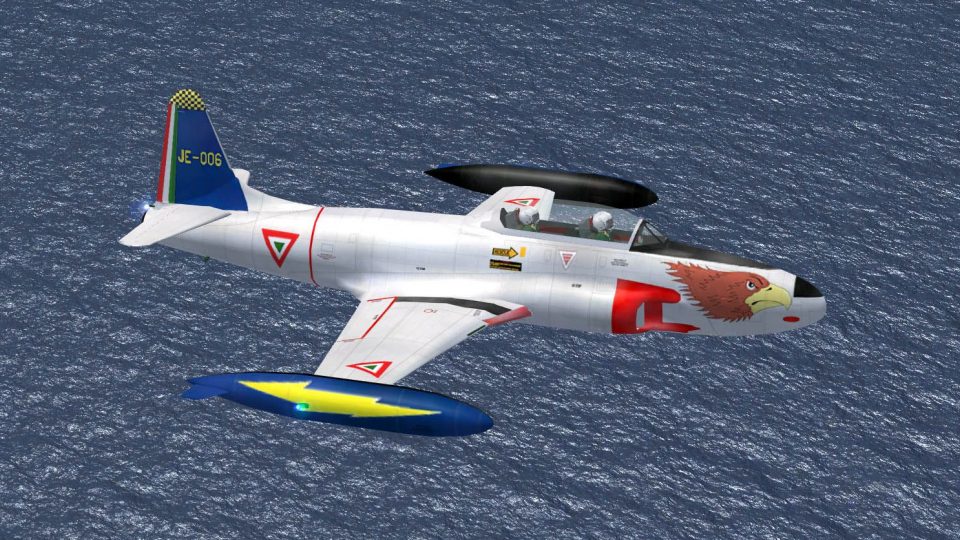
Lockheed T-33A Black Eagle Head
This freeware repaint brings the striking Fuerza Aérea Mexicana (FAM) black e…
Lockheed T-33A “Brown Eagle Head” livery brings a distinctive Fuerza Aerea Mexicana trainer look to Microsoft Flight Simulator X, featuring a stylized eagle motif and crisp, paint-kit-based detailing that complements the jet’s long-nose silhouette. Requires Massimo Taccoli’s T-33A base package plus the fix update for full compatibility.
 Rate
Rate
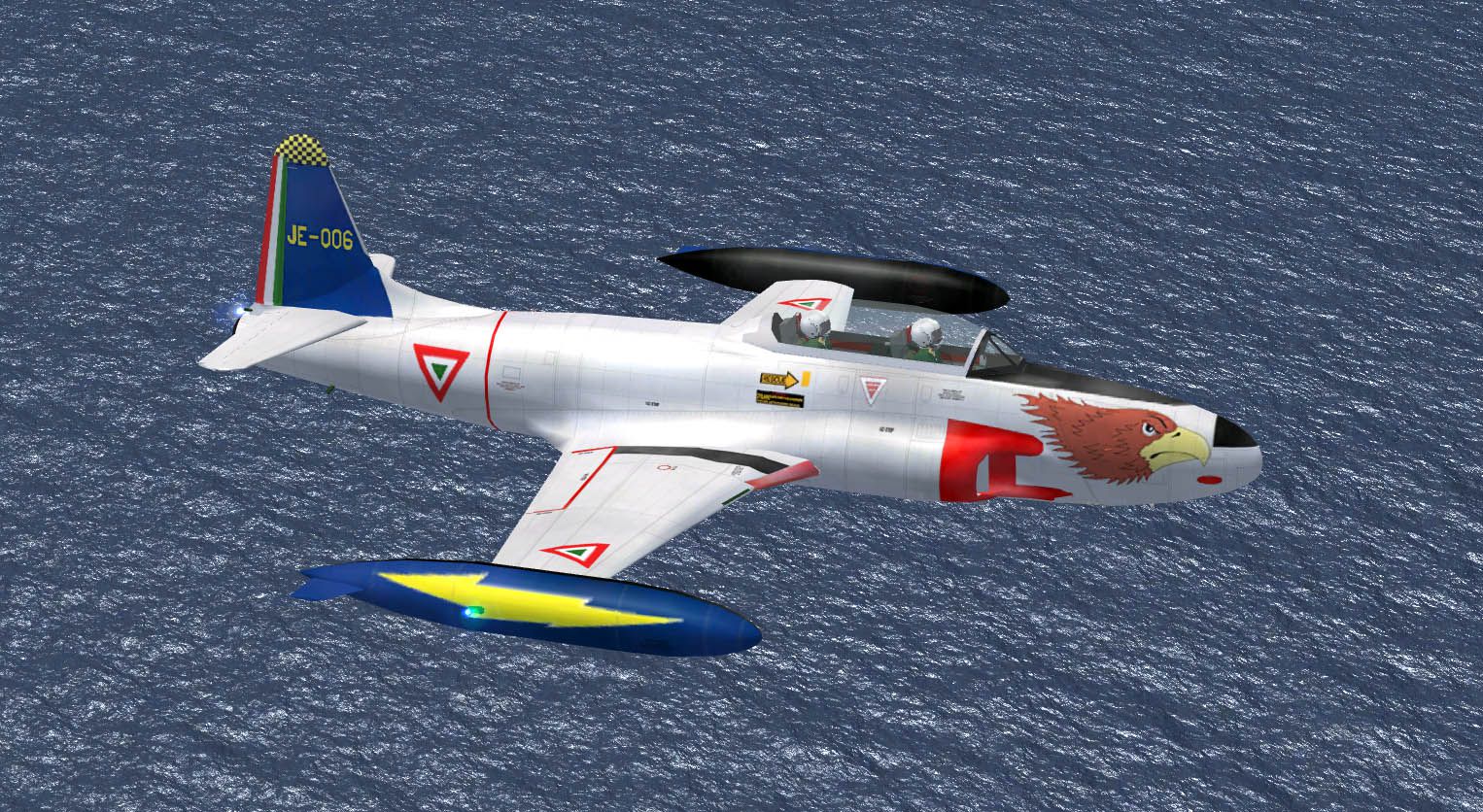
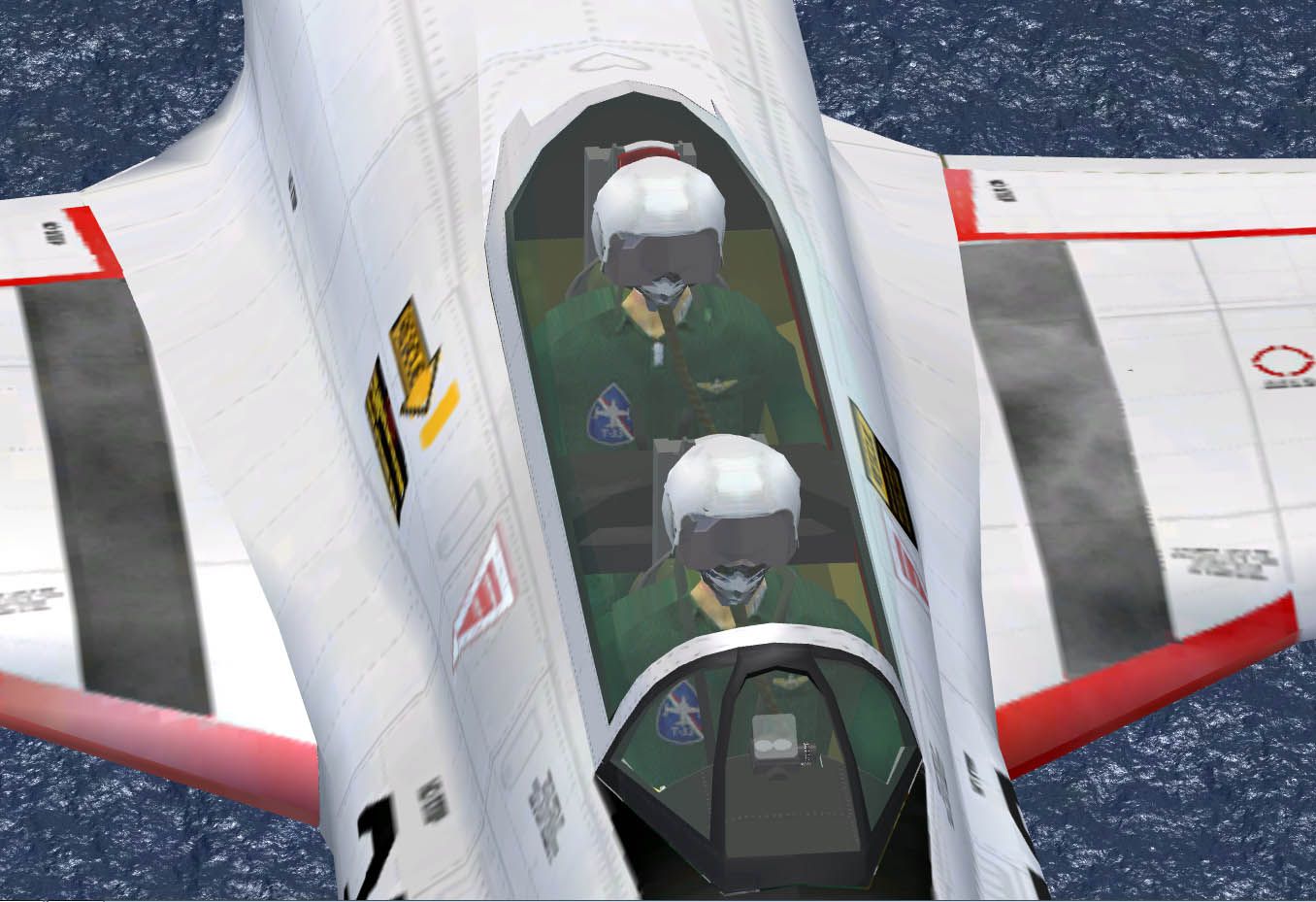
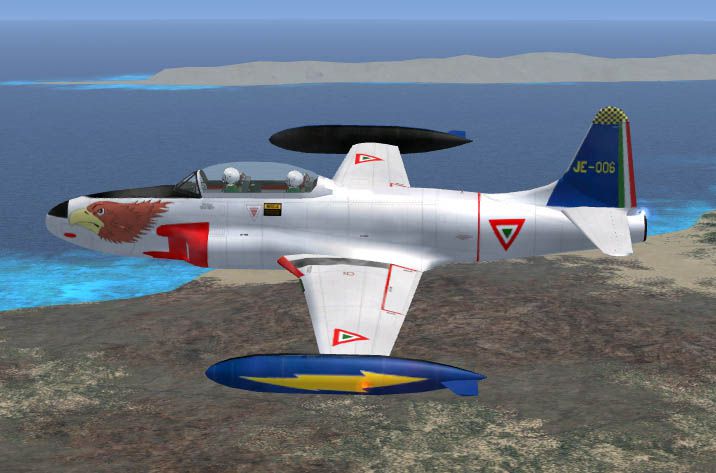
This Lockheed T-33A repaint delivers a customized “Brown Eagle Head” design representing the Fuerza Aerea Mexicana jet trainer fleet. This add-on is completely freeware and intended for Microsoft Flight Simulator X pilots seeking a distinctive Mexican Air Force theme. It requires the T-33A base package by Massimo Taccoli and a subsequent fix update. Designer Genaro Dominguez applied advanced detailing using Massimo Taccoli’s official paint kit, ensuring a crisp and authentic scheme that highlights the streamlined fuselage of this classic jet.
This livery features a stylized eagle head graphic with refined brown hues that wrap around the forward section. The chosen color palette accentuates the sleek contours of the T-33’s extended nose, originally introduced to accommodate a second cockpit seat. With the integrated texture set, you can appreciate the trainer’s heritage while enjoying a striking visual presence during formation flights or solo practice runs.
Screenshot of Lockheed T-33A in flight.
Before installing, be sure to have both T-33A_FSX.ZIP and FIX_FOR_T-33A_FS9_FSX.ZIP already in your sim folder. These files contain Massimo Taccoli’s core T-33A model and the crucial fixes that optimize the aircraft’s performance and visual accuracy in Microsoft Flight Simulator X. This repaint does not include the base model, so download the original release and fix from the Fly Away Simulation library before proceeding.
In your “aircraft.cfg” file, add the following lines. Adjust the “[fltsim.X]” index if needed to match your current entries:
[fltsim.4]

title = Lockheed T-33A FAM2

sim = T-33A

model =

panel =

sound =

texture = fam2

visual_damage = 1

kb_checklists =

kb_reference =

atc_heavy = 0

atc_airline = Air Force

atc_flight_number = 06

atc_id = fam06

atc_id_font = Verdana,-11,1,600,0

atc_id_color = 0x00000000

atc_parking_types = mil_combat

ui_manufacturer = Lockheed

ui_type = T-33A

ui_variation = Fuerza Aerea Mexicana.

ui_typerole = Jet trainer

ui_createdby = Massimo Taccoli

Description = Lockheed produced the T-33 “Shooting Star” by lengthening the F-80C’s fuselage to fit a second seat for training. First flown in 1948, it served globally in various air forces, including extensive service with the Mexican Air Force.
The T-33, often referred to as the “T-Bird,” emerged as a pivotal training platform during the early jet era. Its extended fuselage made room for dual controls, enabling new pilots to gain firsthand experience with higher-speed flight. Several nations adopted the T-33, reflecting its versatility and reliable handling. The example flown by Fuerza Aerea Mexicana served in roles ranging from pilot instruction to ancillary support duties.
This repaint stands on the shoulders of Massimo Taccoli’s T-33A model, with the paint kit forming the foundation for every texture detail. Special credit goes to Genaro Dominguez whose refinements and design choices brought this “Brown Eagle Head” scheme to life, providing a vibrant take on a historic jet trainer for modern simulation enthusiasts.
Free for all simmers · 1.6 MB · Scanned clean Oct 2026
Download speed: Free tier is capped at 0.5 Mbps. PRO members download at full line speed.
This file is a repaint — the package below is the base model it paints onto. Install it first, or the textures will have nothing to load onto.
texture.{airline}) inside FSX\SimObjects\Airplanes\{base-aircraft}\.aircraft.cfg in Notepad. Add a new [fltsim.X] section per the readme.readme.txt or README file. It tells you exactly where files go, what dependencies are needed, and any quirks specific to this add-on.The archive t-33fam_brown_eh.zip has 30 files and directories contained within it.
This list displays the first 500 files in the package. If the package has more, you will need to download it to view them.
| Filename/Directory | File Date | File Size |
|---|---|---|
| texture.fam2 | 04.20.12 | 0 B |
| $T-33vc_l | 01.17.11 | 1.00 MB |
| lights_L.bmp | 01.17.11 | 4.07 kB |
| lights_T.bmp | 01.17.11 | 4.07 kB |
| pilot_mil.bmp | 04.15.12 | 256.07 kB |
| pilot_mil_L.bmp | 01.17.11 | 1.07 kB |
| T-33_01_L.bmp | 01.17.11 | 1.07 kB |
| T-33_01_T.bmp | 04.17.12 | 1.00 MB |
| T-33_02_L.bmp | 01.17.11 | 1.07 kB |
| T-33_02_T.bmp | 04.17.12 | 1.00 MB |
| T-33_03_L.bmp | 01.17.11 | 1.07 kB |
| T-33_03_T.bmp | 01.17.11 | 1.00 MB |
| T-33_04_L.bmp | 01.17.11 | 1.07 kB |
| T-33_04_T.bmp | 01.17.11 | 1.00 MB |
| T-33_glass_L.bmp | 01.17.11 | 1.07 kB |
| T-33_glass_T.bmp | 01.17.11 | 64.07 kB |
| T-33_mwheel_L.bmp | 01.17.11 | 1.07 kB |
| T-33_mwheel_T.bmp | 01.17.11 | 16.07 kB |
| T-33_nwheel_L.bmp | 01.17.11 | 1.07 kB |
| t-33_nwheel_T.bmp | 01.17.11 | 16.07 kB |
| texture.cfg | 04.15.12 | 141 B |
| thumbnail.jpg | 04.17.12 | 31.27 kB |
| 1.jpg | 04.17.12 | 399.98 kB |
| 2.jpg | 04.17.12 | 73.34 kB |
| 3.jpg | 04.15.12 | 167.71 kB |
| file-id .txt | 04.20.12 | 248 B |
| léeme-readme.txt | 04.20.12 | 1011 B |
| thumbnail.jpg | 04.17.12 | 31.27 kB |
| flyawaysimulation.txt | 10.29.13 | 959 B |
| Go to Fly Away Simulation.url | 01.22.16 | 52 B |
Only PRO members can place votes.
More FSX & P3D add-ons hand-picked based on this download.
FSX Military Aircraft
This freeware repaint brings the striking Fuerza Aérea Mexicana (FAM) black e…
 FSX Military Aircraft
SP2/A Lockheed T-33A T-Bird Jet Training Aircraft revision A. Includes additi…
 FSX Military Aircraft
SP2/A Lockheed T-33A T-Bird Jet Training Aircraft. Developed from Lockheed's …
 FSX Military Aircraft
(SP2) Acceleration Lockheed T-33A T-Bird. A variant of Lockheed's F80 Shootin…
 FSX Military Aircraft
(SP2) Acceleration Lockheed RT-33A T-Bird. A variant of Lockheed's T-33A, RT-…
 FSX Military Aircraft
Two repaints for Tim Conrad's T-33 A to represent USAF front-line squadron 'h…
 FSX Military Aircraft
This freeware release recreates the Lockheed RT-33A photo reconnaissance vari…
 FSX Military Aircraft
This high-resolution repaint package brings the USAF Lockheed T-33A T-Bird in…
Be the first to leave a comment on this download.
Be the first to share your thoughts on this download.