

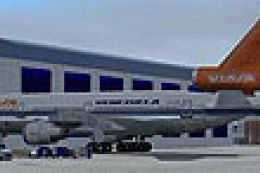
 FS2004 Civil Jet Aircraft
VIASA McDonnell Douglas DC-10-30 YV-137C
Textures only; requires SGA1030.ZIP. Model by FFX/SGA. Livery by Oscar Ortiz.…
VIASA’s McDonnell Airbus A300B4-200 livery brings YV-160C to life with era-accurate airline markings for classic Latin American routes in FS2004. Textures target the FFX/SGA A300B4-200 and requires SGAA3B42.ZIP, pairing clean exterior detail with a compatible virtual cockpit experience for authentic widebody operations.
 Rate
Rate
Textures only; requires SGAA3B42.ZIP. Model by FFX/SGA. Livery by Oscar Ortiz.
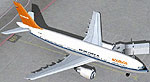
Screenshot of VIASA McDonnell Airbus A300B4-200 on the ground.
Installation:
Just put the folder "texture.viasa" in the folder of your FFX/SGA Airbus A300B4-200 model. Then, using wordpad open the aircraft.cfg and include the following lines:
[fltsim.x]

	title=SGA A300B4-203 Viasa

	sim=a310

	model=

	panel=

	sound=

	texture=viasa

	kb_checklists=

	kb_reference=

	ui_manufacturer=Airbus

	ui_type=A300

	ui_variation=A300B4-203 VIASA

	visual_damage=0

	description=Originally delivered to Luftansa as D-AIBA, After some short term leases it was leased to VIASA in 1987. Common destinations for this A300 were Houston, Miami, New York, and Porlamar. In 1995 leasing finished and the aircraft was retired from VIASA's fleet. It currently flies as a Freighter for Tradewinds as N501TR

	atc_heavy=1

	atc_id=YV-160C

	atc_airline=VIASA

	atc_flight_number=7740

	atc_parking_types=GATE
Free for all simmers · 451.85 KB · Scanned clean Oct 2026
Download speed: Free tier is capped at 0.5 Mbps. PRO members download at full line speed.
This add-on may require the following files to function properly. If this is a repaint, the dependency below is likely the base aircraft package.
FS9\Aircraft\, FS9\Addon Scenery\, FS9\Gauges\, or FS9\Effects\.readme.txt or README file. It tells you exactly where files go, what dependencies are needed, and any quirks specific to this add-on.The archive v30095oo.zip has 13 files and directories contained within it.
This list displays the first 500 files in the package. If the package has more, you will need to download it to view them.
| Filename/Directory | File Date | File Size |
|---|---|---|
| EULA.doc | 02.13.04 | 28.00 kB |
| A300_A_T.BMP | 02.24.04 | 1.00 MB |
| A300_B_T.BMP | 06.28.04 | 1.00 MB |
| ENGINES_T.BMP | 10.08.04 | 1.00 MB |
| A300_B_L.BMP | 02.09.04 | 256.07 kB |
| ENGINES_L.BMP | 02.09.04 | 64.07 kB |
| WINGS_L.BMP | 02.09.04 | 64.07 kB |
| WINGS_T.BMP | 02.09.04 | 1.00 MB |
| A300_A_L.BMP | 02.09.04 | 256.07 kB |
| texture.viasa | 10.09.04 | 0 B |
| readme.txt | 10.09.04 | 1.18 kB |
| flyawaysimulation.txt | 10.29.13 | 959 B |
| Go to Fly Away Simulation.url | 01.22.16 | 52 B |
Only PRO members can place votes.
More FS2004 add-ons hand-picked based on this download.
FS2004 Civil Jet Aircraft
Textures only; requires SGA1030.ZIP. Model by FFX/SGA. Livery by Oscar Ortiz.…
 FS2004 Civil Jet Aircraft
This is one of the B727's painted like this when Iberia bought Viasa. Model u…
 FS2004 Civil Jet Aircraft
Textures only for the SGA Airbus A300B4-200 (SGAA3B42.ZIP). Repaint by Carlos…
 FS2004 Civil Jet Aircraft
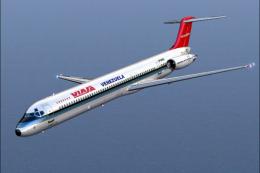
Viasa used these planes in routes to the Caribbean and Florida from Caracas-M…
 FS2004 Civil Jet Aircraft
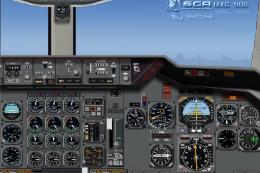
A repaint of the DC10-30 Gmax model made by FFX/SGA. Textures by Adalberto Pe…
 FS2004 Civil Jet Aircraft
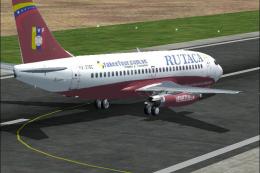
Rutaca (Venezuelan domestic airline) B737-300, registration YV-216C, with the…
 FS2004 Civil Jet Aircraft
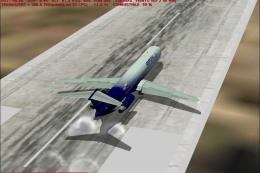
Aeropostal Douglas DC-9-51 (new image), registration YV-14C; fictional. Model…
 FS2004 Civil Jet Aircraft
The new addition to the SGA fleet, the Airbus A300B4-200 is loaded with featu…
Be the first to leave a comment on this download.
Be the first to share your thoughts on this download.