

 FS2004 Civil Jet Aircraft
Jetstar Airbus A320 Repaint
A repaint of FSPainter's Airbus A320 into the new Jetstar livery. Also includ…
Jetstar Airways’ Airbus A320-200 livery brings the low-cost Qantas Group look to FSPainter’s A320 with IAE engines, crisp markings, and optimized texture sizing for smooth performance. Designed for FS2004, it requires the FSPainter A320 base model and includes authentic registration and airline details for believable AI or user flights.
 Rate
Rate
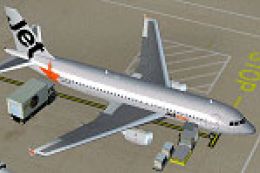
Jetstar A320-200 (IAE). A repaint of FSPainter's Airbus A320 aircraft in the Jetstar livery; Jetstar is the low-cost arm of Qantas Airways. The textures are Ben Jones', but have been reduced in size to fit the FSP model. By Will Gaisford.

Screenshot of Jetstar Airbus A320-200 in the air.
Simply place "texture.jst" into your FSP A320 folder of your aircraft directory. Then copy and paste the following to your aircraft.cfg:
[fltsim.XX] (replace XX with the next number in the sequence)

	title=FSP A320 - JST

	sim=fsp_a320

	model=v25

	panel=

	sound=

	texture=JST

	kb_checklists=

	kb_reference=

	atc_id=VH-JQG

	atc_id_color=0xffffffff

	atc_airline=JETSTAR

	atc_flight_number=1123

	ui_manufacturer=FSPainter'S

	ui_type=Airbus A320

	ui_variation=Jetstar

	description=Ben Jones' Jetstar livery for FSP's A320.

	atc_parking_types=GATE

	atc_parking_codes=JST
Hope you enjoy!
Free for all simmers · 211.27 KB · Scanned clean Oct 2026
Download speed: Free tier is capped at 0.5 Mbps. PRO members download at full line speed.
FS9\Aircraft\, FS9\Addon Scenery\, FS9\Gauges\, or FS9\Effects\.readme.txt or README file. It tells you exactly where files go, what dependencies are needed, and any quirks specific to this add-on.The archive fs320jts.zip has 6 files and directories contained within it.
This list displays the first 500 files in the package. If the package has more, you will need to download it to view them.
| Filename/Directory | File Date | File Size |
|---|---|---|
| readme.txt | 10.21.04 | 1.34 kB |
| fsp_a320v25_l.bmp | 11.22.02 | 1.00 MB |
| fsp_a320v25_t.bmp | 10.14.04 | 1.00 MB |
| texture.JST | 10.21.04 | 0 B |
| flyawaysimulation.txt | 10.29.13 | 959 B |
| Go to Fly Away Simulation.url | 01.22.16 | 52 B |
Only PRO members can place votes.
More FS2004 add-ons hand-picked based on this download.
FS2004 Civil Jet Aircraft
A repaint of FSPainter's Airbus A320 into the new Jetstar livery. Also includ…
 FS2004 Civil Jet Aircraft
iFDG is proud to present the Airbus A320. The aircraft model includes most of…
 FS2004 Civil Jet Aircraft
Texture Pak for Jon Murchison's AIS-AI Airbus Twins AI models. This pack feat…
 FS2004 Civil Jet Aircraft
Airbus A320-200 CFM56-5B4 CFM, a compilation of the best A320 modules. Compil…
 FS2004 Civil Jet Aircraft
Here is one of the first attempts to produce accurate Airbus A320-200 dynamic…
 FS2004 Civil Jet Aircraft
This is an auto-installer for FS2004 by FSAG. No other files are needed for i…
 FS2004 Civil Jet Aircraft
This is an auto-installer for FS2004 by FSAG. No other files are needed for i…
 FS2004 Civil Jet Aircraft
regnr PH-MPD This 180 seats aircraft is one of two aircrafts from SALES, mode…
Be the first to leave a comment on this download.
Be the first to share your thoughts on this download.