

 FS2004 Civil Jet Aircraft
ATI Douglas DC-9-32 1975
This repaint package offers a detailed Aero Trasporti Italiani livery, recrea…
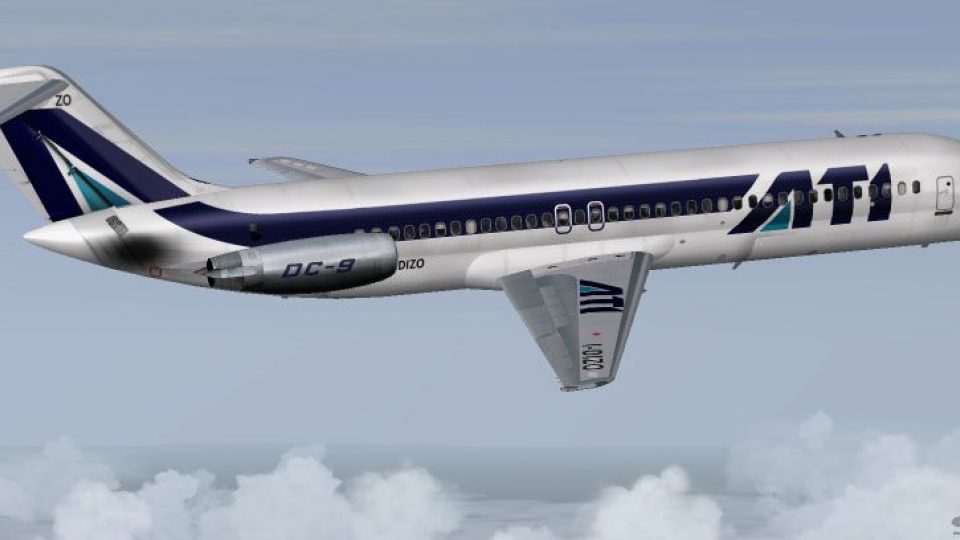
Aero Trasporti Italiani’s 1986 Douglas DC-9-32 livery brings classic Italian regional jet ops to FS2004 with crisp airline markings, period-correct colors, and carefully matched airframe details for the JT8D-powered Series 30. Textures by Frank Idone require the SGA Douglas DC-9 base model to fly.
 Rate
Rate
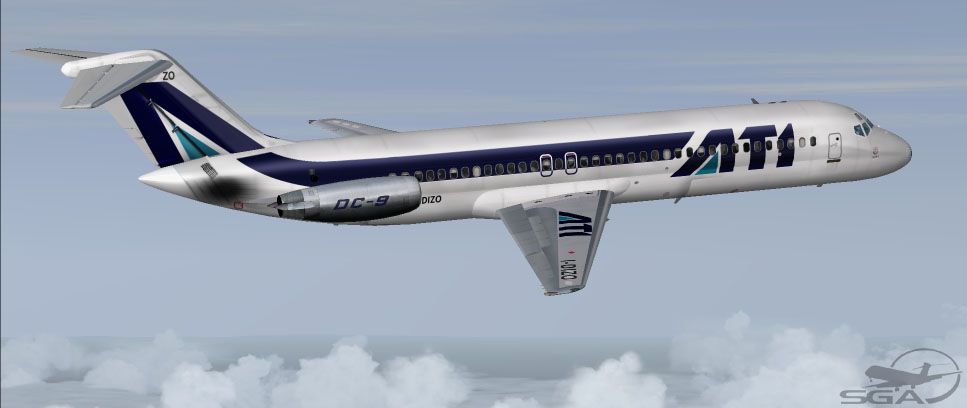
This repaint package brings the iconic Aero Trasporti Italiani (ATI) Douglas DC-9-32 from 1986 into Microsoft Flight Simulator 2004. It adds authentic Italian carrier markings and a meticulously detailed fuselage design. Developed by SGA and repainted by Frank Idone, this texture archive will enhance your virtual hangar with a faithful representation of a short-to-medium-range jet that once served numerous routes across Italy and neighboring countries.
Above: ATI Douglas DC-9-32, presented with historical fidelity.
To integrate these textures into your simulator:
[fltsim.XX]
title=SGA DC-9-30 ATI 86
sim=SGA DC9_30
model=
panel=
sound=
texture=ati86
checklists=
atc_id=I-DIZO
atc_id_color=
atc_airline=ATI
atc_flight_number=478
ui_manufacturer=McDonnell Douglas
ui_type=DC-9-32
ui_variation=Aero Trasporti Italiani (1986)
description=DC-9 repainted by Frank Idone.\n\nThe Series 30 DC-9 was introduced in February 1967 to leverage short-field operations. It was the most popular variant, comprising roughly 60% of the total DC-9 fleet. Various JT8D engine options were available, including the JT8D-7, JT8D-9, JT8D-11, and JT8D-15.\n\nTextures only; base model by SGA is required.
visual_damage=0
atc_heavy=0
atc_id_font=Verdana,-11,1,600,0
atc_parking_codes=
atc_parking_types=GATE,RAMP
Aero Trasporti Italiani’s DC-9 operations highlight the aircraft’s reliable nature for regional segments. This livery not only delivers a historic snapshot into 1980s European aviation, but also showcases the Series 30’s extended fuselage length and its impressively smooth handling under short-haul conditions. For pilots looking to recreate classic routes within Microsoft Flight Simulator 2004, this repaint offers a period-accurate aesthetic, complete with the airline’s distinctive visual touches.
These “textures only” files do not contain the main DC-9 model. You must acquire the freeware base package by SGA from the Fly Away Simulation repository. Then, follow the steps listed above to finalize installation of this ATI DC-9-32 repaint. Once installed, you can immerse yourself in vintage Italian aviation with a wonderfully nuanced repaint by Frank Idone.
Free for all simmers · 2.69 MB · Scanned clean Oct 2026
Download speed: Free tier is capped at 0.5 Mbps. PRO members download at full line speed.
FS9\Aircraft\, FS9\Addon Scenery\, FS9\Gauges\, or FS9\Effects\.readme.txt or README file. It tells you exactly where files go, what dependencies are needed, and any quirks specific to this add-on.The archive d932ati2.zip has 23 files and directories contained within it.
This list displays the first 500 files in the package. If the package has more, you will need to download it to view them.
| Filename/Directory | File Date | File Size |
|---|---|---|
| TEXTURE.ati86 | 10.27.04 | 0 B |
| 30FUSE_L.BMP | 10.27.04 | 1.00 MB |
| 30FUSE_T.BMP | 10.24.04 | 4.00 MB |
| CONE_L.BMP | 08.08.03 | 5.43 kB |
| CONE_T.BMP | 08.08.03 | 5.43 kB |
| DC9xINTERIOR_L.BMP | 05.19.04 | 256.07 kB |
| DC9xINTERIOR_T.BMP | 01.28.04 | 1.00 MB |
| DC9_B_L.BMP | 05.19.04 | 256.07 kB |
| DC9_B_T.BMP | 10.24.04 | 4.00 MB |
| ENGINES_L.BMP | 05.19.04 | 256.07 kB |
| ENGINES_T.BMP | 10.24.04 | 1.00 MB |
| INTAKE_L.bmp | 08.08.03 | 5.43 kB |
| INTAKE_t.BMP | 08.10.03 | 42.78 kB |
| WING_LEFT_L.BMP | 05.19.04 | 256.07 kB |
| WING_RIGHT_L.BMP | 05.19.04 | 256.07 kB |
| Install.txt | 10.30.04 | 2.33 kB |
| Ati30.jpg | 10.30.04 | 52.44 kB |
| file_id.diz | 10.30.04 | 129 B |
| SGA DC-9 Readme.pdf | 09.23.04 | 153.00 kB |
| WING_LEFT_T.BMP | 10.30.04 | 1.00 MB |
| WING_RIGHT_T.BMP | 10.30.04 | 1.00 MB |
| flyawaysimulation.txt | 10.29.13 | 959 B |
| Go to Fly Away Simulation.url | 01.22.16 | 52 B |
Only PRO members can place votes.
More FS2004 add-ons hand-picked based on this download.
FS2004 Civil Jet Aircraft
This repaint package offers a detailed Aero Trasporti Italiani livery, recrea…
 FS2004 Civil Jet Aircraft
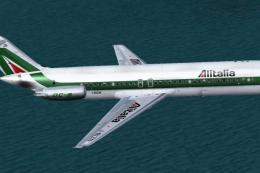
Elevate your Microsoft Flight Simulator 2004 collection with an intricately r…
 FS2004 Civil Jet Aircraft
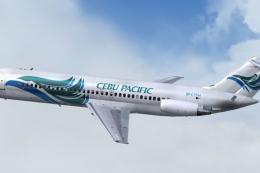
This freeware repaint offers Cebu Pacific’s distinctive Douglas DC-9-32 textu…
 FS2004 Civil Jet Aircraft
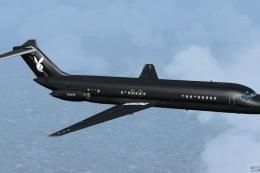
This freeware repaint offers a specialized Playboy livery for the iconic Doug…
 FS2004 Civil Jet Aircraft
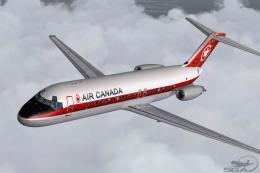
This freeware repaint showcases Air Canada's 1967 Douglas DC-9-32 livery, met…
 FS2004 Civil Jet Aircraft
Textures only for the Jet City DC9-32 model in Aerocaribe's colors. DXT 3 non…
 FS2004 Civil Jet Aircraft
JAT Douglas DC-9-32 AJK. The SGA DC9-32 in the colors of JAT (Yugoslav Airlin…
 FS2004 Civil Jet Aircraft
This repaint has been crafted for enthusiasts running Microsoft Flight Simula…
Be the first to leave a comment on this download.
Be the first to share your thoughts on this download.