

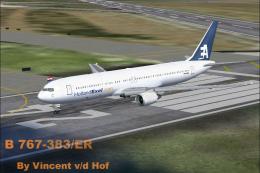
 FS2004 Civil Jet Aircraft
Holland Exel Boeing 767-383ER PH-AHQ
This package provides a faithful representation of Holland Exel’s Boeing 767-…
Holland Exel’s distinctive Boeing 767-300 charter colors arrive for FS2004 in a performance-friendly AI traffic repaint, capturing the Dutch operator’s short-lived wide-body presence on medium and long-haul routes. Designed for AI Aardvark’s 767-300PW with efficient LODs for busy airports, it requires the AI Aardvark base model.
 Rate
Rate
This freeware repaint package for FS2004 brings the distinctive Holland Exel Boeing 767-300 livery to your virtual hangar. Holland Exel was once a Dutch charter operator that briefly utilized wide-body 767-300 jets for various medium to long-haul routes in and out of the Netherlands. This repaint is designed exclusively for AI Aardvark’s Boeing 767-300 (PW) model and showcases a balanced approach for both visual fidelity and performance efficiency. Note that this download only contains the textures and requires the base model, which can be found in the Fly Away Simulation file library.
Original Aircraft Model: AI Aardvark
Livery Repaint: Jasper Hesselink
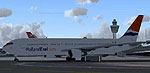
Visual preview of the Holland Exel Boeing 767-300 standing at the terminal gate.
[fltsim.x] section into your aircraft.cfg file, ensuring that each new entry is properly numbered.By default, this repaint serves a non-reflective setup. If you want to activate the reflective model, adjust the model=no_refl line found in the aircraft.cfg to model=reflective. Keep in mind that this specific texture does not incorporate a reflective channel, so there will be no visible difference on the aircraft’s exterior, regardless of which MDL format you choose.
The creators structured this aircraft primarily for AI traffic scenarios. The model’s geometry takes advantage of multiple LOD (Level of Detail) iterations to minimize performance hits when large quantities of traffic are present simultaneously. With six distinct LOD stages, the 3D mesh will efficiently reduce polygon counts the farther away it is from the camera view, reducing the load on your computer’s hardware. If you have previously encountered AI aircraft that significantly hamper frame rates, they likely did not implement comprehensive LOD management.
The flight dynamics included here are optimized for automated airport operations. The aircraft will execute swift takeoffs, land reliably on the runway touchdown zone, and vacate quickly so that additional AI flights can proceed as intended. These settings may appear more abrupt than behavior you might expect when piloting manually. If you prefer more float or a lengthier landing roll, you can selectively modify performance variables like cruise lift, parasite drag, and induced drag under the [flight_tuning] section of aircraft.cfg.
The overall result is a carefully balanced repaint that merges the identity of Holland Exel’s short-lived yet striking Boeing 767-300 fleet with AI Aardvark’s well-regarded model, repainted by Jasper Hesselink. Enthusiasts aiming to populate their airports with authentic Dutch charter traffic will benefit from installing this repaint package and pairing it with the required freeware base model.
Free for all simmers · 591.31 KB · Scanned clean Oct 2026
Download speed: Free tier is capped at 0.5 Mbps. PRO members download at full line speed.
FS9\Aircraft\, FS9\Addon Scenery\, FS9\Gauges\, or FS9\Effects\.readme.txt or README file. It tells you exactly where files go, what dependencies are needed, and any quirks specific to this add-on.The archive ai76holx.zip has 12 files and directories contained within it.
This list displays the first 500 files in the package. If the package has more, you will need to download it to view them.
| Filename/Directory | File Date | File Size |
|---|---|---|
| AIA_767-300PW HollandExel | 11.22.04 | 0 B |
| AIA HollandExel 767-300_README.txt | 11.22.04 | 3.95 kB |
| texture.hxl | 11.22.04 | 0 B |
| AIA_767_300_PW_L.bmp | 10.10.03 | 256.07 kB |
| AIA_767_300_PW_T.bmp | 11.22.04 | 1.33 MB |
| Thumbs.db | 11.18.04 | 13.00 kB |
| texture.hxl mcv | 11.22.04 | 0 B |
| aia_767_300_pw_L.bmp | 10.10.03 | 256.07 kB |
| AIA_767_300_PW_T.bmp | 11.22.04 | 1.33 MB |
| [fltsim.x].txt | 11.22.04 | 867 B |
| flyawaysimulation.txt | 10.29.13 | 959 B |
| Go to Fly Away Simulation.url | 01.22.16 | 52 B |
Only PRO members can place votes.
More FS2004 add-ons hand-picked based on this download.
FS2004 Civil Jet Aircraft
This package provides a faithful representation of Holland Exel’s Boeing 767-…
 FS2004 Civil Jet Aircraft
This add-on provides an FS2004-compatible AI repaint featuring the Dutch Cari…
 FS2004 Civil Jet Aircraft
Repaints of two of the default aircraft by Nils Lips. Screenshot of KLM Acade…
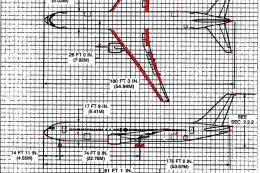 FS2004 Civil Jet Aircraft
The following download is compatible with Flight Simulator 2004. This downloa…
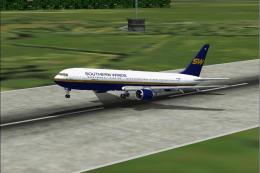 FS2004 Civil Jet Aircraft
using iFDG's incredible 767-300 aircraft; registration TF-ARB. This is a very…
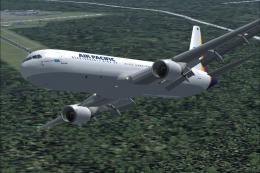 FS2004 Civil Jet Aircraft
This freeware package features a fully integrated Air Pacific Boeing 767-300 …
 FS2004 Civil Jet Aircraft
This enhanced rendition of the iFDG Gmax Boeing 767-300 includes an Aeroflot …
 FS2004 Civil Jet Aircraft
Experience a finely rendered, twin-aisle jet that merges a polished exterior …
Be the first to leave a comment on this download.
Be the first to share your thoughts on this download.