

 FS2004 Civil Jet Aircraft
Condor Boeing 727-200 D-ABWI Clean
This fully featured freeware release brings a meticulously recreated Boeing 7…
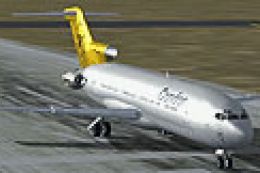
Condor Flugdienst’s D-ABWI Boeing 727-200 brings late-1980s charter atmosphere to Microsoft Flight Simulator 2004 with a period-correct 1989 “dirt look” paint that highlights real-world wear and grime. The package includes the full tri-jet model plus default panel and sounds for an authentic classic-airliner experience.
 Rate
Rate
Experience a classic tri-jet airliner recreated with a distinctive 1989 Condor Flugdienst paint scheme. This freeware package for Microsoft Flight Simulator 2004 comes with a custom “dirt look” livery on the Boeing 727-200, delivering an aesthetic that captures the era’s operational wear. The model originates from the skilled work of Erick Cantu, while the livery is crafted by Dirk Kiefer. This release arrives with default panel and sound, ensuring immediate deployment in your virtual hangar without additional configuration.
The Boeing 727-200 stands out as an advanced narrow-body jet featuring three rear-mounted engines and a T-tail design. It debuted in commercial service during the 1960s and gained popularity for operating short to medium routes efficiently. Its characteristic tri-engine layout provided extra thrust during climb and balanced performance across multiple flight levels. Many carriers, such as Condor, embraced this platform for routine connectivity, and it remained in production until the mid-1980s with numerous variants.
This repaint depicts Condor Flugdienst’s 1989 external markings, presenting realistic wear, scuffs, and grime (commonly described as “dirt look”). The attention to detail on leading edges and along the fuselage imitates the genuine lived-in state of an aircraft that served thousands of flight hours. You will notice subtle shading around flight surfaces, demonstrating an immersive representation of classic European charter operations.
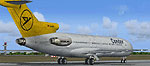
Screenshot of Condor Boeing 727-200 on the ground.
All vital installation elements are integrated, including default avionics and cockpit sounds for a straightforward experience. No third-party downloads are required. Below, you can review the aircraft’s configuration details embedded within the package:
[fltsim.0]
title=Vistaliners Boeing 727-200 Condor Flugdienst 1989 (dirt look)
sim=B727200A_VL
model=
panel=
sound=
texture=condor89dirt
atc_id=D-ABWI
atc_heavy=0
atc_flight_number=722
atc_airline=Condor
ui_manufacturer=Boeing
ui_type=727-200
ui_variation=Condor Flugdienst 1989 Dirt look
description=One of the most successful commercial jet airliners ever designed. Production totaled 1,831 aircraft between 1963 and 1984.

Dedicated to my dearest friend Rachel, for always being there, for keeping me sane (dare I say alive), without whom this release could very well have never happened.

Thank You.
visual_damage=1
atc_id_color=0x00000000
atc_id_font=Verdana,-11,1,600,0
This Boeing 727-200 release accurately illustrates Condor’s transitional phase around the late 1980s and offers a snapshot of commercial aviation history. Enthusiasts enjoy the iconic tri-engine design and the faithful visual representation of an aircraft that once shaped European travel under the Condor banner.
Free for all simmers · 4.65 MB · Scanned clean Oct 2026
Download speed: Free tier is capped at 0.5 Mbps (this file takes approximately 1 min at the cap). PRO members download at full line speed.
FS9\Aircraft\, FS9\Addon Scenery\, FS9\Gauges\, or FS9\Effects\.readme.txt or README file. It tells you exactly where files go, what dependencies are needed, and any quirks specific to this add-on.The archive 727condi.zip has 22 files and directories contained within it.
This list displays the first 500 files in the package. If the package has more, you will need to download it to view them.
| Filename/Directory | File Date | File Size |
|---|---|---|
| 727 readme.pdf | 11.17.04 | 223.69 kB |
| Aircraft.cfg | 12.08.04 | 11.65 kB |
| B727200A_VL.air | 11.07.04 | 8.44 kB |
| B727200_VL.air | 11.07.04 | 8.44 kB |
| model | 12.08.04 | 0 B |
| B727200.mdl | 11.16.04 | 2.31 MB |
| model.cfg | 10.18.04 | 24 B |
| Painter Readme.txt | 12.08.04 | 234 B |
| panel | 12.08.04 | 0 B |
| panel.cfg | 08.20.04 | 32 B |
| sound | 12.08.04 | 0 B |
| sound.cfg | 08.20.04 | 32 B |
| texture.condor89dirt | 12.08.04 | 0 B |
| B727_A_L.BMP | 11.24.04 | 256.07 kB |
| B727_A_T.bmp | 12.06.04 | 4.00 MB |
| B727_B_L.BMP | 11.24.04 | 256.07 kB |
| B727_B_T.bmp | 12.06.04 | 4.00 MB |
| B727_C_L.BMP | 11.17.04 | 256.07 kB |
| B727_C_T.BMP | 12.06.04 | 4.00 MB |
| 727ConDi | 12.08.04 | 0 B |
| flyawaysimulation.txt | 10.29.13 | 959 B |
| Go to Fly Away Simulation.url | 01.22.16 | 52 B |
Only PRO members can place votes.
More FS2004 add-ons hand-picked based on this download.
FS2004 Civil Jet Aircraft
This fully featured freeware release brings a meticulously recreated Boeing 7…
 FS2004 Civil Jet Aircraft
Registration D-ABWI, circa 1978. Vistaliners B727-200 in Condor Flugdienst ci…
 FS2004 Civil Jet Aircraft
This freeware Condor Boeing 757-200 package for FS2004 features two distinct …
 FS2004 Civil Jet Aircraft
Model by Project Open Sky. Repainted by Leon van Leeuwen. Screenshot of Condo…
 FS2004 Civil Jet Aircraft
This add-on presents a classic Condor Flugdienst Boeing 767-300, registration…
 FS2004 Civil Jet Aircraft
This freeware enhancement adds a detailed Condor-themed Boeing 757-300 to Mic…
 FS2004 Civil Jet Aircraft
Includes detailed and accurate model recreating the A300B4 in all its prestig…
 FS2004 Civil Jet Aircraft
Condor Airbus A310-304 white, registration D-AICP. By Harald Nehring and Fran…
Be the first to leave a comment on this download.
Be the first to share your thoughts on this download.