

 FSX Panels & Gauges
SMS Overland Airbus A330/A340 Gauge Upgrade Fix
For use with SMS_A330_A340_GAUGE_UPGRADE_V2.ZIP Includes fixed 2D panel. By D…
Overland SMS Airbus A330 cockpit gauges run correctly with this targeted upgrade fix for FSX, resolving conflicts caused by similarly named cab files used by other Airbus panels. It supports safe placement in the aircraft’s panel folder or simple renaming for the main Gauges directory, and requires SMS_A330_GAUGE_UPDATE.ZIP.
 Rate
Rate
For use with SMS_A330_GAUGE_UPDATE.ZIP. By Dimitrios Moschos.
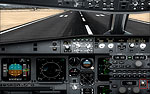
Screenshot of Overland SMS Airbus A330 cockpit.
When installing the gauges, if you are already using the other authors' (Stefan Liebe, pa etc.) original files for other aircraft (e.G. Cab."A32x" for pa A320 series, cab. "_nd" for pa A380 etc.) and you have already placed these gauges to the main fsx gauges folder, then you must not put the gauges provided with my package for overland sms into the same folder, I.E. The main FSX gauges folder. This is because I do not include all the parts of the above gauges with my package, but rather only the necessary ones, modified to work with overland airbuses and thus, having the same name with the originals, the computer will ask you if you wish to over-wright, which (if you do so) in effect will cause malfunction of the original gauges to the aircraft originally intended to be used (the pfd to the pa a320, the nd to the pa a380 etc.).
So the alternatives are:
Sorry for any inconvenience that my omission in the installation of the gauges (as mentioned above) may have caused to you and your simulator.
Free for all simmers · 7.9 KB · Scanned clean Oct 2026
Download speed: Free tier is capped at 0.5 Mbps. PRO members download at full line speed.
This add-on may require the following files to function properly. If this is a repaint, the dependency below is likely the base aircraft package.
FSX\SimObjects\Airplanes\{aircraft}\panel\. Back up the existing panel folder first.readme.txt or README file. It tells you exactly where files go, what dependencies are needed, and any quirks specific to this add-on.The archive fix_for_overland_sms_a330_and_a340_upgrade.zip has 5 files and directories contained within it.
This list displays the first 500 files in the package. If the package has more, you will need to download it to view them.
| Filename/Directory | File Date | File Size |
|---|---|---|
| panel _FOR A330.cfg | 04.19.12 | 9.14 kB |
| panel _FOR A340-300.cfg | 04.19.12 | 9.23 kB |
| READ ME.txt | 04.19.12 | 2.42 kB |
| flyawaysimulation.txt | 10.29.13 | 959 B |
| Go to Fly Away Simulation.url | 01.22.16 | 52 B |
Only PRO members can place votes.
More FSX & P3D add-ons hand-picked based on this download.
FSX Panels & Gauges
For use with SMS_A330_A340_GAUGE_UPGRADE_V2.ZIP Includes fixed 2D panel. By D…
 FSX Panels & Gauges
This fixes several problems found on the first package and adds a few more fe…
 FSX Panels & Gauges
Overland SMS has a popular large Airbus series. With this package the panel a…
 FSX Panels & Gauges
Overland SMS has a popular large Airbus series. With this package their A340-…
 FSX Panels & Gauges
For use with SMS_A330_A340_GAUGE_UPGRADE_V2.ZIP. This is a fix for v2 of the …
 FSX Panels & Gauges
This freeware add-on offers a refined V-speed gauge that calculates V1, Vr, a…
FSX Panels & Gauges
Automated screen checklist for the Project Airbus A380 with the use of Tom Ru…
FSX Panels & Gauges
This freeware package adds new V(S)TOL and hover features to the V-22 Osprey.…
Be the first to leave a comment on this download.
Be the first to share your thoughts on this download.