

 FSX General Aviation Aircraft
Christen Eagle II LV-RBW
This high-visibility repaint offers a fully red texture set crafted for the I…
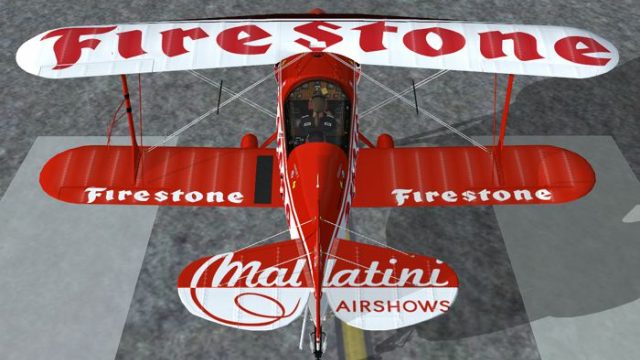
Red-and-white Christen Eagle II livery LV-RBW brings an Argentine-registered, airshow-ready look to a classic aerobatic biplane, with crisp striping that stands out in external views and the virtual cockpit. Built for Microsoft Flight Simulator X, it requires the IRIS Christen Eagle II payware package and includes accurate registration markings for authentic display flying.
 Rate
Rate
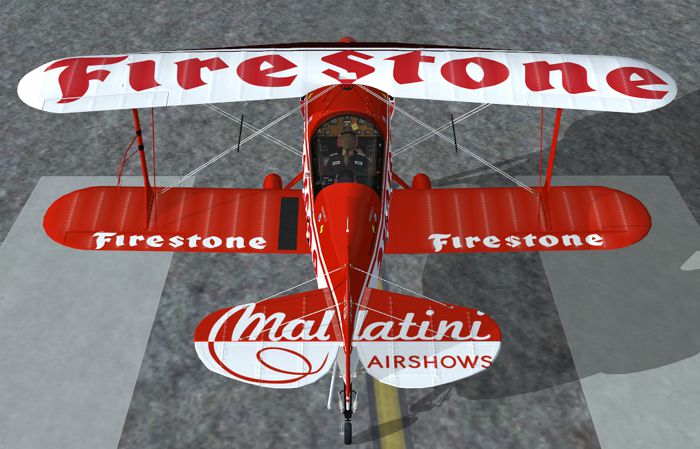
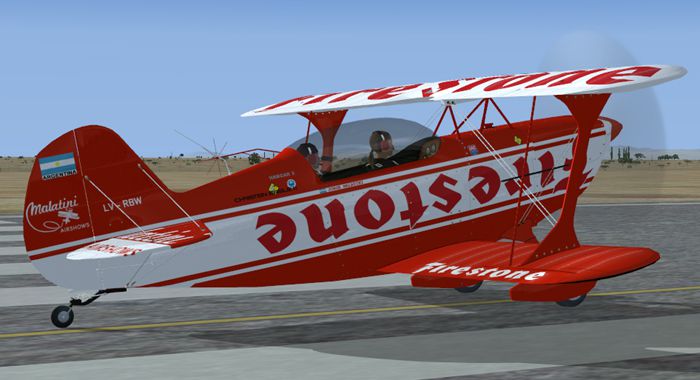
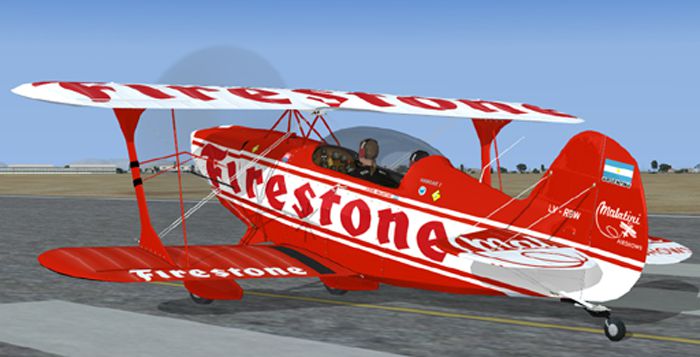
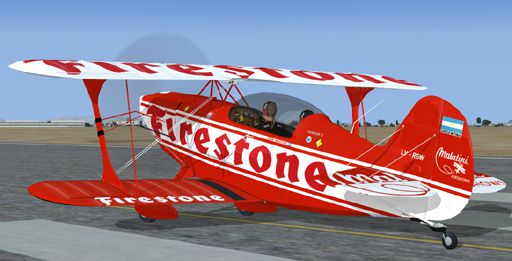
This free repaint offers an authentic take on the Christen Eagle II, featuring a vivid red-and-white livery with the Argentinian registration number LV-RBW. Created by Jeff Trozzo exclusively for the payware Iris Christen Eagle package, it requires the original payware aircraft to function within Microsoft Flight Simulator X. The Christen Eagle II itself, designed by Frank Christensen, is famous for its agile aerobatic attributes, making this skin ideal for pilots seeking to recreate airshow-style maneuvers in a meticulously detailed biplane environment.
The Christen Eagle II is known for its compact, tandem-seat configuration and symmetrical wings, which help deliver balanced maneuverability during advanced aerobatics. This repaint reproduces those striking design lines by applying a crisp, red-and-white pattern to match LV-RBW’s real-world scheme. The result is an unmistakable airshow-ready aesthetic that stands out on the tarmac and offers plenty of visual fidelity during in-flight displays.
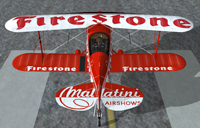
Screenshot showing the red-and-white Eagle II on a runway, highlighting its aerobatic biplane form.
The following steps describe how to incorporate the repaint into your existing installation. Because these are texture files only, please ensure you have the official Iris Christen Eagle II payware model installed.
[FLTSIM.XX]
TITLE = IRIS CHRISTEN EAGLE II Firestone
SIM = CE_2_FDE
MODEL = CE2
PANEL =
SOUND =
TEXTURE =rbw
PANEL_ALIAS =
SOUND_ALIAS =
KB_CHECKLISTS =
KB_REFERENCE =
ATC_ID =LV-RBW
ATC_ID_COLOR =
ATC_PARKING_TYPES =
ATC_PARKING_CODE =
UI_MANUFACTURER = CHRISTEN INC.
UI_TYPE = EAGLE II
UI_VARIATION =LV-RBW
DESCRIPTION = CHRISTEN EAGLE II AEROBATIC BIPLANE
This repaint package has been skillfully crafted by Jeff Trozzo, reflecting the actual LV-RBW registration markings in a high-resolution finish. Remember that this is a freeware add-on developed solely for use with the payware model by IRIS. To fly this color scheme, the third-party Iris Christen Eagle must be purchased separately from a reputable vendor, such as the SimShack store.
By blending a real-world Argentinian registration with the Eagle II’s proven aerobatic pedigree, this repaint highlights the aircraft’s tight roll rates and responsive flight controls, which many pilots appreciate during formation flying or solo display flights. The red-and-white color palette is visually striking, allowing enthusiasts to spot even subtle control surface movements when capturing screenshots or streaming flight sessions.
Free for all simmers · 6.17 MB · Scanned clean Oct 2026
Download speed: Free tier is capped at 0.5 Mbps (this file takes approximately 2 mins at the cap). PRO members download at full line speed.
texture.{airline}) inside FSX\SimObjects\Airplanes\{base-aircraft}\.aircraft.cfg in Notepad. Add a new [fltsim.X] section per the readme.readme.txt or README file. It tells you exactly where files go, what dependencies are needed, and any quirks specific to this add-on.The archive irisce2_rbw.zip has 19 files and directories contained within it.
This list displays the first 500 files in the package. If the package has more, you will need to download it to view them.
| Filename/Directory | File Date | File Size |
|---|---|---|
| Eagle_Wing_S.dds | 10.16.09 | 1.00 MB |
| Eagle_Wing_T.dds | 10.19.09 | 4.00 MB |
| Eagle2_LH_Fus_S.dds | 10.16.09 | 512.12 kB |
| Eagle2_LH_Fus_T.dds | 10.19.09 | 2.00 MB |
| Eagle2_RH_Fus_S.dds | 10.16.09 | 512.12 kB |
| Eagle2_RH_Fus_T.dds | 10.19.09 | 2.00 MB |
| prop_blurred.dds | 09.26.09 | 256.12 kB |
| prop_blurred_R.dds | 09.26.09 | 256.12 kB |
| prop_slow.dds | 09.26.09 | 256.12 kB |
| prop_slow_R.dds | 09.26.09 | 256.12 kB |
| texture.cfg | 08.28.09 | 134 B |
| thumbnail.jpg | 10.19.09 | 115.74 kB |
| vc1_t.dds | 09.27.09 | 16.00 MB |
| readme_EAGLE.txt | 10.19.09 | 931 B |
| rbw1.jpg | 10.19.09 | 168.38 kB |
| rbw2.jpg | 10.19.09 | 255.57 kB |
| rbw3.jpg | 10.19.09 | 180.86 kB |
| flyawaysimulation.txt | 10.29.13 | 959 B |
| Go to Fly Away Simulation.url | 01.22.16 | 52 B |
Only PRO members can place votes.
More FSX & P3D add-ons hand-picked based on this download.
FSX General Aviation Aircraft
This high-visibility repaint offers a fully red texture set crafted for the I…
 FSX General Aviation Aircraft
A Red Bull livery for the payware Christen Eagle II from Iris Simulation. Scr…
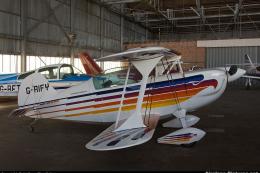 FSX General Aviation Aircraft
Christen Eagle II. An FSX/Acceleration Christen Eagle II, Aircraft by Long Is…
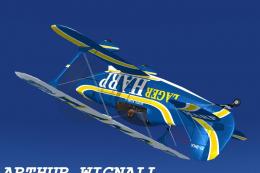 FSX General Aviation Aircraft
This repaint offers a detailed texture set for the payware Iris Christen Eagl…
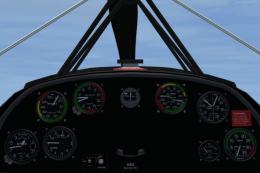 FSX General Aviation Aircraft
Christen Eagle Gauge Fix For FSX SP2. This is one small file to improve the w…
 FSX General Aviation Aircraft
Acceleration Christen Eagle Fix for use with LICEAGII.ZIP. So, you ported the…
 FSX General Aviation Aircraft
Art Scholl Christen Eagle, registration N13AS. Textures only for the Long Isl…
 FSX General Aviation Aircraft
A repaint for the payware Iris Christen Eagle. These are textures only for ZS…
Be the first to leave a comment on this download.
Be the first to share your thoughts on this download.