

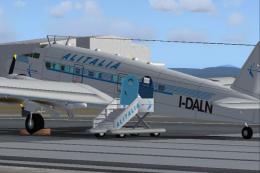
 FS2004 Propeller Aircraft
Alitalia Savoia Marchetti SM95
The SM95 with Fiat G12 was one of the first airliners of Alitalia, the new It…
Alitalia’s early-years Douglas DC-3 livery for the default aircraft brings period-correct Italian airline styling to classic internal routes, reflecting service through 1959 and the post-merger era with LAI. Designed for FS2004, the repaint updates exterior textures while keeping the familiar flight model and virtual cockpit intact.
 Rate
Rate
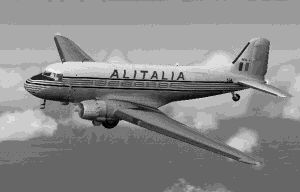
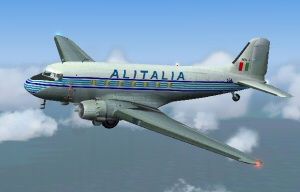
In early years livery. A repaint of the default Douglas DC3, based on the package DC3PAINT.ZIP by Mark Beaumont. Alitalia used this plane on internal routes until 1959. Repainted by Taccini Luca.
Screenshot of Alitalia Douglas DC-3 in flight.
To install properly this textures unzip the package in a temporary directory of your choice. Copy and drag the folder " texture.ali " in the folder " Douglas_DC3 ", in the aircraft folder in your FS 2004 (FS9) main directory. Then add this text file in the aircraft configuration file:
[fltsim.x]

	title=Douglas Dc3 Alitalia

	sim=Douglas_DC3

	visual_damage=1

	model=

	panel=

	sound=

	texture=ali

	kb_checklists=Douglas_DC3_check

	kb_reference=Douglas_DC3_ref

	atc_id=664

	ui_manufacturer=Douglas

	ui_type="DC-3"

	ui_variation="Alitalia"

	description="The Douglas DC-3 revolutionized air transportation and airline service during the 1930s and 1940s. Alitalia acquired this plane after the fusion with LAI (Linee Aeree Italiane) on 10/31/1957, and used it, until 1959, to fly internal routes as Milan(Linate)-Rome(Urbe) or Florence(Peretola)-Venice (Marghera).

	TBAirCraftUId=40
Select the entry [fltsim.x] and replace the .x with the last .x number.
Nothing else. Enjoy the flights!
Free for all simmers · 1.49 MB · Scanned clean Oct 2026
Download speed: Free tier is capped at 0.5 Mbps. PRO members download at full line speed.
This file is a repaint — the package below is the base model it paints onto. Install it first, or the textures will have nothing to load onto.
FS9\Aircraft\, FS9\Addon Scenery\, FS9\Gauges\, or FS9\Effects\.readme.txt or README file. It tells you exactly where files go, what dependencies are needed, and any quirks specific to this add-on.The archive dc3ali2.zip has 15 files and directories contained within it.
This list displays the first 500 files in the package. If the package has more, you will need to download it to view them.
| Filename/Directory | File Date | File Size |
|---|---|---|
| Dc3Ali.gif | 01.19.04 | 7.25 kB |
| Dc3Ali.jpg | 01.19.04 | 8.55 kB |
| Dc3Ali.txt | 01.19.04 | 2.75 kB |
| FILE_ID.diz | 01.19.04 | 289 B |
| Douglas_DC3_1_C.bmp | 04.29.03 | 682.74 kB |
| Douglas_DC3_1_D.bmp | 11.24.03 | 512.07 kB |
| Douglas_DC3_2_C.bmp | 04.29.03 | 170.74 kB |
| Douglas_DC3_3_C.bmp | 04.29.03 | 42.74 kB |
| Douglas_DC3_2_T.bmp | 11.24.03 | 256.07 kB |
| Thumbs.db | 11.16.03 | 9.00 kB |
| Prop_DC3.bmp | 10.06.03 | 341.40 kB |
| Douglas_DC3_1_T.bmp | 11.24.03 | 1.00 MB |
| texture.ali | 01.19.04 | 0 B |
| flyawaysimulation.txt | 10.29.13 | 959 B |
| Go to Fly Away Simulation.url | 01.22.16 | 52 B |
Only PRO members can place votes.
More FS2004 add-ons hand-picked based on this download.
FS2004 Propeller Aircraft
The SM95 with Fiat G12 was one of the first airliners of Alitalia, the new It…
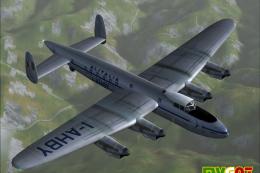 FS2004 Propeller Aircraft
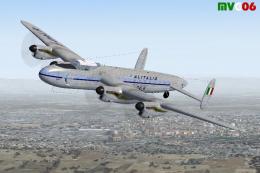
A close derivative of the war-time Lancaster bomber, the Lancastrian was fitt…
 FS2004 Propeller Aircraft
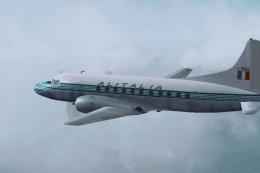
This Italian airline flies this plane along medium range routes. Repainted te…
 FS2004 Propeller Aircraft
These aircraft, purchased by Alitalia during 1947, operated as passenger line…
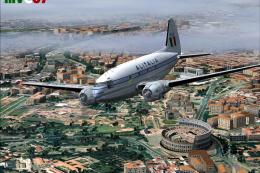 FS2004 Propeller Aircraft
Alitalia purchased and operated as freighters some of these aircraft (ex USAA…
 FS2004 Propeller Aircraft
These layered PSD files can be used in Paint Shop Pro or Photoshop to allow e…
 FS2004 Propeller Aircraft
DC-3 Airways Douglas DC-3 classic and 1940's liveries. Based on the default D…
 FS2004 Propeller Aircraft
"City of Boston", in bare metal scheme. Original model by Arik Hohmeyer and F…
Be the first to leave a comment on this download.
Be the first to share your thoughts on this download.