

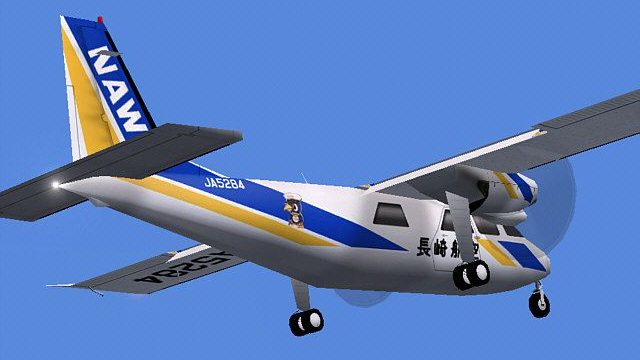
 FS2004 Propeller Aircraft
VAL Britten-Norman Islanders
Vieques Air Link's Islanders in the new and old liveries, plus the turbine ve…
Nagasaki Airways and Oriental Air Bridge liveries bring the Britten-Norman BN-2 Islander AI fleet to life in FS2004, reflecting the carriers’ ANA subsidiary heritage. Optimized DXT3 textures without alpha boost frame rates for busy schedules, and the package supports smooth day and night presentation; requires Traffic Tools for ATC traffic integration.
 Rate
Rate
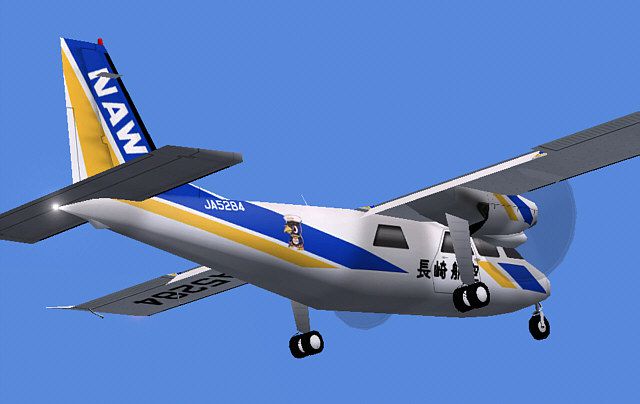
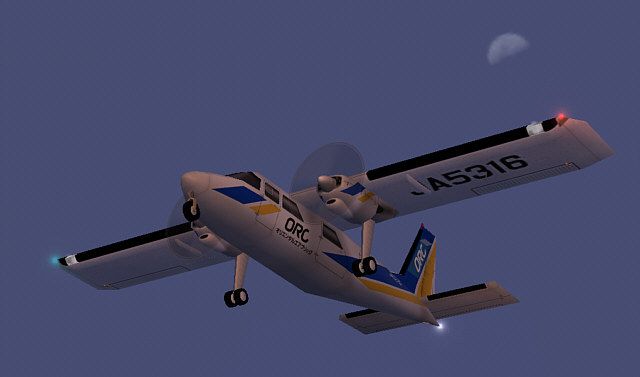
These two repaints were made for the AI Britten Normen BN2 Islanders by Henry Tomkiewicz. Nagasaki Airways (NAW) is now Oriental Air Bridge (ORC). Both entities are subsidiaries of All Nippon Airways (ANA). For use as AI traffic only. Painted in DXT3 format with no alpha for best frame rates. Repainted by Phillip Tan.
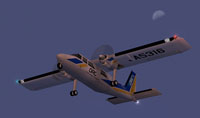
Screenshot of NAW/ORC AI BN2 Islanders in flight.
Installation:
To include the model in your ATC traffic, you need to use utilities such as Lee Swordy's "Traffic Tools".
This model is currently in development and I'll make more updates to it as I get reports from people who use it. The textures are basic masters, 256 color (8-bit), 1024x1024 bitmap. Chrome reflections, and lightmap for night lighting are activated. User is welcome to repaint the model in any livery(s) desired. Uploads of repainted models are also welcome. No prior permission is required. Flight dynamics are based on the default Beech Baron, so it will work well as an AI model, but will not operate realistically as a Britten-Norman BN-2A/B Islander. If anyone makes any improvements to the flight model which lets the AI model fly more realistically as a Britten-Norman BN-2A/B Islander, please send me a copy and I'll include it in a future update.
Free for all simmers · 490.56 KB · Scanned clean Oct 2026
Download speed: Free tier is capped at 0.5 Mbps. PRO members download at full line speed.
FS9\Aircraft\, FS9\Addon Scenery\, FS9\Gauges\, or FS9\Effects\.readme.txt or README file. It tells you exactly where files go, what dependencies are needed, and any quirks specific to this add-on.The archive bn2naorc.zip has 21 files and directories contained within it.
This list displays the first 500 files in the package. If the package has more, you will need to download it to view them.
| Filename/Directory | File Date | File Size |
|---|---|---|
| Aircraft.cfg | 09.05.04 | 16.85 kB |
| Britten-Norman BN-2.air | 06.12.03 | 7.31 kB |
| model | 09.05.04 | 0 B |
| Britten-Norman BN-2 SN.mdl | 08.27.04 | 269.31 kB |
| Model.cfg | 08.27.04 | 41 B |
| naw1.jpg | 09.05.04 | 46.53 kB |
| orc3.jpg | 09.05.04 | 27.24 kB |
| orcsml.gif | 09.05.04 | 9.54 kB |
| Readme.txt | 09.05.04 | 1.99 kB |
| sound | 09.05.04 | 0 B |
| SOUND.CFG | 04.18.01 | 61 B |
| texture.naw | 09.05.04 | 0 B |
| aibn2.bmp | 09.05.04 | 1.00 MB |
| aibn2_l.bmp | 08.27.04 | 1.00 MB |
| prop-hs.bmp | 08.27.04 | 64.07 kB |
| texture.orc | 09.05.04 | 0 B |
| aibn2.bmp | 09.05.04 | 1.00 MB |
| aibn2_l.bmp | 08.27.04 | 1.00 MB |
| prop-hs.bmp | 08.27.04 | 64.07 kB |
| flyawaysimulation.txt | 10.29.13 | 959 B |
| Go to Fly Away Simulation.url | 01.22.16 | 52 B |
Only PRO members can place votes.
More FS2004 add-ons hand-picked based on this download.
FS2004 Propeller Aircraft
Vieques Air Link's Islanders in the new and old liveries, plus the turbine ve…
 FS2004 Propeller Aircraft
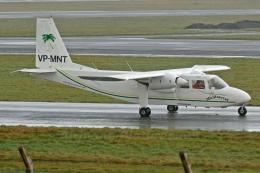
This airline uses only Britten Norman Islanders; this one is VP-MNT. Model by…
 FS2004 Propeller Aircraft
Textures of Air Panama for the HTAI Britten Norman BN-2 Islander model. Textu…
 FS2004 Propeller Aircraft
Aurigny Britten Norman BN2-2AMk3 Trislander. Four repaints, G-BDTO, G-BEVT, G…
 FS2004 Propeller Aircraft
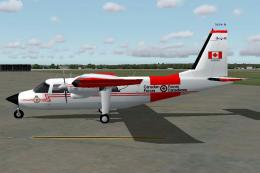
This is a Britten Norman BN2 Islander in fictitious colors of the CAF. Textur…
 FS2004 Propeller Aircraft
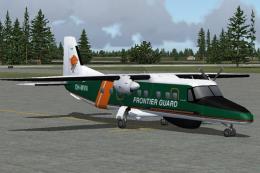
Models feature 6 level of details; dynamic shine; animated propellers, moving…
 FS2004 Propeller Aircraft
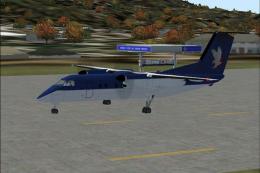
Variants of the Default Dash 8 100 Repaints By Robert "Hawk".
 FS2004 Propeller Aircraft
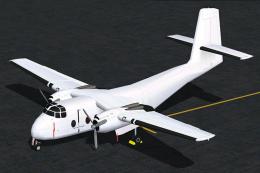
A 2400 polygon multi-LOD DeHavilland Caribou for AI. Includes two models and …
Be the first to leave a comment on this download.
Be the first to share your thoughts on this download.